カテゴリ
- 学童・教育用品(48)
- 制御機器(1)
絞り込み
ブランド
- SPARKFUN
- DURO(デューロ)(5)
- DUNLOP(ダンロップ)(2)
- KITACO(1)
- BRIDGESTONE(ブリヂストン)(1)
- RS PRO(790)
- CKD(104)
- KEMET(73)
- イマオコーポレーション(56)
- 東芝(39)
- ILMBERGER (イルムバーガーカーボンパーツ)(38)
- brembo(36)
- アイコ(34)
- SKF(日本エスケイエフ)(29)
- OSG(オーエスジー)(22)
- メディアカバーマーケット(22)
- nexperia(20)
- ParkerTAIYO(14)
- アイネックス(14)
- ブランドをもっと見る
「DURO」の検索結果
特価
 の全商品がキャンペーンコード入力で通常価格より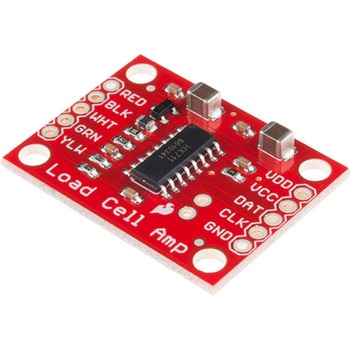
LOAD CELL AMP HX711
SPARKFUN¥3,500税込¥3,8501個33日以内出荷。Description。The SparkFun Load Cell Amplifier is a small breakout board for the HX711 IC that allows you to easily read load cells to measure weight. By connecting the amplifier to your microcontroller you will be able to read the changes in the resistance of the load cell, and with some calibration you'll be able to get very accurate weight measurements. This can be handy for creating your own industrial scale, process control or simple presence detection.。This version of the SparkFun Load Cell Amplifier features a few changes that you specifically asked for! We have separated the analog and digital supply, as well as added a 3.3uH inductor and a 0.1uF filter capacitor for digital supply. Need even more? Checkout the SparkFun Qwiic Scale. It has all the features of the HX711 but with additional library support, a true I2C interface, and no soldering required!。The HX711 uses a two-wire interface(Clock and Data)for communication. Any microcontroller's GPIO pins should work, and numerous libraries have been written, making it easy to read data from the HX711. Check the hookup guide below for more information.。Load cells use a four-wire Wheatstone bridge configuration to connect to the HX711. These are commonly colored RED, BLK, WHT, GRN and YLW. Each color corresponds to the conventional color coding of load cells:Red(Excitation+ or VCC)。Black(Excitation- or GND)。White(Amplifier-, Signal- or Output-)。Green(A+, S+ or O+)。Yellow(Shield)。The YLW pin acts as an optional input that is not hooked up to the strain gauge but is utilized to ground and shield against outside EMI(electromagnetic interference). Please keep in mind that some load cells might have slight variations in color coding.。Note:Special thanks to Bodge for supplying the Library for the HX711!。Get Started with the HX711 Load Cell Amplifier Guide。Features。Operation Voltage:2.7V--5V。Operation Current:< 1.5mA。Selectable 10SPS or 80SPS output data rate。Simultaneous 50 and 60Hz supply rejectionアズワン品番67-0362-17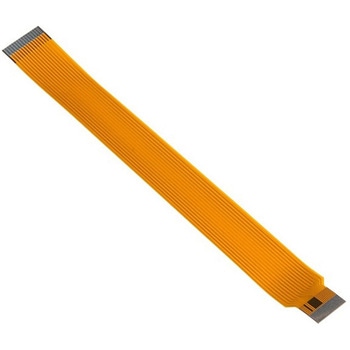
Raspberry Pi Zero Camera Cable
SPARKFUN¥3,198税込¥3,5181個33日以内出荷。Description。The Raspberry Pi Zero and Zero W are both equipped with a smaller CSI(Camera Serial Interface)port than on a full-sized Raspberry Pi board --- luckily, that's where this cable can help! The Raspberry Pi Zero Camera Cable replaces the pre-existing camera module cable, allowing your Zero or Zero W light and imaging capabilities.。This cable measures 15cm from end to end and can easily be swapped in and out.。Note:This product only includes the CSI cable and does。NOT。include a Raspberry Pi Camera Module. The module will need to be purchased separately.アズワン品番67-0425-30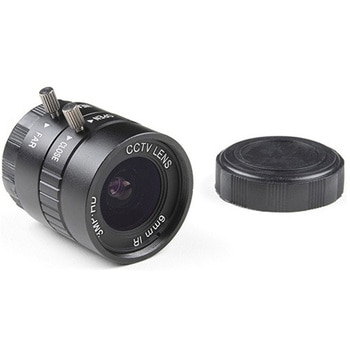
Raspberry Pi HQ Camera Lens - 6mm Wide Angle
SPARKFUN¥24,980税込¥27,4781個33日以内出荷Description。This is the 6mm CS-mount wide angle lens from CGL Electronics Co. Ltd. for use with the Raspberry Pi HQ Camera Module. The lens produces a 3MP picture in a 0.5in image format and is easily interchangeable using the thumb screw and adapter iアズワン品番67-0427-29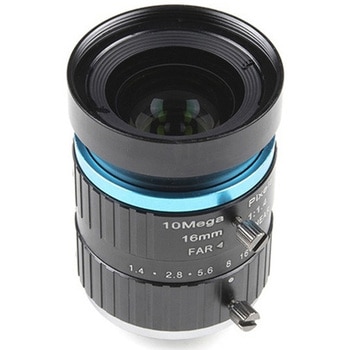
Raspberry Pi HQ Camera Lens - 16mm Telephoto
SPARKFUN¥46,980税込¥51,6781個33日以内出荷Description。This is the 16mm C-mount telephoto lens from CGL Electronics Co. Ltd. for use with the Raspberry Pi HQ Camera Module. The lens produces a 10MP picture in a 1in image format and is easily interchangeable using the thumb screw and adapter incアズワン品番67-0427-28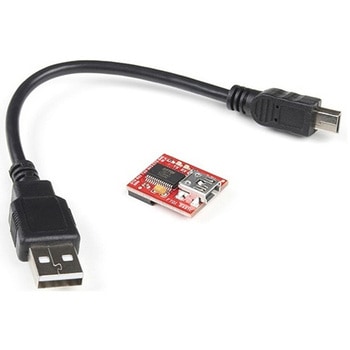
SparkFun FTDI Starter Kit - 3.3V
SPARKFUN¥5,998税込¥6,5981個33日以内出荷Description。The SparkFun 3.3V FTDI Starter Kit gives you just what you need to get started with FTDI FT232RL USB to serial IC. The pinout of the included board matches the FTDI cable standard to work with official Arduino and cloned 3.3V Arduino boards. It can also be used for general serial applications. The major difference with this board is that it brings out the DTR pin as opposed to the RTS pin of the FTDI cable. The DTR pin allows an Arduino target to auto-reset when a new Sketch is downloaded. This is a really nice feature to have and allows a sketch to be downloaded without having to hit the reset button. This board will auto reset any Arduino board that has the reset pin brought out to a 6-pin connector.。The SparkFun FTDI Basic Breakout was designed to decrease the cost of Arduino development and increase ease of use(the auto-reset feature rocks!). Our Arduino Pro and LilyPad boards use this type of connector.。The included cable is a USB 2.0 type B to Mini-B 5-pin black cable.アズワン品番67-0424-75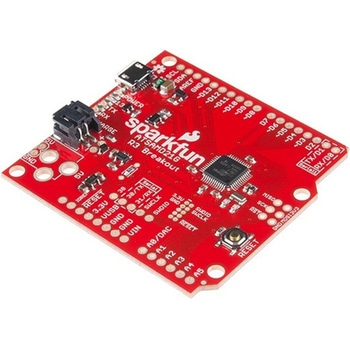
SparkFun SAMD21 Dev Breakout
SPARKFUN¥9,798税込¥10,7781個33日以内出荷Description。If you're ready to step your Arduino game up from older 8-bit/16MHz microcontrollers, the SparkFun SAMD21 Dev Breakout is a great landing spot. The SparkFun SAMD21 Dev Breakout is an Arduino-sized breakout for the Atmel ATSAMD21G18, a 32-biアズワン品番67-0422-19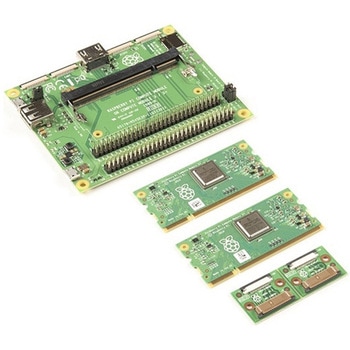
Raspberry Pi Compute Module 3+ Development Kit
SPARKFUN¥44,980税込¥49,4781個33日以内出荷。Description。The Compute Module 3+ Development Kit is made for developing industrial applications with CM3+, CM3+/Lite, CM3, CM3 Lite, and CM1.。The Development Kit contains the critical hardware that allows you to design the Compute Module into a custom system, and gives you the freedom to add extra components and place parts exactly where your product needs them.。The kit includes the Compute Module IO(CMIO)board, which is a simple, open-source breakout board into which you can plug a Compute Module. The board hosts 120 GPIO pins, an HDMI port, a USB port, two camera ports, and two display ports.。Note:A separate power supply, such as this Universal Power Supply, is required to power the product(not included in the kit).アズワン品番67-0423-30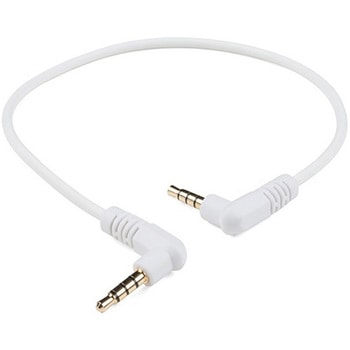
Audio Cable TRRS - 1ft
SPARKFUN¥749税込¥8241個33日以内出荷。Description。This is a foot-long white audio cable that has been terminated with two TRRS connectors at each end. TRRS connectors are the 3.5mm audio-style connectors that you see on some phones, MP3 players and development boards. TRRS stands for "Tip, Ring, Ring, Sleeve," which reflects the fact that, unlike a standard stereo connector, this actually has three conductors and a ground. Some devices use the extra conductor for a microphone(as in hands-free headsets)or to carry a video signal(as in some MP3/MP4 players). If you're hacking on something that has a 4-conductor audio jack, being able to plug straight in will keep your build clean and simple.。We use and recommend this specific audio cable for our Spectacle product line.。Features。1ft long(30.5 cm)アズワン品番67-0420-30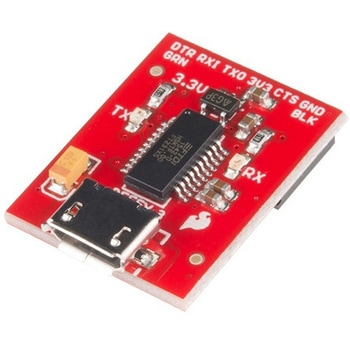
SparkFun Beefy 3 - FTDI Basic Breakout
SPARKFUN¥5,798税込¥6,3781個33日以内出荷。Description。This is SparkFun Beefy 3 FTDI Basic Breakout for the FTDI FT231X USB to serial IC. The pinout of this board matches the FTDI cable to work with official Arduino and cloned 3.3V Arduino boards. It can also be used for general serial applications. Built upon the same foundation as our 3.3V SparkFun FTDI Basic Breakout, the Beefy 3 is equipped with an AP2112K voltage regulator making this FTDI basic breakout board capable of handling a current load of up to 600 mA! With the addition of a more "Beefy" voltage regulator your will now be able to power a 3.3V project directly from the FTDI. The pinout of this board matches the FTDI cable to work with official Arduino and cloned 3.3V Arduino boards.。This board brings out the DTR pin as opposed to the RTS pin of the FTDI cable. The DTR pin allows an Arduino target to auto-reset when a new Sketch is downloaded. This is a really nice feature to have and allows a sketch to be downloaded without having to hit the reset button. This board will auto reset any Arduino board that has the reset pin brought out to a 6-pin connector. The pins labeled BLK and GRN correspond to the colored wires on the FTDI cable. The black wire on the FTDI cable is GND, green is DTR. Use these BLK and GRN pins to align the FTDI basic board with your Arduino target.。There are pros and cons to the FTDI Cable vs the FTDI Basic. This board has TX and RX LEDs that allow you to actually see serial traffic on the LEDs to verify if the board is working, however this board now requires a Micro-B USB cable. The FTDI Cable is well protected against the elements, but is large and cannot be embedded into a project as easily. The FTDI Basic uses DTR to cause a hardware reset where the FTDI cable uses the RTS signal.。This board was designed to decrease the cost of Arduino development and increase ease of use(the auto-reset feature rocks!). Our Arduino Pro and LilyPad boards use this type of connector.アズワン品番67-0430-06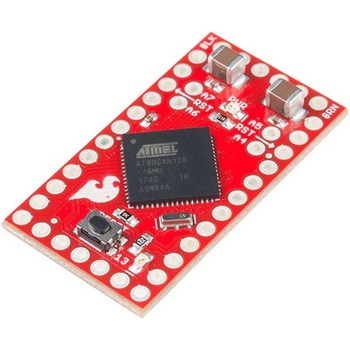
SparkFun AST-CAN485 Dev Board
SPARKFUN¥19,980税込¥21,9781個33日以内出荷Description。The SparkFun AST-CAN485 Dev Board is a miniature Arduino in the compact form factor of the Pro Mini. In addition to all the usual features that a mini Arduino has, it possesses an onboard CAN(Control Area Network)and RS485 ports, enabling qアズワン品番67-0422-53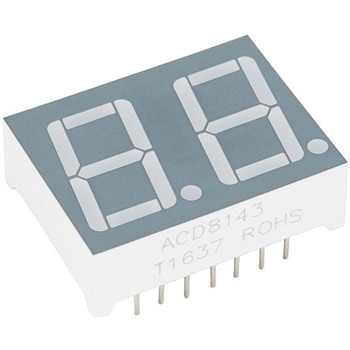
Dual 7-Segment Display - LED RGB
SPARKFUN¥1,398税込¥1,5381個33日以内出荷Description。This is not your basic 7-segment display. The Dual 7-Segment Display features two digits with an RGB LED in every single segment! You will now have a small 7-segment LED in your project with a full-color display!。The Dual 7-Segment Displアズワン品番67-0420-90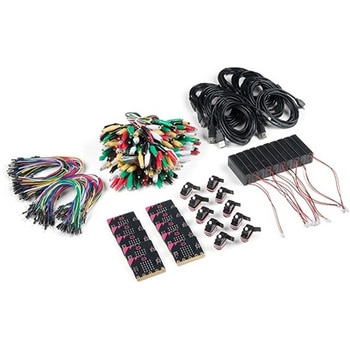
SparkFun Educator Lab Pack for micro:bit v2
SPARKFUN¥109,800税込¥120,7801個33日以内出荷Description。The micro:bit v2 Educator's Lab Pack includes 10 micro:bit v2 boards and everything you need to get you started with the new learning platform. The Lab Pack has everything you need, including micro:bits, cables, battery packs and a few parts to experiment with. This package provides an easy way to introduce your students to the micro:bit without any difficulty or parts hunting.。SparkFun packages everything educators need to get started with the micro:bit in a variety of classroom settings and learning environments. The hardware boards, cables and extra parts come pre-packaged. Examples and curriculum materials are available from SparkFun and micro:bit, as well as from other educators involved in this growing maker education movement.。Lab Packs are your classroom entry point. By combining our kits, popular boards and other educational tools with support materials(to be updated), SparkFun brings all the power of the open source community to the classroom. We've also updated the battery pack to be closer to what is in other micro:bit kits. It now requires 2xAAA batteries.。The micro:bit is a pocket-sized computer that lets you get creative with digital technology. Between the micro:bit and our shield-like bit boards you can do almost anything while coding, customizing and controlling your micro:bit from almost anywhere! You can use your micro:bit for all sorts of unique creations, from robots to musical instruments and more. At half the size of a credit card, this versatile board has vast potential!。。Features。Micro:bit 2.0:64 MHz Arm Cortex-M4 with FPU。512KB Flash。128KB RAM。5x5 Red LED Array。Two Programmable Buttons, one touch sensitive logo。MEMS microphone and LED indicator。Onboard Light, Compass, Accelerometer, Temp Sensors and Speaker。2.4 Ghz Micro:bit Radio/BLE 5.0 Smart Antenna。25-pin Edge Connector。4 dedicated GPIO, PWM, i2c, SPI, and ext. power。Three Digital/Analog Input/Output Rings。Two Power Rings --- 3V and GND。Dedcated I2C bus for peripherals。MicroUSB Connector(5V)。JST-PH Battery Connector(。Not。JST-XH)(3V)。Power/reset Button with Status LED。200 mA available for accessories。Program with C++, MakeCode, Python, Scratchアズワン品番67-0424-92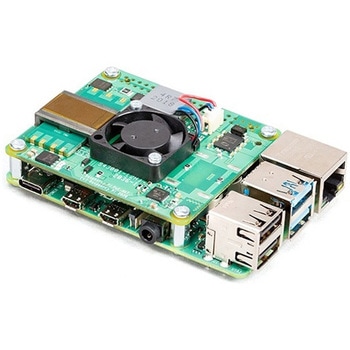
Raspberry Pi PoE+ HAT
SPARKFUN¥12,980税込¥14,2781個33日以内出荷Description。The Raspberry Pi PoE+ HAT is designed to replace the existing Raspberry Pi PoE HAT in all new and existing designs. Like the original, the PoE+ HAT allows you to power your Raspberry Pi using Power over Ethernet networks. The PoE+ HAT meets all the requirements of the IEEE 802.3af(802.3at Type 1, PoE+)specifications. This ups the power the network can supply from 15.4 watts(PoE)to 25.5 Watts(PoE+)over CAT5 cable.。No modification to the main Raspberry Pi board is needed for the PoE+ HAT to work but you will need to ensure that your Pi's software is up to date for all functionality to be available. The Raspberry Pi PoE+ HAT is fitted with a small fan that is controlled by the Raspberry Pi via I2C and will turn on and off automatically depending on the temperature of the main processor on your Pi.。Note:There is no Raspberry Pi included with this product. Your desired Pi will need to be purchased separately.。Features。Input voltage:37-57V DC, Class 2 device。Output power:5V DC/3.0A。Cooling:25mm×25mm brushless fan delivering 2.2CFM forprocessor cooling。Fully isolated switch-mode power supply。Fan control。Mechanically compatible with the existing Raspberry Pi PoE HATアズワン品番67-0423-62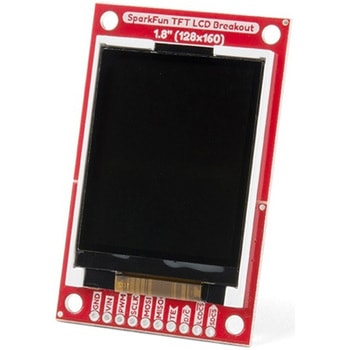
SparkFun TFT LCD Breakout - 1.8" 128x160
SPARKFUN¥9,998税込¥10,9981個33日以内出荷Description。The SparkFun TFT LCD Breakout is a versatile, colorful, and easy way to experiment with graphics or create a user interface for your project. With a 4-wire SPI interface and microSD card holder, you can use this breakout to easily add visual display/interface capabilities to a project as well as providing all the storage you might need for multimedia files.。To get started with this breakout, you will need an Arduino compatible microcontroller of your choice - we recommend something with extra RAM like the SparkFun Thing Plus. The breakout can be powered with either 5V or 3.3V. The microSD card holder is connected to the same SPI bus as the display which keeps the required pin count low and exists to relieve the burden from your microcontroller's poor memory due to having to store hundreds of images of cats, or really whatever you want to keep there. We have also gone ahead and tricked out the SparkFun HyperDisplay library with a driver made especially for this breakout!。Out of the box, the SparkFun TFT LCD Breakout will come with a large backing PCB that makes it easy to securely mount the display in a project. If you need a more flexible solution you can remove the display module, snap off half the backing board, and then re-insert the display module. When this is done you'll be left with the bare minimum frame around the display to more seamLessly integrate with your project.。Get Started With the SparkFun TFT LCD Breakout Guide。Features。128×160 RGB pixels。Up to 18 bit configurable color depth。2x PWM controllabele LED backlight。microSD Card Slot。V-Score for Minimal Footprint Setupアズワン品番67-0424-97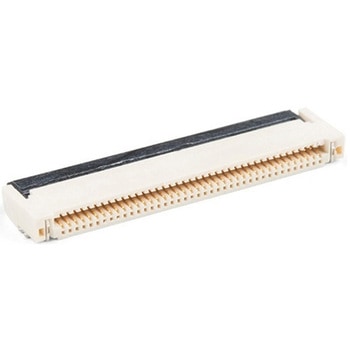
40 Pin 0.5mm FPC, SMD, Both Sides
SPARKFUN¥219税込¥2411個33日以内出荷。Description。This is a 40-pin surface mount FPC(Flat Printed Circuit)connector. Nothing too fancy here, except that it can be plugged in either way - contacts up or down. This is useful for manufacturers because they only have to keep one item in stock. It is useful for consumers because they can use one connector to fit in multiple orientations.。This product fits the 1.77 TFT LCD Display 160x128 RGB - 3 Wire and thanks to its dual-sided nature you can use it upside down or all-around.。TFT Display Not Included。This product mates and is pictured with the 1.8in. TFT LCD 160x128 RGB。Features。40 pins。0.5mm pitch。Top/bottom side contacts(both)。Lockingアズワン品番67-0425-59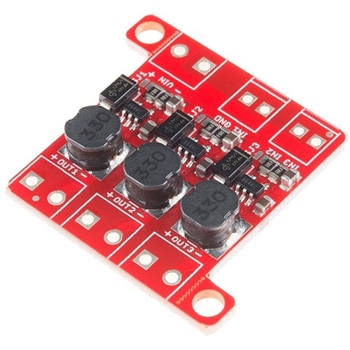
PicoBuck LED Driver
SPARKFUN¥5,298税込¥5,8281個33日以内出荷Description。The PicoBuck LED Driver is an economical and easy to use driver that will allow you to control and blend three different LEDs on three different channels. By default, each channel is driven at 330mA; that current can be reduced by either presenting an analog voltage or a PWM signal to the board. Version 12 of the board adds a solderable jumper that can be closed to increase the maximum current to 660mA. The new voltage regulator also increased the voltage rating on the various components on the board, allowing it to be used up to the full 36V rating of the AL8805 part.。Three signal inputs are provided for dimming control. You can use the PWM signal from an Arduino or your favorite microcontroller to dim each channel individually, or you can tie them all to the same PWM for simultaneous dimming. Dimming can be done by an analog voltage(20%-100% of max current by varying voltage from .5V-2.5V)or by PWM(so long as PWM minimum voltage is less than .4V and maximum voltage is more than 2.4V)for a full 0-100% range. A small jumper is provided for each channel to allow you to increase the drive strength from 330mA to 660mA. Two mounting holes for 4-40 or M3 screws are provided on either side of the board. They are perforated so they can be easily snapped off with a pair of pliers, if a smaller footprint is desired.。Note:。If you're going to use screw terminals, this board uses two different sizes. Check the related products for both sizes you'll need.。Note:。The PicoBuck LED Driver was made in collaboration with Ethan Zonca. A portion of each sale is given back to him.アズワン品番67-0420-83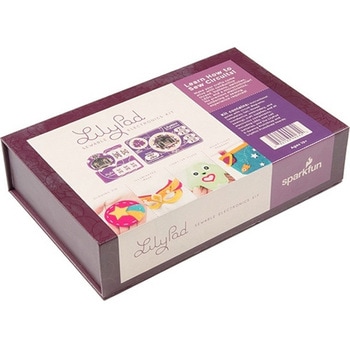
LilyPad Sewable Electronics Kit
SPARKFUN¥31,980税込¥35,1781個33日以内出荷Description。The LilyPad Sewable Electronics Kit lets you explore the wonderful world of electronic sewing(e-sewing)and e-textiles through a series of introductory projects using the LilyPad system. You'll learn how to sew basic circuits to light up LEDs, control them with buttons and switches and even experiment with a pre-programmed LilyMini circuit that reacts to ambient light levels. In addition to LilyPad LEDs and battery holders, the kit comes with two LilyPad ProtoSnap boards that let you explore the circuit before you sew the pieces into a project.。The full-color LilyPad Sewable Electronics Kit Guide(included)contains step-by-step instructions for using LilyPad pieces to create four complete sewable circuit projects with conductive thread. Easy-to-follow diagrams and troubleshooting tips make this a great introductory resource for crafters and creatives.。LilyPad is a wearable technology developed by Dr. Leah Buechley and cooperatively designed by Dr. Buechley and SparkFun. Each LilyPad component was creatively constructed with large sew tabs to allow for stitching into clothing. Various input, output, power and sensor boards are available. They're even washable!。Note:A portion of this sale is given back to Dr. Buechley for continued development and education in e-textiles.。Note:Due to the requirements of shipping the batteries in this kit, orders may take longer to process and therefore do not qualify for same-day shipping. Additionally, these batteries can not be shipped via Ground or Economy methods to Alaska or Hawaii. Sorry for any inconvenience this may cause.。Examples。Sewable Electronics Projects:Project 1:Glowing Pin。Project 2:Illuminated Mask。Project 3:Light-Up Plush。Project 4:Night-Light Pennantアズワン品番67-0424-05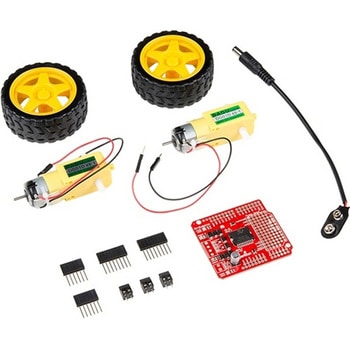
SparkFun Ardumoto Shield Kit
SPARKFUN¥9,998税込¥10,9981個33日以内出荷Description。Robots are fun, and Arduinos are easy. So wouldn't it be nice if there were kit that included everything you need to get your Arduino device set up to control simple two-motor-circuit buddy? The SparkFun Ardumoto Shield Kit is perfect for any robot enthusiast and includes an Ardumoto Shield, as well as pairs of tires, motors, connectors and wires. And, of course, it's all stuffed in classic SparkFun red box(which may come in handy as robot chassis).。The Ardumoto Shield is an easy-to-use dual-motor controller for Arduino. Combined with an Arduino, the Ardumoto makes fantastic controller platform for RC vehicles or even small autonomous robots. At the heart of the Ardumoto --- the big, black chip right in the middle --- is an L298, one of our favorite dual-channel motor drivers around, capable of driving up to 2A per channel. The board takes its power from the same Vin line as the Arduino board and includes blue and yellow LEDs to indicate active direction. All driver lines are diode protected from back EMF.。Note:The motors included with this kit are not compatible with the Wheel Encoder kit. Sorry for the inconvenience.。Get Started with the SparkFun Ardumoto Kit Guideアズワン品番67-0424-09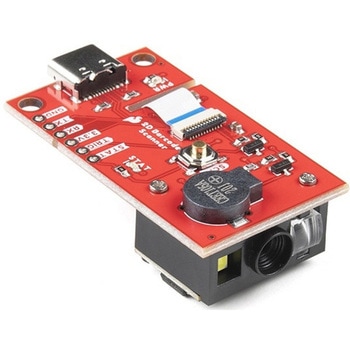
SparkFun 2D Barcode Scanner Breakout
SPARKFUN¥20,980税込¥23,0781個33日以内出荷。Description。The SparkFun 2D Barcode Scanner Breakout is a nifty little breakout board featuring the DE2120 barcode scanner module from DYScan. The DE2120 reads 20 different barcode symbologies(both 1D and 2D)using a camera coupled with on-board image processing to identify and decode everything from UPC codes to QR codes. The module also features two LEDs:one for illumination and one to project the red line that you're used to seeing from laser-based scanners.。This breakout board makes it easy to explore all of the capabilities of the DE2120 without dealing with finicky flat flex cables. The scanner's USB interface is exposed via the on-board USB-C connector. A buzzer and status LED are connected to the module through appropriate drive circuits and a push button tactile switch is provided on the "trigger" pin. When you're ready to incorporate the module into your embedded project, you can leverage the 5 pin header for direct access to the TTL serial pins, power pins, and trigger input.。The module can be configured either by using the serial interface or by scanning command barcodes found in the Settings Manual.。All keyboard, HID, and serial can be transmitted over the single USB-C connector. The DE2120 has the unique ability to enumerate all three protocols including a CDC serial driver so the device appears as a standard COM port.。Get Started with the 2D Barcode Scanner Breakout Hookup Guide。Features。USB-C Connector for USB HID Interface and Virtual COM port。Reads 20 different symbologies。1D Symbologies。UPC-A。UPC-E。EAN-8。EAN-13。Code 128。GS1-128。Code 39。Code 93。Code 11。Interleaved 2-of-5。Matrix 2-of-5。Industrial 2-of-5。Codabar。MSI。GS1 DataBar。Datalogic 2-of-5。2D Symbologies。QR Code。Data Matrix。PDF 417。Micro PDF 417。Aztec Codeアズワン品番67-0430-36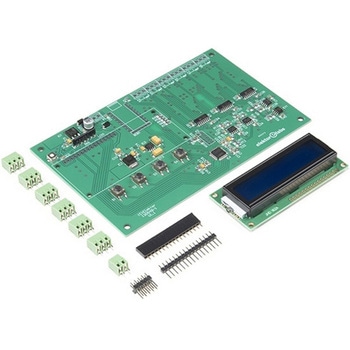
Elektor 6-Channel Temperature Monitor & Logger - Partly Assembled Module
SPARKFUN¥29,980税込¥32,9781個33日以内出荷Description。The 6-Channel Temperature Monitor can measure temperatures from as low as -240℃ up to +850℃(real-world limits greatly depend on the sensors being used). Up to six 3-wire PT100 sensors(not included)can be connected for measuring up to six temperatures. Measured temperature values are sent on a serial port for data logging and/or further processing. The kit includes an optional serial LCD for displaying readouts right on the board.。Note:The kit requires soldering, a Serial to USB converter, and 9V power supply. See related products for these and PT100 temperature sensors.アズワン品番67-0429-30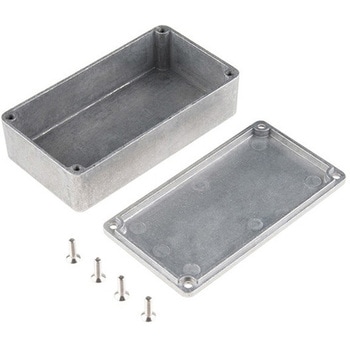
Enclosure - Aluminum 112x61x31mm
SPARKFUN¥2,798税込¥3,0781個33日以内出荷。Description。These are our small, beefy aluminum enclosures, which have been built tough enough to withstand a truck. This 2mm-thick, die-cast enclosure is rated IP54 against dust and splashing water. Because it's aluminum, it's easy to cut and drill so that you can add LCD screens, buttons and cable connections. If you want to "pretty up" your project, hit this with some fine-grit sand paper and buff it or just spray paint it!。These enclosures are perfect for producing "stomp box" style effects pedals. Try combining this with a stomp switch and some of your own secret sauce circuitry to build a sweet custom pedal.。The lid mates nicely to the top of the enclosure and is secured with 10mm long #6-32 screws(included). This aluminum enclosure version features a smoother metal finish as well as a more structurally sound design.。Features。112x61x31mmアズワン品番67-0425-20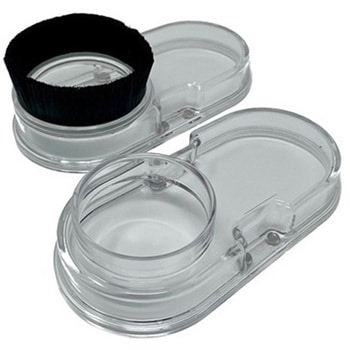
Sweepy 2.0 69mm
SPARKFUN¥20,980税込¥23,0781個33日以内出荷Description。Sweepy 2.0 is our new Dust Boot made from clear polycarbonate.。Version 2.0 features a number of enhancements, that stem from customer feedback. These include:Sweepy 65 V2 - now can now travel up and down the spindle body allowing greater flexibility when milling。Now fits a 2.5" Shopvac as standard。Includes adapters for:2.5" direct hose。2.25" shop vac。36mm Festool/Fein。Includes our affectionally-named "Winston" a clear brush free base for 3d carving and video making。This 69mm size is for the Dewalt spindles.。Sweepy mounts directly to your spindle and is clamped with a machined quick-release. The compact design means that no travel is lost, and it works with any Shapeoko Z-axis with no adapters. The lower half is detachable and held in place using neodymium magnets, which means that the top half remains in place while the lower half detaches for easy access when changing bits.。(For the legal sticklers out there, the Shapeoko and Compact Router shown in the photos are not included with Sweepy.)アズワン品番67-0429-12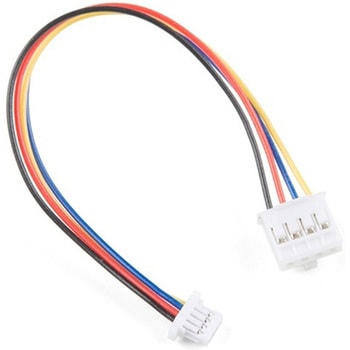
Qwiic Cable - Grove Adapter 100mm
SPARKFUN¥709税込¥7801個33日以内出荷Description。With the SparkFun Qwiic Connect System expanding every day, we want to make sure it becomes as accessible as possible but we understand there are other systems that can compliment it out there. The Qwiic to Grove Adapter Cable allows interoperability between the SparkFun Qwiic Connect System and the I2C based Grove boards from Seeed Studio. Now you can plug Seeed Studio boards you may have onto the Qwiic bus or you can use this cable to introduce Qwiic sensors, inputs, and outputs into your Grove system.。Note:The Grove system has a variety of different signal systems that use the same connector. This cable。only。works with the I2C variety.。The SparkFun Qwiic connect system is an ecosystem of I2C sensors, actuators, shields and cables that make prototyping faster and less prone to error. All Qwiic-enabled boards use a common 1mm pitch, 4-pin JST connector. This reduces the amount of required PCB space, and polarized connections mean you can't hook it up wrong.。。Features。Length:100mmアズワン品番67-0425-61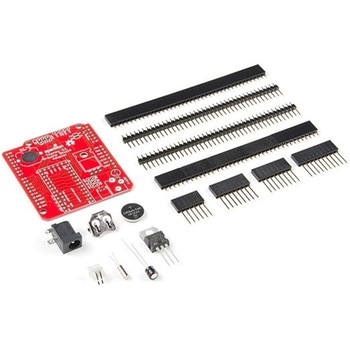
Teensy Arduino Shield Adapter
SPARKFUN¥4,798税込¥5,2781個33日以内出荷Description。The Teensy is an amazing and compact development platform in breadboard friendly form factor, but what if you could incorporate it into the Arduino architecture? The Teensy Arduino Shield Adapter allows you to attach your Teensy and utilize your favorite Arduino shields without the requirement of breadboard or any complicated wiring. Needless to say, the Teensy Arduino Shield Adapter is useful tool for upgrading all of your existing Arduino projects to more powerful controller!。As we stated before, the Teensy Arduino Shield Adapter provides basic Arduino compatibility with your run-of-the-mill shield but there are few other fun features that we've added on, as well. These features include Real Time Clock(RTC)battery, JST battery connector, 4-12V barrel jack connector, an ICSP header, and more. Because this board is simply an adapter, there is no special programming required to start working with the adapter. You will, however, need to program the Teensy for any Arduino shield you'd like to work with.。While the adapter design can fit the Teensy LC footprint, it has been designed to fully utilize the features of the Teensy 3.1. Not all of the features available on the adapter are compatible with the LC so please be sure to check the Hookup Guide in the。Documents。section below to ensure functionality for your project. Please keep in mind that this adapter may be incompatible with some 5V Arduino shields. Please check our hookup guide for more information.。Note:The Teensy Arduino Shield Adapter comes as kit and will need to be soldered together.。Note:Due to the requirements of shipping the batteries in this kit, orders may take longer to process and therefore do not qualify for same-day shipping. Additionally, these batteries can not be shipped via Ground or Economy methods to Alaska or Hawaii. Sorry for any inconvenience this may cause.。Features。Arduino R3 Interface。Real Time Clock Battery。JST Battery Connector。Barrel Jack。I2C Jumpers。ICSP Header。DAC Pin Headerアズワン品番67-0424-36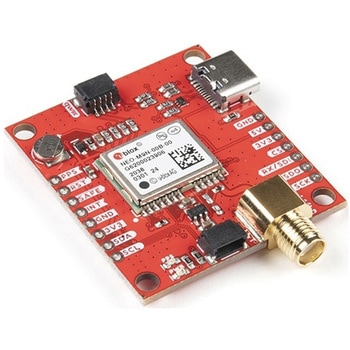
SparkFun GPS Breakout - NEO-M9N, SMA Qwiic
SPARKFUN¥22,980税込¥25,2781個33日以内出荷Description。The SparkFun NEO-M9N GPS Breakout is a high quality GPS board with equally impressive configuration options including SMA. The NEO-M9N module is a 92-channel u-blox M9 engine GNSS receiver, meaning it can receive signals from the GPS, GLONASS, Galileo, and BeiDou constellations with ~1.5 meter accuracy. This breakout supports concurrent reception of four GNSS. This maximizes position accuracy in challenging conditions increasing, precision and decreases lock time; and thanks to the onboard rechargeable battery, you'll have backup power enabling the GPS to get a hot lock within seconds! Additionally, this u-blox receiver supports I2C(u-blox calls this Display Data Channel)which makes it perfect for the Qwiic compatibility so we don't have to use up our precious UART ports. Utilizing our handy Qwiic system, no soldering is required to connect it to the rest of your system. However, we still have broken out 0.1"-spaced pins in case you prefer to use a breadboard.。The NEO-M9N module detects jamming and spoofing events and can report them to the host, so that the system can react to such events. A SAW(Surface Acoustic Wave)filter combined with an LNA(Low Noise Amplifier)in the RF path is integrated into the NEO-M9N module which allows normal operation even under strong RF interferences.。U-blox based GPS products are configurable using the popular, but dense, windows program called u-center. Plenty of different functions can be configured on the NEO-M9N:baud rates, update rates, geofencing, spoofing detection, external interrupts, SBAS/D-GPS, etc. All of this can be done within the SparkFun Arduino Library!。The SparkFun NEO-M9N GPS Breakout is also equipped with an on-board rechargeable battery that provides power to the RTC on the NEO-M9N. This reduces the time-to-first fix from a cold start(~24s)to a hot start(~2s). The battery will maintain RTC and GNSS orbit data without being connected to power for plenty of time.。This product requires an antenna:Be sure to check out the related products/hookup accessories and pick a suitable SMA antenna for your project.。The SparkFun Qwiic Connect System is an ecosystem of I2C sensors, actuators, shields and cables that make prototyping faster and less prone to error. All Qwiic-enabled boards use a common 1mm pitch, 4-pin JST connector. This reduces the amount of required PCB space, and polarized connections mean you can't hook it up wrong.。The NEO-M9N GPS Breakout can also be automatically detected, scanned, configured, and logged using the OpenLog Artemis datalogger system. No programming, soldering, or setup required!。Get Started With the SparkFun NEO-M9N GPS Guide。Features。Integrated SMA connector for use with antenna of your choice。92-Channel GNSS Receiver。1.5m Horizontal Accuracy。25Hz Max Update Rate(four concurrent GNSS)。Time-To-First-Fix:Cold:24s。Hot:2s。Max Altitude:80,000m。Max G:≦4。Max Velocity:500m/s。Velocity Accuracy:0.05m/s。Heading Accuracy:0.3 degrees。Time Pulse Accuracy:30ns。3.3V VCC and I/O。Current Consumption:~31mA Tracking GPS+GLONASS。Software Configurable。Geofencing。Odometer。Spoofing Detection。External Interrupt。Pin Control。Low Power Mode。Many others!。Supports NMEA, UBX, and RTCM protocols over UART or I2C interfacesアズワン品番67-0423-87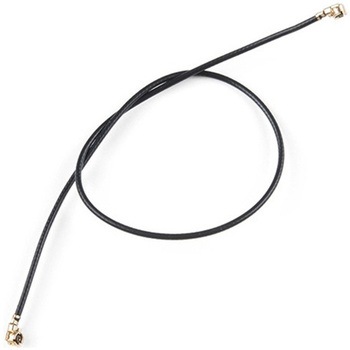
U.FL to U.FL Mini Coax Cable - 200mm
SPARKFUN¥999税込¥1,0991個33日以内出荷Description。This cute little coax is a champ in our RF kit! It has a right angle female U.FL(aka I-PEX)connector on both ends. Now instead of jerry-rigging a few U.FL to SMA cables together we can go straight from one U.FL device to another. As an added bonus this coax is the nice stuff - approximately 1mm in diameter and extra flexible. The 50-ohm impedance of this cable makes it well suited for almost all SparkFun RF products including GPS, LoRa, and RFID.。Features。200 mm length。1.25 mm diameter。U.FL connectors on both ends(cable side, to mate with SMD board connector)アズワン品番67-0429-49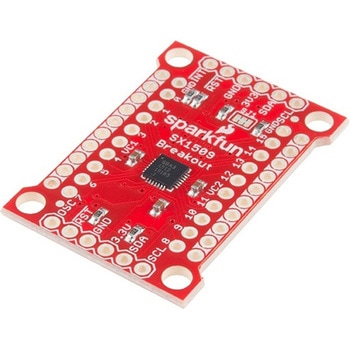
SparkFun 16 Output I/O Expander Breakout - SX1509
SPARKFUN¥2,198税込¥2,4181個33日以内出荷Description。Are you low on I/O? No problem! The SX1509 Breakout is 16-channel GPIO expander with an I2C interface that means with just two wires, your microcontroller can interface with 16 fully configurable digital input/output pins. But the SX1509 can do so much more than just simple digital pin control. It can produce PWM signals, so you can dim LEDs. It can be set to blink or even breathe pins at varying rates. This breakout is similar to multiplexer or "mux," in that it allows you to get more IO from less pins. And, with built-in keypad engine, it can interface with up to 64 buttons set up in an 8x8 matrix.。Two headers at the top and bottom of the breakout board function as the input and control headers to the board. This is where you can supply power to the SX1509, and where your I2C signals SDA and SCL will terminate. GPIO and power buses are broken out in every-which direction, and configurable jumpers cover most of the rest of the board.。Since the I/O banks can operate between 1.2V and 3.6V(5.5V tolerant)independent of both the core and each other, this device can also work as level-shifter. The SX1509 breakout makes it easy to prototype so you can add more I/O onto your Arduino or I/O limited controller. We've even spun up an Arduino Library to get you started!。Features。Enable Direct Level Shifting Between I/O Banks and Host Controller。5.5V Tolerant I/Os, Up to 15mA Output Sink on All I/Os。Integrated LED Driver with Intensity Control。On-Chip Keypad Scanning Engine Supports Up to 8x8 Matrix(64 Keys)。16 Channels of True Bi-directional Style I/O。400kHz I2C Compatible Slave Interfaceアズワン品番67-0419-88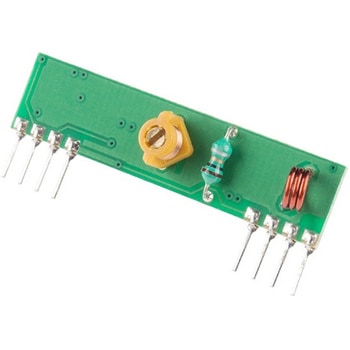
RF Link Receiver - 4800bps 315MHz
SPARKFUN¥1,998税込¥2,1981個33日以内出荷Description。These wireless receivers work with our 315MHz transmitters. They can easily fit into a breadboard and work well with microcontrollers to create a very simple wireless data link. Since these are only receivers, they will only work communicating data one-way, you would need two pairs(of different frequencies)to act as a transmitter/receiver pair.。Note:These modules are indiscriminate and will receive a fair amount of noise. Both the transmitter and receiver work at common frequencies and don't have IDs. Therefore, a method of filtering this noise and pairing transmitter and receiver will be necessary. The example code below shows such an example for basic operation. Please refer to the example code and links below for ways to accomplish a robust wireless data link.。Note:These receivers are almost identical to the RF link 434MHz receiver. SparkFun does everything in our power to make sure you receive the product you requested. However, if you are concerned you may have received the incorrect product you can verify which version receiver this is by running a simple test circuit.。Features。315 MHz。500ft range(given perfect conditions)。4800bps data rate。5V supply voltageアズワン品番67-0430-44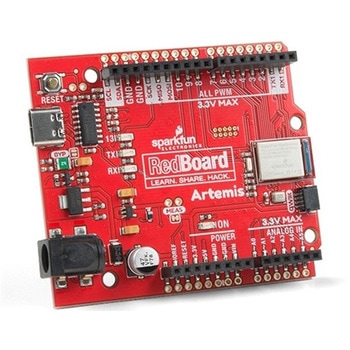
SparkFun RedBoard Artemis
SPARKFUN¥7,698税込¥8,4681個33日以内出荷。Description。Think of the RedBoard Artemis as just another Arduino... That has BLE. And one megabyte of flash. And runs at less than 1mA. Oh, and it can run TensorFlow models. Ya, that too. The RedBoard Artemis takes the incredibly powerful Artemis module from SparkFun and wraps it up in an easy to use and familiar Uno footprint. We've written an Arduino core from scratch to make programming the Artemis as familiar as。Serial.begin(9600)。. Time-to-first-blink is less than five minutes.。The RedBoard Artemis has the improved power conditioning and USB to serial that we've refined over the years on our RedBoard line of products. A modern USB-C connector makes programming easy. A Qwiic connector makes I2C easy. The RedBoard Artemis is fully compatible with SparkFun's Arduino core and can be programmed easily under the Arduino IDE. We've exposed the JTAG connector for more advanced users who prefer to use the power and speed of professional tools. We've added a digital MEMS microphone for folks wanting to experiment with always-on voice commands with TensorFlow and machine learning. We've even added a convenient jumper to measure current consumption for low power testing.。With 1MB flash and 384k RAM you'll have plenty of room for your sketches. The on-board Artemis module runs at 48MHz with a 96MHz turbo mode available and with Bluetooth to boot!。The SparkFun RedBoard Artemis is a great platform to 'kick the tires' of this amazing module. If you're interesting in testing out the full capabilities of the SparkFun Artemis module or if you're looking for more compact solution, be sure to checkout our ATP and Nano versions of the Artemis line.。Get Started With the SparkFun Artemis RedBoard Guide。Features。Arduino Uno R3 Footprint。1M Flash / 384k RAM。48MHz / 96MHz turbo available。24 GPIO - all interrupt capable。21 PWM channels。Built in BLE radio。10 ADC channels with 14-bit precision。2 UARTs。6 I2C buses。4 SPI buses。PDM Interface。I2S Interface。Qwiic Connectorアズワン品番67-0422-82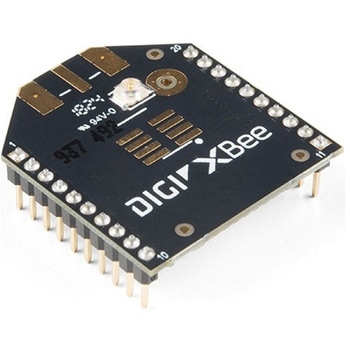
XBee 3 Pro Module - U.FL Antenna
SPARKFUN¥12,980税込¥14,2781個33日以内出荷Description。After years of popularity with the XBee Series 1 and XBee Series 2 Pro Modules, we now have the XBee Series 3 Pro which brings the best of both worlds. XBee 3 not only handles 802.15.4, and ZigBee, but also BLE protocols and you can now talk to the modules over UART or SPI as well. With a 300ft indoor range, or 2mile outdoor/line-of-sight range, you can set up a mesh network to talk to or communicate with various devices around your house, work, or other area.。This module has the familiar XBee package while sporting a U.FL connector to add an antenna. You also get a built in microcontroller so you can also configure and program the modules using MicroPython as well as Digi's XCTU software. With a HCS08 CPU running at up to 50.33MHz, 15x digital I/O pins, and 4x 10-bit ADC pins these modules can even hold their own as a microcontroller.。Note:While these are backwards compatible in many ways with the XBee 1s and 2s, they are not completely compatible. Please see documentation for differences if you plan on adding these to an existing project.。Features。RF 250Kbps, Serial 1Mbps。300ft(indoor)to 2 mile(outdoor)range。Transmit power +19dBM @ 135mA。Receiver Sensitivity -103dBm @ 15mA。4x 10-bit ADC inputs。15x Digital I/O pins。HCS08 CPU at up to 50.33MHz。128/256 bit AES Encryption。2.1V to 3.6V operating voltage。1.7 μA power-down current。Built in RS-485 support。AT command or API frame support。FCC Certifiedアズワン品番67-0429-52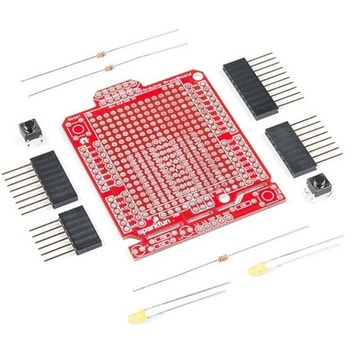
SparkFun ProtoShield Kit
SPARKFUN¥4,998税込¥5,4981個33日以内出荷Description。The SparkFun ProtoShield Kit lets you customize your own Arduino shield using whatever circuit you can come up with and then test it to make sure everything is working the way it should! The SparkFun ProtoShield Kit is based off the Arduino R3's footprint that allows you to easily incorporate it with favorite Arduino-based device.。One of our favorite features with this version of the ProtoShield Kit is the solderable-like breadboard prototyping area! Half of this area was designed with a breadboard in mind. On the underside of the shield you will be able to see open jumper pads between each through hole to make a connection like a breadboard. Once you add a component, simply add a solder jumper between holes to make a connection. For those that prefer the standard prototyping pads, we left the other side(near the BlueSMiRF and Serial UART ports)as is.。We have also moved the prototype testing components(those used to make sure your circuit works effectively)off of the "mainland" of the shield and onto a ProtoSnap styled, removable PCB. On this test area you will find soldering areas for the two yellow 3mm LEDs(as well as pins to control and power them), two 330 Ohm resistors, a 10K Ohm resistor, and a pushbutton.。Note:。Since this product is a kit, assembly and a basic knowledge of soldering will be required. The SparkFun ProtoShield Kit does not come pre-assembled.。Get Started With the SparkFun ProtoShield Kit Guide。Features。Arduino R3 Footprint。Soldering Kit。Solderable-Like Breadboard。BlueSMiRF or Comparable 6-pin Pins。Detachable Test Areaアズワン品番67-0422-25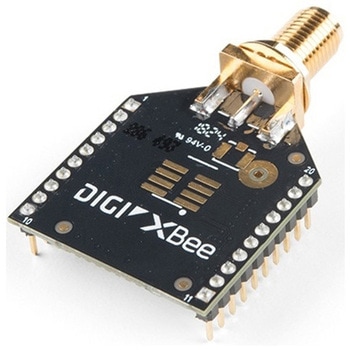
XBee 3 Pro Module - RP-SMA Antenna
SPARKFUN¥11,980税込¥13,1781個33日以内出荷Description。After years of popularity with the XBee Series 1 and XBee Series 2 Pro Modules, we now have the XBee Series 3 Pro which brings the best of both worlds. XBee 3 not only handles 802.15.4, and ZigBee, but also BLE protocols and you can now talk to the modules over UART or SPI as well. With a 300ft indoor range, or 2mile outdoor/line-of-sight range, you can set up a mesh network to talk to or communicate with various devices around your house, work, or other area.。This module has the familiar XBee package while sporting a connector to add an RP-SMA antenna. You also get a built in microcontroller so you can also configure and program the modules using MicroPython as well as Digi's XCTU software. With a HCS08 CPU running at up to 50.33MHz, 15x digital I/O pins, and 4x 10-bit ADC pins these modules can even hold their own as a microcontroller.。Note:While these are backwards compatible in many ways with the XBee 1s and 2s, they are not completely compatible. Please see documentation for differences if you plan on adding these to an existing project.。Features。RF 250Kbps, Serial 1Mbps。300ft(indoor)to 2mile(outdoor)range。Transmit power +19dBM @ 135mA。Receiver Sensitivity -103dBm @ 15mA。4x 10-bit ADC inputs。15x Digital I/O pins。HCS08 CPU at up to 50.33MHz。128/256 bit AES Encryption。2.1V to 3.6V operating voltage。1.7 μA power-down current。Built in RS-485 support。AT command or API frame support。FCC Certifiedアズワン品番67-0429-54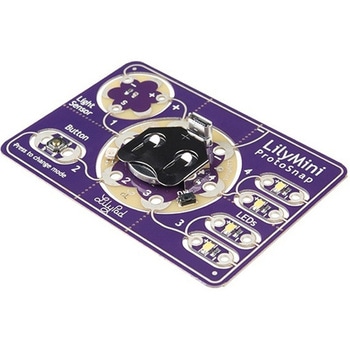
LilyPad LilyMini ProtoSnap
SPARKFUN¥5,998税込¥6,5981個33日以内出荷Description。The LilyMini ProtoSnap is a great way to get started learning about creating interactive e-textile circuits before you start sewing. Like other LilyPad ProtoSnap boards, the LilyMini ProtoSnap has all of its pieces wired together out of the box, enabling you to test the circuit's function before you sew. At the center of the board is a pre-programmed LilyMini microcontroller connected to a LilyPad Light Sensor, LilyPad Button and two pairs of LilyPad LEDs.。The LilyMini ProtoSnap ships with pre-loaded code that uses all the LilyPad pieces connected to it. This sample code has three modes, which can be selected by pressing the LilyPad Button on the bottom-left side of the ProtoSnap. The built-in RGB LED on the LilyMini will change color to indicate which mode has been selected:。White:。All LEDs on.。Magenta:。LEDs fade in and out in a breathing pattern. When the light sensor is covered, LEDs fade faster.。Cyan:。LEDs off. When the light sensor is covered, LEDs will twinkle.。The LilyMini board, at the center of the ProtoSnap, has a built-in battery holder for a CR2032 battery(included). On the opposite side of the LilyMini you will find the SAMD11 brain, which controls the ProtoSnap.。Note:。A portion of this sale is given back to Dr. Leah Buechley for continued development and education in e-textiles.。Note:。The LilyPad LilyMini ProtoSnap does NOT include sewing needles or conductive thread. These items will need to purchased separately.。Warning:You cannot reprogram this product and any attempt at programming is at your own risk!。Get Started with the LilyMini ProtoSnap Guideアズワン品番67-0422-40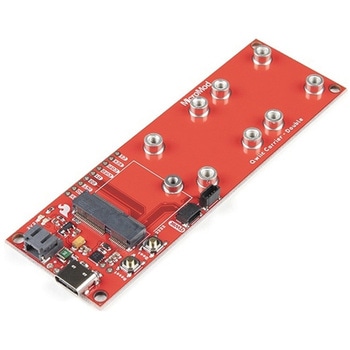
SparkFun MicroMod Qwiic Carrier Board - Double
SPARKFUN¥4,298税込¥4,7281個33日以内出荷Description。The MicroMod Qwiic Carrier Board can be used to rapidly prototype with other Qwiic devices. The MicroMod M.2 socket provides users the freedom to experiment with any processor board in the MicroMod ecosystem. This board also features two Qwiic connectors and eight 4-40 screw inserts to connect and mount Qwiic devices.。This version of the SparkFun MicroMod Qwiic Carrier Board features two ports for our standard 1in. by 1in. Qwiic breakouts. However, you aren't beholden to attaching just a duo of Qwiic breakouts since you are able to stack the boards on top of each other, allowing you to hook up a full circuit of Qwiic sensors and accessories to fully utilize your next project!。MicroMod is a modular interface ecosystem that connects a microcontroller "processor board" to various "carrier board" peripherals. Utilizing the M.2 standard, the MicroMod standard is designed to easily swap out processors on the fly. Pair a specialized carrier board for the project you need with your choice of compatible processor!。Get Started With the MicroMod Qwiic Carrier Board Guide。Features。M.2 MicroMod(Processor Board)Connector。USB-C Connector。3.3V 1A Voltage Regulator。Qwiic Connectors。Boot/Reset Buttons。Charge Circuit。Eight 4-40 Insertsアズワン品番67-0423-51
SparkFun MicroMod Qwiic Carrier Board - Single
SPARKFUN¥3,500税込¥3,8501個33日以内出荷Description。The MicroMod Qwiic Carrier Board can be used to rapidly prototype with other Qwiic devices. The MicroMod M.2 socket provides users the freedom to experiment with any processor board in the MicroMod ecosystem. This board also features two Qwiic connectors and four 4-40 screw inserts to connect and mount Qwiic devices.。This version of the SparkFun MicroMod Qwiic Carrier Board features a single port for our standard 1in. by 1in. Qwiic Breakouts. However, you aren't beholden to attaching just one Qwiic breakout since you are able to stack the boards on top of each other, allowing you to hook up a full circuit of Qwiic sensors and accessories to fully utilize your next project!。MicroMod is a modular interface ecosystem that connects a microcontroller "processor board" to various "carrier board" peripherals. Utilizing the M.2 standard, the MicroMod standard is designed to easily swap out processors on the fly. Pair a specialized carrier board for the project you need with your choice of compatible processor!。Get Started With the MicroMod Qwiic Carrier Board Guide。Features。M.2 MicroMod(Processor Board)Connector。USB-C Connector。3.3V 1A Voltage Regulator。Qwiic Connectors。Boot/Reset Buttons。Charge Circuit。Four 4-40 Insertsアズワン品番67-0423-50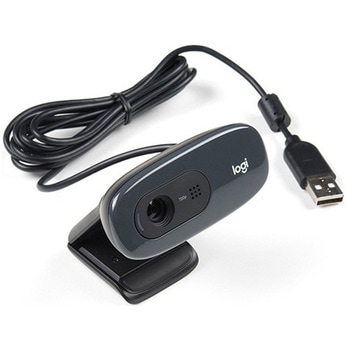
Logitech C270 Webcam - USB 2.0
SPARKFUN¥16,980税込¥18,6781個33日以内出荷Description。This is the Logitech C270 Webcam. With a sleek compact look and a black finish, this is not just for looks. This economical choice provides a 720p/30FPS HD resolution in a 16:9 widescreen format. The Logitech C270 webcam is compatible with most major messaging applications like Skype, Windows Live Messenger, Yahoo Messenger and more, giving you a wide selection of use.。Fluid Crystal technology provides smoother videos, sharper pictures, richer colors and clearer sound in real-world conditions. With the automatic light correction, even if you make a video call in dim or poorly backlit settings, the camera will intuitively adjust to produce the best possible image.。The built-in noise-reducing mic makes sure your voice comes across clearly, even if you're in busy surroundings. This flexible webcam comes with a universal clip for mounting so you can either attach it securely to your screen or sit it on a shelf.。Features。USB port。Max Resolution - 720p/30fps。16:9 Widescreen。Photo Resolution - 3MP。Focus Type - Fixed focus 40cm and beyond。Lens Type - Plastic。Auto Light Correction。Built-in mic with noise cancellation - mono。Field of View 60°アズワン品番67-0427-16
SparkFun Thing Plus - XBee3 Micro U.FL
SPARKFUN¥16,980税込¥18,6781個33日以内出荷Description。The XBee3 Thing Plus is an ultra capable and easy way for getting into wireless device development. The combination of XBee and Qwiic in a space conscious design represents a much needed update to our XBee offering. With 20 I/O pins and Lithium Polymer Ion battery management, the XBee3 Thing Plus has all the basics for quickly prototyping or developing a connected device such as a remote sensor. The Qwiic connector and JST connector for the battery make for a solder-less option when working with the board which shortens setup time.。The new XBee3 Micro Module provides the classic all-but plug and play 802.15.4 2.4GHz wireless connection(Zigbee 3.0 Protocol)that makes it so desirable, but with a new addition of being programmable with MicroPython(32KB of memory available for it). RF data rates up to 250 Kbps and 200ft indoor ranges and up to 4000ft line-of-sight outdoor range. Communicating with/Configuring the module happens via an AT Command set or the Digi API, X-CTU, both locally or over-the-air. There's even a mobile version of X-CTU now; Digi XBee(R)Mobile.。This variation features a U.FL antenna connector for longer range communications. Check out the related products for compatible antennas.。Get Started With the SparkFun XBee3 Thing Plus Guide。Features。XBee3 Micro Module。Silicon Labs EFR32MG SoC。250Kbps RF, 1Mbps Serial data rates。Indoor/Urban range up to 200 ft(60 m)。Outdoor/RF Line of Sight range up to 4000 ft(1200 m)。+8 dBm transmit power。-103 dBm receiver sensitivity。UART, I2C, SPI Interfaces(SPI currently not available at this time, but broken out on the board)。ISM 2.4GHz Frequency Band(802.15.4)。1MB of memory, 128KB RAM(32KB available for MicroPython)。20 GPIO Pins。Configurable via X-CTU or AT Command set via both USB and Wirelessly(second XBee 3 device required for wireless configuration unless you're using the mobile app)。Qwiic Compatible。On-board charging circuit and connector for 3.3v Lithium Polymer Ion Batteries(see related products for compatible batteries)。2.6VDC - 3.6VDC supply voltage。U.FL Antenna Connectorアズワン品番67-0429-55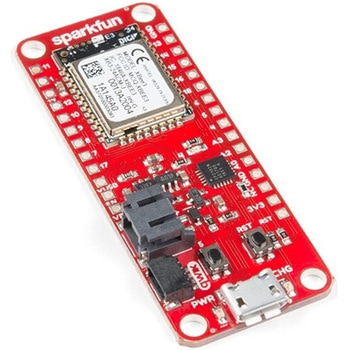
SparkFun Thing Plus - XBee3 Micro Chip Antenna
SPARKFUN¥17,980税込¥19,7781個33日以内出荷Description。The XBee3 Thing Plus is an ultra-capable and easy way for getting into wireless device development. The combination of XBee and Qwiic in a space-conscious design represents a much-needed update to our XBee offering. With 20 I/O pins and Lithium-Polymer Ion battery management, the XBee3 Thing Plus has all the basics for quickly prototyping or developing a connected device such as a remote sensor. The Qwiic connector and JST connector for the battery make for a solder-less option when working with the board which shortens setup time.。The new XBee3 Micro Module provides the classic, near plug and play 802.15.4 2.4GHz wireless connection(Zigbee 3.0 Protocol)that makes it so desirable, but with a new addition of being programmable with MicroPython(32KB of memory available for it). RF data rates up to 250Kbps and 200 ft indoor ranges and up to 4000 ft line-of-sight outdoor range. Communicating with/Configuring the module happens via an AT Command set or the Digi API, X-CTU, both locally or over-the-air. There's even a mobile version of X-CTU now; Digi XBee(R)Mobile.。Note:This variation uses a chip antenna and is not compatible with external antennas.。Get Started With the SparkFun XBee3 Thing Plus Guide。Features。XBee3 Micro Module。Silicon Labs EFR32MG SoC。250Kbps RF, 1Mbps Serial data rates。Indoor/Urban range up to 200 ft(60 m)。Outdoor/RF Line of Sight range up to 4000 ft(1200 m)。+8 dBm transmit power。-103 dBm receiver sensitivity。UART, I2C, SPI Interfaces(SPI currently not available at this time, but broken out on the board)。ISM 2.4GHz Frequency Band(802.15.4)。1MB of memory, 128KB RAM(32KB available for MicroPython)。20 GPIO Pins。Configurable via X-CTU or AT Command set via both USB and Wirelessly(second XBee 3 device required for wireless configuration unless you're using the mobile app)。Qwiic Compatible。On-board charging circuit and connector for 3.3v Lithium Polymer Ion Batteries(see related products for compatible batteries)。2.6VDC - 3.6VDC supply voltage。On-board Chip Antennaアズワン品番67-0429-57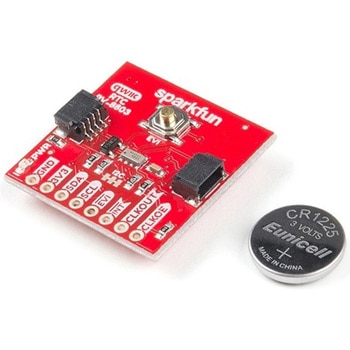
SparkFun Real Time Clock Module - RV-8803 Qwiic
SPARKFUN¥5,798税込¥6,3781個33日以内出荷。Description。The SparkFun RV-8803 Real Time Clock Module is a Qwiic-enabled breakout board for the RV-8803 RTC. The RV-8803 boasts some impressive features including a temperature compensated crystal providing extremely precise time-keeping, low power consumption, and time stamp event input along with a user-programmable timing offset value. The RV-8803 also has an improved I2C interface compared to the RV-1805 RTC that removes the need to sequence commands/writes to the device. Best of all, the temperature compensation comes factory calibrated. Utilizing our handy Qwiic system so no soldering is required to connect it to the rest of your system. However, we still have broken out 0.1"-spaced pins in case you prefer to use a breadboard.。Adding a real-time clock to your project is the perfect way to get more accurate data; timing or otherwise. Using the Qwiic connector makes for a fast, solid way to incorporate this into your project. The RTC module has counters for hundredths of seconds, seconds, minutes, hours, date, month, year and weekday with a number of alarm and interrupt settings available as well. Plus the large operating temperature range(-40 to +105℃)and temperature compensated crystal makes for a good addition for field applications or harsh environments.。The SparkFun Qwiic Connect System is an ecosystem of I2C sensors, actuators, shields and cables that make prototyping faster and less prone to error. All Qwiic-enabled boards use a common 1mm pitch, 4-pin JST connector. This reduces the amount of required PCB space, and polarized connections mean you can't hook it up wrong.。Get Started with the SparkFun RV-8803 Real Time Clock Module Guide。Features。Factory Calibrated Temperature Compensation。High Time Accuracy。±1.5 ppm 0 to +50℃。±3.0 ppm -40 to +85℃。±7.0 ppm +85 to +105℃。1.5V to 5.5V Operating Voltage Range。240nA @ 3.3v Low-Power Consumption。I2C Address:0x32。Periodic Countdown Timer Interrupt function。Periodic Time Update Interrupt function(seconds, minutes)。Alarm Interrupts for weekday or date, hour and minute settings。External Event Input with Interrupt and Time Stamp function。Programmable Clock Output pin for peripheral devices.。Operating temperature range:-40 to +105℃。2x Qwiic Connectorsアズワン品番67-0420-10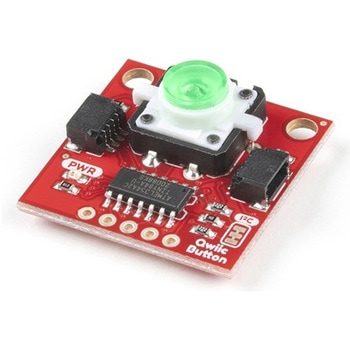
SparkFun Qwiic Button - Green LED
SPARKFUN¥1,698税込¥1,8681個33日以内出荷Description。Buttons are an easy and tactile way to interface with your project, but why would you want to deal with debouncing, polling, and wiring up pull-up resistors? The Qwiic Button with built-in green LED simplifies all of those nasty worries away into an easy to use I2C device! Utilizing our Qwiic Connect System, using the button is as simple as connecting cable and loading up some pre-written code!。If you need multiple buttons for your project, fear not! Each button has configurable I2C address, so you can daisy-chain multiple buttons over Qwiic and still address each one individually. We've got an example in our Arduino library that provides super-easy way to configure your Qwiic Button to whatever I2C address you desire. You can download the library through the Arduino library manager by searching 'SparkFun Qwiic Button' or you can get the GitHub repo as .zip file and install the library from there.。In addition to handling blinking and debouncing, the Qwiic Button has configurable interrupts that can be configured to activate upon button press or click. We've also taken the liberty of implementing FIFO queue onboard the Qwiic Button where it keeps an internal record of when the button was pressed. This means that code on your microcontroller need not waste valuable processing time checking the status of the button but instead can run small function whenever the button is pressed or clicked! For more information on interrupts check out our guide here!。The SparkFun Qwiic Connect System is an ecosystem of I2C sensors, actuators, shields and cables that make prototyping faster and less prone to error. All Qwiic-enabled boards use common 1mm pitch, 4-pin JST connector. This reduces the amount of required PCB space, and polarized connections mean you can't hook it up wrong.。Get Started with the SparkFun Qwiic Button Guide。Features。12mm Green LED Button rated for 50mA。Built in LED can be configured for your desired level of blinkiness!。Each button has configurable I2C address。Configurable interrupts check out our guide here!。FIFO queue。Don't like the color green? Check out the SparkFun Qwiic Button Breakout and add another colored button!。Red LED Tactile Button。Blue LED Tactile Button。Green LED Tactile Button。White LED Tactile Buttonアズワン品番67-0420-14