カテゴリ
- 学童・教育用品(2)
絞り込み
ブランド
- SPARKFUN
- 佐藤金属興業(3)
- デュラレックス(6)
- 若泉漆器(1)
- ボルミオリ・ロッコ(2)
- リビー(2)
- アルク(2)
- KEMET(66)
- ダルトン(3)
- RS PRO(2)
- アデリア(石塚硝子)(1)
- SHIMADA(島田商事)(1)
「duralex」の検索結果
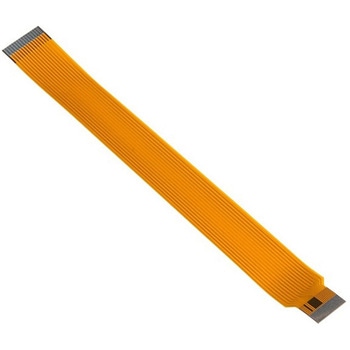
Raspberry Pi Zero Camera Cable
SPARKFUN¥3,198税込¥3,5181個33日以内出荷。Description。The Raspberry Pi Zero and Zero W are both equipped with a smaller CSI(Camera Serial Interface)port than on a full-sized Raspberry Pi board --- luckily, that's where this cable can help! The Raspberry Pi Zero Camera Cable replaces the pre-existing camera module cable, allowing your Zero or Zero W light and imaging capabilities.。This cable measures 15cm from end to end and can easily be swapped in and out.。Note:This product only includes the CSI cable and does。NOT。include a Raspberry Pi Camera Module. The module will need to be purchased separately.アズワン品番67-0425-30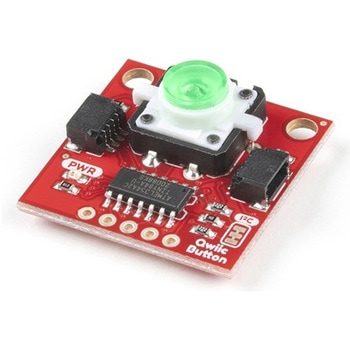
SparkFun Qwiic Button - Green LED
SPARKFUN¥1,698税込¥1,8681個33日以内出荷Description。Buttons are an easy and tactile way to interface with your project, but why would you want to deal with debouncing, polling, and wiring up pull-up resistors? The Qwiic Button with built-in green LED simplifies all of those nasty worries away into an easy to use I2C device! Utilizing our Qwiic Connect System, using the button is as simple as connecting cable and loading up some pre-written code!。If you need multiple buttons for your project, fear not! Each button has configurable I2C address, so you can daisy-chain multiple buttons over Qwiic and still address each one individually. We've got an example in our Arduino library that provides super-easy way to configure your Qwiic Button to whatever I2C address you desire. You can download the library through the Arduino library manager by searching 'SparkFun Qwiic Button' or you can get the GitHub repo as .zip file and install the library from there.。In addition to handling blinking and debouncing, the Qwiic Button has configurable interrupts that can be configured to activate upon button press or click. We've also taken the liberty of implementing FIFO queue onboard the Qwiic Button where it keeps an internal record of when the button was pressed. This means that code on your microcontroller need not waste valuable processing time checking the status of the button but instead can run small function whenever the button is pressed or clicked! For more information on interrupts check out our guide here!。The SparkFun Qwiic Connect System is an ecosystem of I2C sensors, actuators, shields and cables that make prototyping faster and less prone to error. All Qwiic-enabled boards use common 1mm pitch, 4-pin JST connector. This reduces the amount of required PCB space, and polarized connections mean you can't hook it up wrong.。Get Started with the SparkFun Qwiic Button Guide。Features。12mm Green LED Button rated for 50mA。Built in LED can be configured for your desired level of blinkiness!。Each button has configurable I2C address。Configurable interrupts check out our guide here!。FIFO queue。Don't like the color green? Check out the SparkFun Qwiic Button Breakout and add another colored button!。Red LED Tactile Button。Blue LED Tactile Button。Green LED Tactile Button。White LED Tactile Buttonアズワン品番67-0420-14