






カテゴリ
- 学童・教育用品(164)
- 制御機器(19)
- 電気材料(6)
- 空調・照明・電設資材(5)
- パソコン/周辺機器(1)
絞り込み
ブランド
- SPARKFUN
- モノタロウ(29)
- JEFCOM(ジェフコム)(91)
- MOTO GRAFIX (モトグラフィックス)(770)
- OtterBOX(85)
- RS PRO(178)
- StarTech.com(159)
- エムディーエス(94)
- エレコム(525)
- サンワサプライ(239)
- トヨタ(253)
- トリニティ(86)
- ナカバヤシ(151)
- ニッサン(98)
- ホンダ(983)
- ミツビシ(290)
- メディアカバーマーケット(2,919)
- 三菱ふそう(434)
- 渡辺電機工業(181)
- 視覚デザイン研究所(334)
- ブランドをもっと見る
「pad」の検索結果
特価
 の全商品がキャンペーンコード入力で通常価格より
関連キーワード
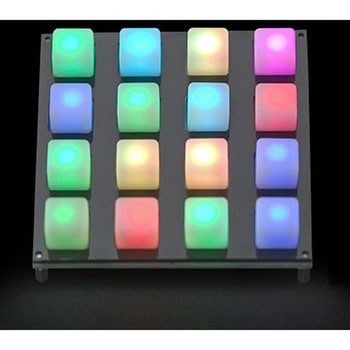
Button Pad 4x4 - LED Compatible
SPARKFUN¥1,998税込¥2,1981個33日以内出荷仕様●項目1:組立てキット、ベアボード●項目2:操作入力●項目4:プッシュスイッチ、タクトスイッチアズワン品番67-0452-65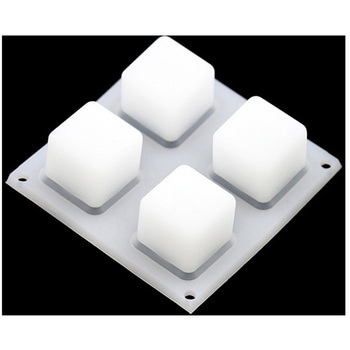
Button Pad 2x2 - LED Compatible
SPARKFUN¥699税込¥7691個33日以内出荷仕様●項目1:組立てキット、ベアボード●項目2:操作入力●項目4:プッシュスイッチ、タクトスイッチアズワン品番67-0452-66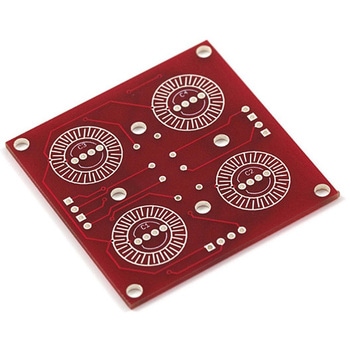
Button Pad 2x2 - Breakout PCB
SPARKFUN¥2,298税込¥2,5281個33日以内出荷仕様●項目1:組立てキット、ベアボード●項目2:操作入力●項目4:プッシュスイッチ、タクトスイッチアズワン品番67-0452-81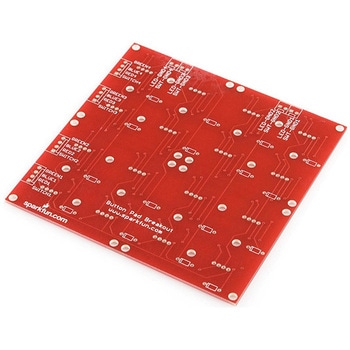
Button Pad 4x4 - Breakout PCB
SPARKFUN¥4,498税込¥4,9481個33日以内出荷仕様●項目1:組立てキット、ベアボード●項目2:操作入力●項目4:プッシュスイッチ、タクトスイッチアズワン品番67-0452-67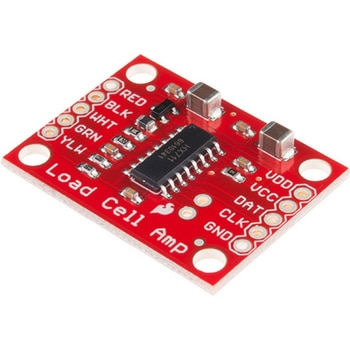
LOAD CELL AMP HX711
SPARKFUN¥3,500税込¥3,8501個欠品中。Description。The SparkFun Load Cell Amplifier is a small breakout board for the HX711 IC that allows you to easily read load cells to measure weight. By connecting the amplifier to your microcontroller you will be able to read the changes in the resistance of the load cell, and with some calibration you'll be able to get very accurate weight measurements. This can be handy for creating your own industrial scale, process control or simple presence detection.。This version of the SparkFun Load Cell Amplifier features a few changes that you specifically asked for! We have separated the analog and digital supply, as well as added a 3.3uH inductor and a 0.1uF filter capacitor for digital supply. Need even more? Checkout the SparkFun Qwiic Scale. It has all the features of the HX711 but with additional library support, a true I2C interface, and no soldering required!。The HX711 uses a two-wire interface(Clock and Data)for communication. Any microcontroller's GPIO pins should work, and numerous libraries have been written, making it easy to read data from the HX711. Check the hookup guide below for more information.。Load cells use a four-wire Wheatstone bridge configuration to connect to the HX711. These are commonly colored RED, BLK, WHT, GRN and YLW. Each color corresponds to the conventional color coding of load cells:Red(Excitation+ or VCC)。Black(Excitation- or GND)。White(Amplifier-, Signal- or Output-)。Green(A+, S+ or O+)。Yellow(Shield)。The YLW pin acts as an optional input that is not hooked up to the strain gauge but is utilized to ground and shield against outside EMI(electromagnetic interference). Please keep in mind that some load cells might have slight variations in color coding.。Note:Special thanks to Bodge for supplying the Library for the HX711!。Get Started with the HX711 Load Cell Amplifier Guide。Features。Operation Voltage:2.7V--5V。Operation Current:< 1.5mA。Selectable 10SPS or 80SPS output data rate。Simultaneous 50 and 60Hz supply rejectionアズワン品番67-0362-17
SparkFun Single Lead Heart Rate Monitor - AD8232
SPARKFUN¥7,498税込¥8,2481個当日出荷仕様●項目1:組込み(完成機能)●項目2:センサー●項目3:生体センサー●項目5:AD8232アズワン品番67-0455-45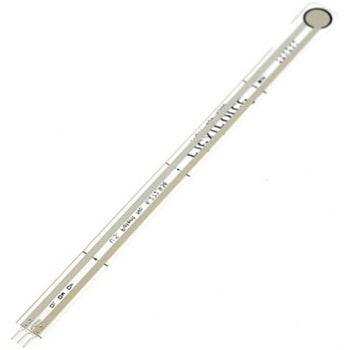
Flexiforce圧力センサー 25lbs
SPARKFUN¥8,098税込¥8,9081個当日出荷Description。This is a piezoresistive force sensor from Tekscan. The harder you press, the lower the sensor's resistance. Pressing hard, the resistance changes from infinite to ~300k. The sensor itself is thin and flexible, but the resistance does not change while being flexed. Resistance changes only when pressure is applied to the round area at the end of the sensor. Used as a presence sensor(someone standing), weight sensor, pressure sensor(impact testing), etc.。The overall length is about 8.5". Sensor comes with 0.1" spaced, reinforced, breadboard friendly connector.。This sensor comes in three flavors. This sensor ranges from 0 to 25lbs of pressure.アズワン品番67-0444-30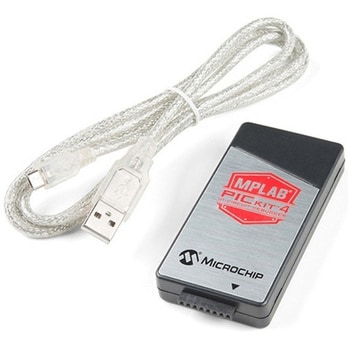
MPLAB PICkit 4 In-Circuit Debugger
SPARKFUN¥39,980税込¥43,9781個当日出荷Description。This is the PICkit 4, the official programmer from Microchip. The PICkit 4 allows debugging and programming of PIC(R), dsPIC(R), AVR, SAM and CEC flash microcontrollers and MPUs using the powerful graphical user interface of the MPLAB X Integrated Development Environment(IDE). The MPLAB PICkit 4 is connected to a PC using a high-speed 2.0 USB interface and can be connected to the target via an 8-pin Single In-Line(SIL)connector. The connector uses two device I/O pins and the reset line to implement in-circuit debugging and In-Circuit Serial Programming(TM)(ICSP(TM)). An additional micro SD card slot and the ability to be self-powered from the target means you can take your code with you and program on the go. Comes with a USB to micro-B USB cable.。Features。Powered by a high-speed USB 2.0, no external power required。Real-time execution。MPLAB X IDE compatible(free copy included)。Built-in over-voltage/short circuit monitor。Firmware upgradeable from PC/web download。Fully enclosed。Target voltage of 1.20V to 5.5V。Can supply up to 50mA of power to the target。Minimal current consumption at <100μA from target。Diagnostic LEDs(power, busy, error)。Read/write program and data memory of microcontroller。Erase of program memory space with verification。Freeze-peripherals at breakpoint。8-pin single in-line header supports advanced interfaces such as 4-wire JTAG and Serial Wire Debug with streaming Data Gateway。Backward compatible for demo boards, headers and target systems using 2-wire JTAG and ICSPアズワン品番67-0425-08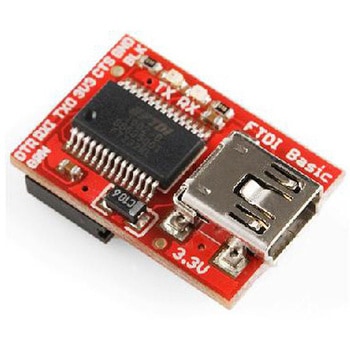
FTDI Basic Breakout-3.3V USB-シリアルアダプター
SPARKFUN¥5,298税込¥5,8281個5日以内出荷内容:電源電圧が3.3VのArduinoPro、mini、LilyPad用のUSB-シリアル変換基板。自動リセットに対応したArduinoに使用可能で、スケッチの書込みごとにリセットスイッチを押す必要がありません。電源電圧が5Vに対応した商品もございます。【注】電源電圧が5VのArduino製品(ProやPro Miniの16MHzで動作するもの)には使えませんのでご注意ください。アズワン品番63-3123-97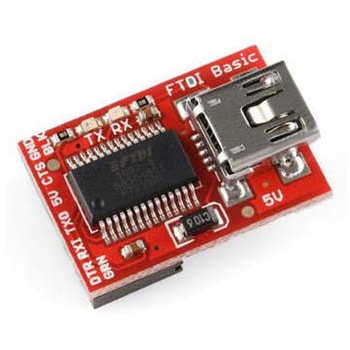
FTDI Basic Breakout - 5V
SPARKFUN¥5,098税込¥5,6081個5日以内出荷内容:電源電圧が5VのArduinoPro、mini、LilyPad用のUSB-シリアル変換基板。自動リセットに対応したArduinoに使用可能で、スケッチの書込みごとにリセットスイッチを押す必要がありません。アズワン品番63-3120-70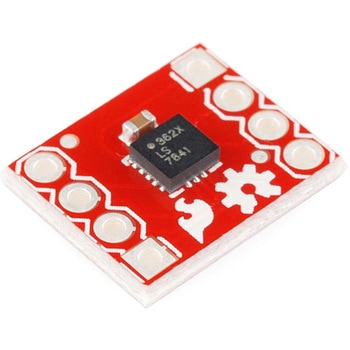
SparkFun Triple Axis Accelerometer Breakout - ADXL362
SPARKFUN¥6,998税込¥7,6981個5日以内出荷仕様●シリーズ名:(汎用品)●種別:モジュール●主機能:センサー●シールドコネクタ:一般モジュール(基板)●主要チップ:ADXL362アズワン品番67-0455-39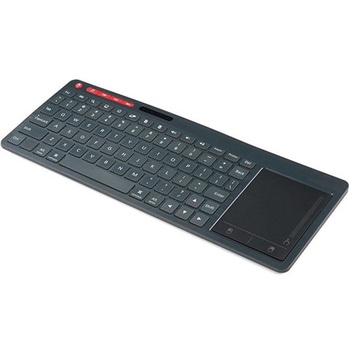
Multimedia Wireless Keyboard
SPARKFUN¥9,998税込¥10,9981個33日以内出荷Description。With Single-Board Computers(SBCs)on the rise, it is a good idea to have an easy way to interface with them. Operating on a 2.4GHz frequency, the Multimedia Wireless Keyboard possesses a normal-sized key layout, media controls and a multitouch track pad. This keyboard is powered by a built-in 850mAh LiPo battery, providing you with 500--700 hours of use. Even if you don't have a Raspberry Pi, BeagleBone or another SBC, this keyboard can work with smart TVs, mobile devices and full-blown PCs!。The Multimedia Wireless Keyboard can be charged via the attached USB cable, which stores in the same compartment as the wireless USB receiver. The track pad on the wireless keyboard not only features left and right click options, but also a scroll function. Measuring less than an inch thick, this wireless keyboard is an ideal product for on-the-go situations.。Note:The attached USB cable is for charging purposes only.。Features。317.2mm×123.6mm×18.3mm(12.4in×4.8in×0.7in)。System Requirements:HID-Compatible Device。USB Port。Windows 2000, XP, CE, Vista, 7, 8 or Higher。Linux(Debian-3.1, Red Hat-9.0, Ubuntu-8.10, Fedora-7.0)。Android OSアズワン品番67-0429-22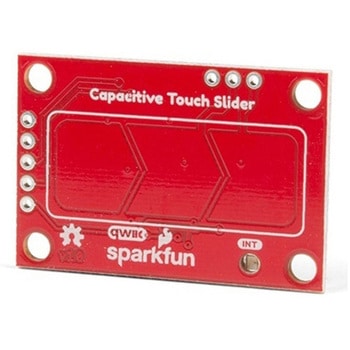
SparkFun Capacitive Touch Slider - CAP1203 Qwiic
SPARKFUN¥2,498税込¥2,7481個33日以内出荷。Description。Do you want to replace a slider or a button on your art project or science experiment with a more interesting interface? This Capacitive Touch Slider is a "Qwiic" and easy way to add capacitive touch to your next project. With the board's built in touch pads, you can immediately start playing with the touch capabilities as three unique touch inputs or as a slider. You can also enable a touch input to act as a power button, customize the sensitivity for your own touch pads, and play with the interrupt alert LED. Utilizing our Qwiic system, no soldering is required to connect it to the rest of your system. However, we have broken out 0.1"-spaced pins in case you prefer to use a breadboard or create your own touch pads.。On the front of the board, there is an arrow shape which contains three separate capacitive touch pads. We also broke out the capacitive touch sensor lines as plated through-holes on the top of the board. You can use these pins to connect to your own capacitive touch pads. The CS1 pin connects to the left pad, the CS2 pin connects to the middle pad, and the CS3 pin connects to the right pad.。NOTE:The I2C address of the CAP1203 is 0x28 and is hardware defined. A multiplexer/Mux is required to communicate to multiple CAP1203 sensors on a single bus. If you need to use more than one CAP1203 sensor consider using the Qwiic Mux Breakout.。The SparkFun Qwiic connect system is an ecosystem of I2C sensors, actuators, shields and cables that make prototyping faster and less prone to error. All Qwiic-enabled boards use a common 1mm pitch, 4-pin JST connector. This reduces the amount of required PCB space, and polarized connections mean you can't hook it up wrong.。Get Started with the SparkFun Capacitive Touch Slider Guide。Features。Capacitive Touch。3 unique capacitive touch inputs。Features。Emulated slider。Power button setting。Programmable sensitivity。Automatic recalibration。I2C Address:0x28。Qwiic Enabled。Operating Range。Supply Voltage:3.3V - 5Vアズワン品番67-0427-06
Raspberry Pi GPIO Tall Header - 2x20
SPARKFUN¥1,098税込¥1,2081個21日以内出荷Description。This 2x20 "tall" header has the same number and spacing of pins as a Raspberry Pi and provides your board with the ability to extend the heights of your GPIO to accommodate for enclosures or other parts that can encapsulate your Pi. This thアズワン品番67-0430-21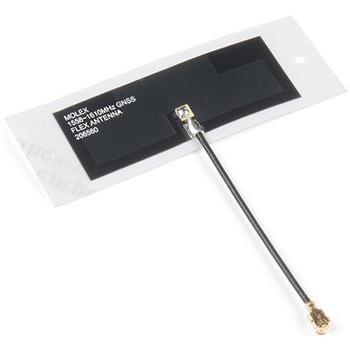
Molex Flexible GNSS Antenna - U.FL Adhesive
SPARKFUN¥2,298税込¥2,5281個33日以内出荷Description。The Molex GNSS Flex antenna is a great option for basic GNSS applications and will work with any of our GNSS boards equipped with a U.FL at a fraction of the cost of many of its big brothers. This antenna supports GPS, Galileo, BeiDou, and GLONASS in three different frequency bands(1561 +/-3MHz, 1575 +/-3MHz, 1602 +/-3MHz).。The Molex Flexible GNSS Antenna has an incredibly small footprint at 40.40mm×15.40mm, while the adhesive pad is a bit bigger at 56.40mm×20mm. Even better, the antenna is only 0.1mm thick(or about the thickness of a piece of paper). Simply remove the backing and stick this to any surface, or leave the backing on(just be careful of the fragile U.FL connector).。Features。Cable length:50mm。Connector:U.FL。Radiation Pattern:Omnidirectional。Polarization:Linear。Weight:0.466 g。Mounting Style:Adhesive。Protocol:BeiDou, Galileo, GLONASS, GPS。Return Loss:< -8dB。Peak Gain(Max):1.1 dBi+。Efficiency:>74%。Input Impedance 50 Ohmsアズワン品番67-0423-78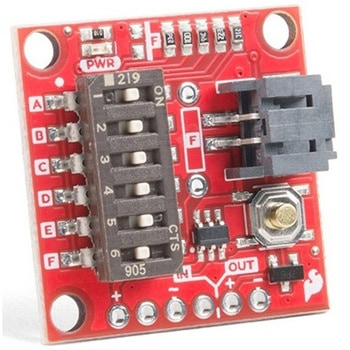
SparkFun Nano Power Timer - TPL5110
SPARKFUN¥2,398税込¥2,6381個30日以内出荷。Description。Sometimes we want our projects on, but sometimes we want to turn them off for a while to save power. The SparkFun Nano Power Timer will run while only consuming minimal power(approximately 35nA)and turn your project on after a set amount of time. When you are done polling your sensors, posting data to the web, writing to your logger, or planning world domination, your microcontroller can tell the Nano Power Timer to turn off the power. No more running your microcontroller all day when you only want to read the ambient temperature once per hour.。The TPL5110 delay is configured with the use of resistors. We've added a six-way DIP switch to select one of the five preinstalled resistors. The sixth switch is attached to a pad to add your own PTH(or SMD)resistor. The delays associated with the preinstalled headers are shown on the bottom of the board for quick setup. Additionally, you can select more than one switch to combine the resistors in parallel(up to 26 options not including the custom resistor), check out the hookup guide for a nice chart as to the total resistance and corresponding delay for each combination.。The Nano Power Timer can handle voltages between 1.8V and 5.5V as well as current up to 1.1A with times from 100ms to two hours(preconfigured settings range from 30s to 2h). You will find a button on the board which will allow you a quick override to the delay so you can turn your project on whenever you like.。Get Started with the SparkFun Nano Power Switch。Features。Supply Voltage:1.8V to 5.5V。Current consumption at 2.5V:35nA Typical(50nA Max)。Selectable Time intervals:100ms to 7200s(2 hours)。Timer Accuracy:1%アズワン品番67-0425-68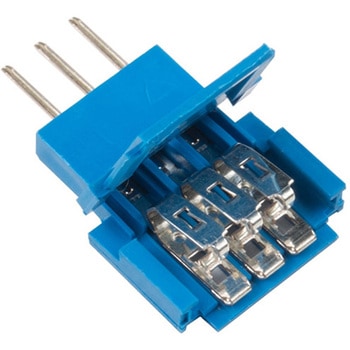
電子機器接続端子
SPARKFUN¥549税込¥6041個23日以内出荷Description。These Clincher connectors from Amphenol FCI can be used to terminate Flat Flexible Cables(FFCs)to an easy-to-use standard header. Simply insert the end of the cable into the connector and press it closed. The teeth inside the connector will "clinch" around the conductors and break them out to three male 0.1" spaced pin headers!。Though the Clincher connector can be used with FFCs, we also like to use them with our FlexiForce sensors and other flex/force sensors found in the。Recommended Products。section below.。Note:。Please be aware that we will not be able to accept returns on this connector if it has been closed. Sorry for any inconvenience this may cause.アズワン品番67-0395-68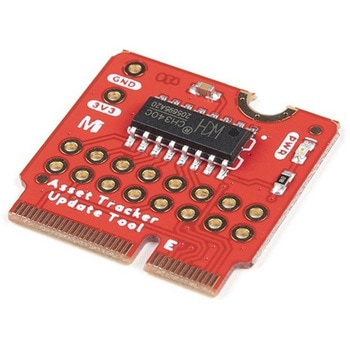
SparkFun MicroMod Update Tool
SPARKFUN¥1,798税込¥1,9781個33日以内出荷。Description。The SparkFun MicroMod Update Tool is built to interface with the MicroMod Asset Tracker Carrier Board and also makes it simple to communicate directly with the u-blox SARA-R510M8S module using u-blox's sophisticated m-center cellular evaluation software. If you're familiar with u-center, u-blox's GNSS evaluation software, you'll know how excellent their software is. m-center is every bit as good. Attach a USB-C cable and away you go!。The Update Tool is not a full MicroMod Processor Board, it is much simpler than that. It has a CH340C USB-Serial converter on it which gives you full access to all eight pins of the SARA-R5's UART interface via the Asset Tracker's USB-C connector. Think of it as a bridge from USB to serial.。The Update Tool features eight pairs of Plated Through Hole connections for the UART signals. You can use these to connect directly to the SARA UART using 3.3V signals if you want to. The split pads on the rear of the Tool can be opened to isolate the CH340C completely; the pins nearest the M.2 will link straight to the SARA UART.。Get Started with the MicroMod Update Tool Hookup Guide。Features。CH340C USB-Serial converter。Eight pairs of Plated Through Hole connections with split pad jumper links for:Serial Transmit(TX)。Serial Receive(RX)。Request To Send(RTS)。Clear To Send(CTS)。Data Terminal Ready(DTR)。Data Set Ready(DSR)。Ring Indicator(RI)。Data Carrier Detect(DCD)。LED indicator for:Power(3.3V)アズワン品番67-0423-52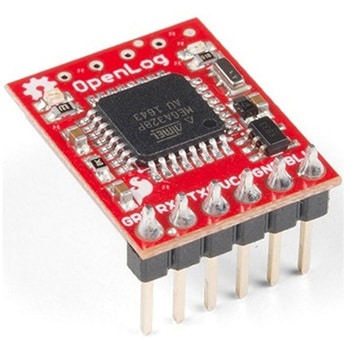
SparkFun OpenLog with Headers
SPARKFUN¥6,898税込¥7,5881個25日以内出荷Description。The SparkFun OpenLog with Headers is an open source data logger that works over a simple serial connection and supports microSD cards up to 64GB. The OpenLog can store or "log" huge amounts of serial data and act as a black box of sorts to store all the serial data that your project generates, for scientific or debugging purposes. This version of th OpenLog even includes pre-soldered headers for your convenience.。The SparkFun OpenLog uses an ATmega328 running at 16MHz thanks to the onboard resonator. The OpenLog draws approximately 2-3mA in idle(nothing to record)mode. During a full record OpenLog can draw 10 to 20mA depending on the microSD card being used.。All data logged by the OpenLog is stored on the microSD card. Any 512MB to 32GB microSD card should work. OpenLog supports both FAT16 and FAT32 SD formats.。For even better performance the OpenLog Artemis is the tool you need, featuring logging speeds up to 500000bps.。Get Started with the SparkFun OpenLog Guide。Features。VCC Input:3.3V-12V(Recommended 3.3V-5V)。Log to low-cost microSD FAT16/32 cards up to 32GB。Simple command interface。Configurable baud rates(up to 115200bps)。Preprogrammed ATmega328 and bootloader。Four SPI pogo pins。Two LEDs indicate writing status。2mA idle, 6mA at maximum recording rate。Pre-soldered Headersアズワン品番67-0422-30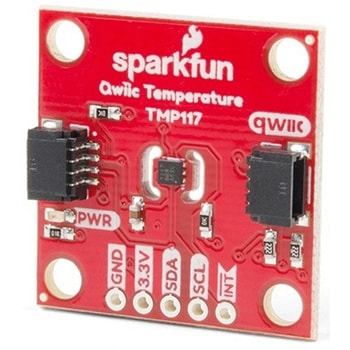
SparkFun High Precision Temperature Sensor - TMP117 Qwiic
SPARKFUN¥4,898税込¥5,3881個26日以内出荷。Description。The SparkFun Qwiic TMP117 breakout is a high precision temperature sensor equipped with an I2C interface. It outputs temperature readings with high precision of ±0.1℃ across the temperature range of -20℃ to +50℃s with no calibration and a maximum range from -55℃ to 150℃. The SparkFun High Precision Temperature Sensor also has a very low power consumption rate which minimizes the impact of self-heating on measurement accuracy. Utilizing our handy Qwiic system, no soldering is required to connect it to the rest of your system. However, we still have broken out 0.1"-spaced pins in case you prefer to use a breadboard.。The SparkFun High Precision Temperature Sensor also includes programmable temperature limits, and digital offset for system correction. While the TMP102 is capable of reading temperatures to a resolution of 0.0625℃ and is accurate up to 0.5℃, the on-board TMP117 is not only more precise but has a 16-bit resolution of 0.0078℃!。To make this breakout even easier to use, we've written an Arduino library to help you get started "Qwiic-ly." Check the Documents tab above for more information.。The SparkFun Qwiic Connect System is an ecosystem of I2C sensors, actuators, shields and cables that make prototyping faster and less prone to error. All Qwiic-enabled boards use a common 1mm pitch, 4-pin JST connector. This reduces the amount of required PCB space, and polarized connections mean you can't hook it up wrong.。The TMP117 High Precision Temperature Sensor can also be automatically detected, scanned, configured, and logged using the OpenLog Artemis datalogger system. No programming, soldering, or setup required!。Need a custom board? This component can be found in SparkFun's A La Carte board builder. You can have a custom design fabricated with this component - and your choice of hundreds of other sensors, actuators and wireless devices - delivered to you in just a few weeks.。Get Started with the SparkFun High Precision TMP117 Hookup Guide。Features。Uses I2C interface(Qwiic-enabled)。Four selectable addresses。0x48(default), 0x49, 0x4A, 0x4B。16-bit resolution, 0.0078℃。High accuracy, digital temperature sensor。±0.1℃(max)from ?20℃ to 50℃。±0.15℃(max)from ?40℃ to 70℃。±0.2℃(max)from ?40℃ to 100℃。±0.25℃(max)from ?55℃ to 125℃。±0.3℃(max)from ?55℃ to 150℃。Operating temperature range。-55℃ to +150℃。Operating voltage range。1.8V to 5.5V。Typically 3.3V if using the Qwiic cable。Low power consumption。3.5μA(1-Hz conversion cycle)。150nA(shutdown current)。Programmable operating modes。Continuous, one-shot, and shutdown。Programmable temperature alert limits。Selectable averaging for reduced noise。Digital offset for system correction。NIST traceability。。Documents。Schematic。Eagle Files。Board Dimensions。Hookup Guide。Datasheet(TMP117)。Arduino Library。GitHub Hardware Repoアズワン品番67-0427-10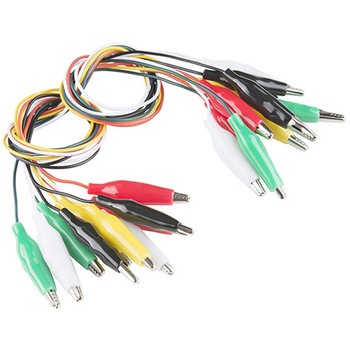
Alligator Test Leads - Multicolored 10 Pack
SPARKFUN¥1,598税込¥1,7581個28日以内出荷仕様●チップ - タイプ:テストリード●定格電流:-●定格電圧:-●終端:-●色:-●長さ - チップ:-●長さ - 全体:-●材料 - 本体:-●材料 - チップ:-●定格:-●動作温度:-●チップ - タイプ:テストリードアズワン品番68-2029-76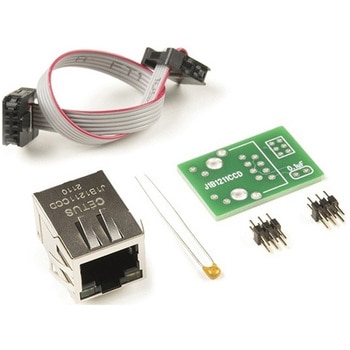
Ethernet Kit for Teensy 4.1
SPARKFUN¥2,798税込¥3,0781個28日以内出荷Description。The Teensy 4.1 is one of the most advanced and reliable development platforms on the market today. One of the biggest asks for the board is the ability to connect the 4.1 to the Internet via Ethernet. Luckily, with all the parts included in this kit(as well as a little bit of soldering), you'll be able to easily add Ethernet functionality to your Teensy 4.1.。The Ethernet Kit for Teensy 4.1 from PJRC includes an Ethernet MagJack connector, a bare circuit board, one ribbon cable, two headers, and a capacitor. As this is a kit that require assembly, some beginner-level soldering is required.。Note:Please be aware that a Teensy 4.1 is。NOT。included with this kit and will need to be purchased separately.アズワン品番67-0423-68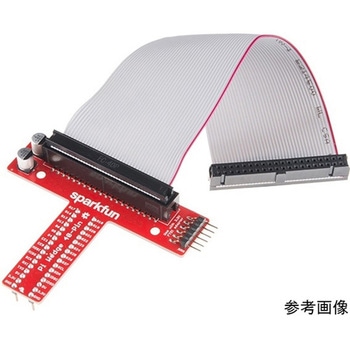
SparkFun Pi Wedge
SPARKFUN¥4,898税込¥5,3881個29日以内出荷Description。This is the SparkFun Pi Wedge, a small board that connects to the 40-pin GPIO connector on the Raspberry Pi and breaks the pins out to breadboard-friendly arrangement and spacing, and even adds a couple of decoupling capacitors on the powerアズワン品番67-0419-89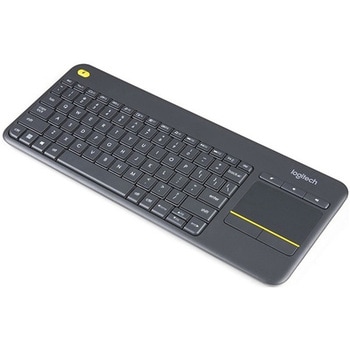
Logitech K400 Plus Wireless Touch Keyboard
SPARKFUN¥16,980税込¥18,6781個33日以内出荷Description。The Logitech K400 Plus Wireless Touch Keyboard is a compact keyboard with an integrated touchpad that puts all your controls in a single device. Enjoy your entertainment without the clutter of multiple devices. Comfortable, quiet keys and aアズワン品番67-0429-23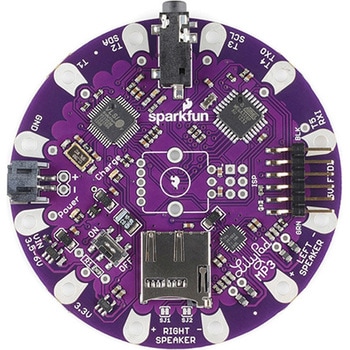
LilyPad MP3
SPARKFUN¥17,980税込¥19,7781個33日以内出荷仕様●シリーズ名:LilyPad●種別:シールド●主機能:音声、録音、オーディオ●シールドコネクタ:LilyPadアズワン品番67-0453-68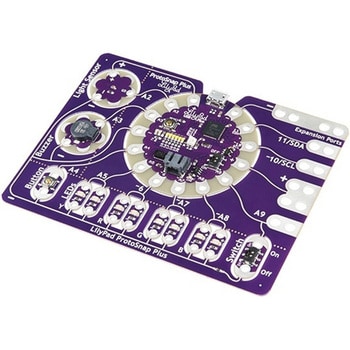
LilyPad ProtoSnap Plus
SPARKFUN¥14,980税込¥16,4781個33日以内出荷Description。The LilyPad ProtoSnap Plus is a sewable electronics prototyping board that you can use to explore circuits and programming, then break apart to make an interactive fabric or wearable project. Programming the ProtoSnap Plus is easy with the free Arduino software you'll need to program the ATmega32U4 on LilyPad USB Plus at the heart of the board. Once you've installed the software, you'll be able to write and upload your own programs to the board, making it do almost anything you want.。At the center of the ProtoSnap Plus is the LilyPad USB Plus microcontroller, pre-wired to a LilyPad board including a LilyPad Light Sensor, LilyPad Buzzer, LilyPad Button Board, four pairs of colored LilyPad LEDs and a LilyPad Slide Switch. Because these components are connected together on the ProtoSnap board, you can test out your project ideas before you sew. The ProtoSnap Plus also includes expansion ports that let you sew your wearables together or use alligator cables to easily connect external sensors and components. After testing out your coding ideas using the attached LilyPad pieces, you can break apart the prototyping board and sew them into your project!。Please be aware that the Lilypad ProtoSnap Plus is。NOT supported on Windows 7/8。due to a lack of support drivers for those specific OS's.。Note:。A portion of this sale is given back to Dr. Leah Buechley for continued development and education in e-textiles.。Get Started with the LilyPad ProtoSnap Plus Guideアズワン品番67-0422-45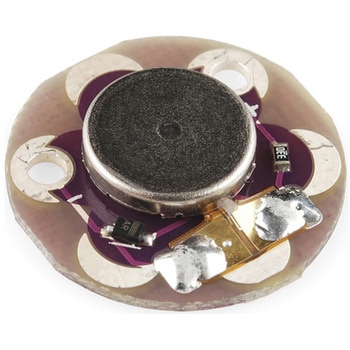
LilyPad Vibe Board
SPARKFUN¥2,898税込¥3,1881個33日以内出荷仕様●シリーズ名:LilyPad●種別:シールド●主機能:サウンダー、警報●シールドコネクタ:LilyPadアズワン品番67-0453-67






関連キーワード
使用用途などの自然な言葉で検索できるようになりました(例:工場の床に白い線を引く)詳細はこちら