






カテゴリ
- 学童・教育用品(43)
- 制御機器(2)
- 空調・照明・電設資材(1)
絞り込み
ブランド
- SPARKFUN
- WALL(40)
- Advantech(アドバンテック)(21)
- HP(日本ヒューレット・パッカード)(10)
- MOTO GRAFIX (モトグラフィックス)(33)
- RS PRO(24)
- SKF(日本エスケイエフ)(11)
- StarTech.com(50)
- STREAM TRAIL(7)
- SUGICO(スギコ)(10)
- TP-LINK(7)
- ソニックウォール(8)
- ダルトン(8)
- ホンダ(10)
- メディアカバーマーケット(207)
- リリカラ(25)
- 三菱ふそう(140)
- 東邦シートフレーム(17)
- 松吉医科器械(41)
- ブランドをもっと見る
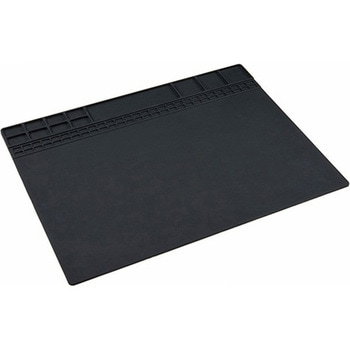
Insulated Silicone Soldering Mat
SPARKFUN¥5,498税込¥6,0481個当日出荷Description。Keeping your workspace clean and well kept has always been a paramount concern for keeping all your possessions well maintained and pristine. With this Insulated Silicone Soldering Mat, you will be provided with the means to protect your dアズワン品番67-0428-27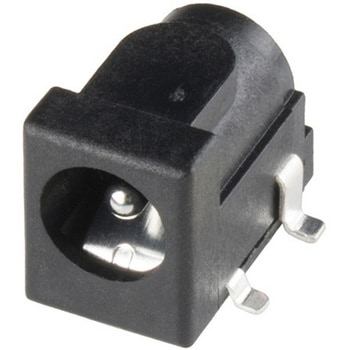
DC Barrel Power Jack/Connector SMD
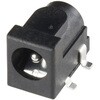
SPARKFUN¥699税込¥7691個33日以内出荷Description。This is a common SMD barrel-type power jack for DC wall supplies. These are compatible with our DC wall supplies and have a 5.5mm jack, with a 2.1mm center pole diameter.アズワン品番67-0425-10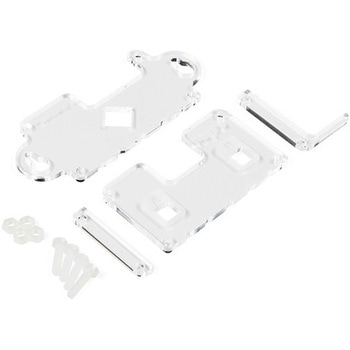
MI:pro Mountable Case for micro:bit V2
SPARKFUN¥1,998税込¥2,1981個33日以内出荷Description。The Mountable MI:pro is a simple and compact protective case for the micro:bit. This case has been specifically designed with portability and expansion in mind and is compatible with both the original micro:bit V1 and the micro:bit V2. These cases feature a three-layer construction style with ability to wall-mount the whole assembly onto any surface you want while still providing access to all buttons and ports on the micro:bit. Though these cases do feature wall-mountable tabs, the biggest benefit of using a case is to not accidentally short out the pads on the back of the micro:bit.。Construction is simple, requiring only a small flathead screwdriver, and involves layering each plate on top of one another around the micro:bit and screwing it into place. Luckily, the MI:pro case enables easy access to the edge pins at the bottom of the micro:bit, allowing it to still be plugged into an edge connector found on many of our carrier boards. The only board that cannot be used in conjunction with the MI:pro case is the SparkFun gamer:bit due to its edge connector being located in the center of the board.。Note:The MI:pro case only includes the parts found in the Includes Tab. This case does NOT include a micro:bit, power source or mounting screws. These items will need to be purchased separately.。Features。Dimensions:Length(minus the mounting brackets on the side):65mm.。Length(with the mounting brackets on the side):91mm.。Width:37mm.。Depth(without screws):9mm.。Depth(with screws):14mm.。Provides excellent protection to the BBC micro:bit whilst allowing access to the bottom pins.。Full access to the A and B buttons on the BBC micro:bit.。The mounting points allow you to fix the micro:bit to a surface for sturdy and more permanent installations.。Full access to pins and connections including the micro USB connector.。Clear case material shows the on-board LEDs in perfect clarity.。The case is compatible with versions 1 and 2 of the micro:bit.アズワン品番67-0426-14
SparkFun Qwiic Alphanumeric Display - COMシリーズ
SPARKFUN¥2,998税込¥3,2981個33日以内出荷Description。The SparkFun Alphanumeric Display Arduino library makes printing strings to the display as easy as calling the print()function. With this library, you'll be able to send I2C commands to the VK16K33 LED driver chip to light up segments(including the decimal point or colon)and even scroll your string across the display. You can download the library through the Arduino library manager by searching 'SparkFun Alphanumeric Display' or you can get the GitHub repo as a .zip file and install the library from there.。The SparkFun Qwiic Connect System is an ecosystem of I2C sensors, actuators, shields and cables that make prototyping faster and less prone to error. All Qwiic-enabled boards use a common 1mm pitch, 4-pin JST connector. This reduces the amount of required PCB space, and polarized connections mean you can't hook it up wrong.。Get Started with the Qwiic Alphanumeric Display Hookup Guide。Features。Operating Voltage:3.3V。Integrated RC oscillator。Maximum display segment numbers:128 patterns。13×3 matrix key scan circuit。16-step dimming circuit。I2C Addresses:0x70(0x71, 0x72, 0x73)。2x Qwiic connectors。2x Wall Mounting Pointsアズワン品番67-0421-61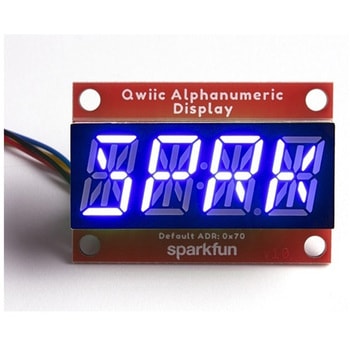
SparkFun Qwiic Alphanumeric Display - COMシリーズ
SPARKFUN¥2,998税込¥3,2981個33日以内出荷Description。The SparkFun Alphanumeric Display Arduino library makes printing strings to the display as easy as calling the print()function. With this library, you'll be able to send I2C commands to the VK16K33 LED driver chip to light up segments(including the decimal point or colon)and even scroll your string across the display. You can download the library through the Arduino library manager by searching 'SparkFun Alphanumeric Display' or you can get the GitHub repo as a .zip file and install the library from there.。The SparkFun Qwiic Connect System is an ecosystem of I2C sensors, actuators, shields and cables that make prototyping faster and less prone to error. All Qwiic-enabled boards use a common 1mm pitch, 4-pin JST connector. This reduces the amount of required PCB space, and polarized connections mean you can't hook it up wrong.。Get Started with the Qwiic Alphanumeric Display Hookup Guide。Features。Operating Voltage:3.3V。Integrated RC oscillator。Maximum display segment numbers:128 patterns。13×3 matrix key scan circuit。16-step dimming circuit。I2C Addresses:0x70(0x71, 0x72, 0x73)。2x Qwiic connectors。2x Wall Mounting Pointsアズワン品番67-0421-62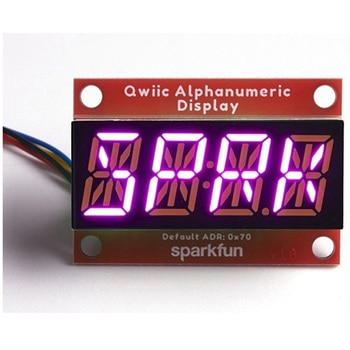
SparkFun Qwiic Alphanumeric Display - COMシリーズ
SPARKFUN¥3,198税込¥3,5181個33日以内出荷Description。The SparkFun Alphanumeric Display Arduino library makes printing strings to the display as easy as calling the print()function. With this library, you'll be able to send I2C commands to the VK16K33 LED driver chip to light up segments(including the decimal point or colon)and even scroll your string across the display. You can download the library through the Arduino library manager by searching 'SparkFun Alphanumeric Display' or you can get the GitHub repo as a .zip file and install the library from there.。The SparkFun Qwiic Connect System is an ecosystem of I2C sensors, actuators, shields and cables that make prototyping faster and less prone to error. All Qwiic-enabled boards use a common 1mm pitch, 4-pin JST connector. This reduces the amount of required PCB space, and polarized connections mean you can't hook it up wrong.。Get Started with the Qwiic Alphanumeric Display Hookup Guide。Features。Operating Voltage:3.3V。Integrated RC oscillator。Maximum display segment numbers:128 patterns。13×3 matrix key scan circuit。16-step dimming circuit。I2C Addresses:0x70(0x71, 0x72, 0x73)。2x Qwiic connectors。2x Wall Mounting Pointsアズワン品番67-0421-64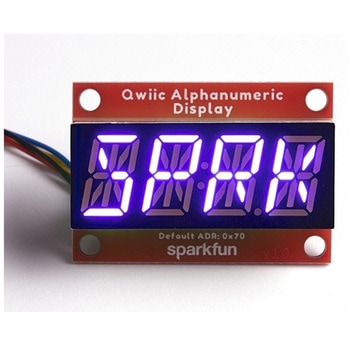
SparkFun Qwiic Alphanumeric Display - COMシリーズ
SPARKFUN¥2,998税込¥3,2981個33日以内出荷Description。The SparkFun Alphanumeric Display Arduino library makes printing strings to the display as easy as calling the print()function. With this library, you'll be able to send I2C commands to the VK16K33 LED driver chip to light up segments(including the decimal point or colon)and even scroll your string across the display. You can download the library through the Arduino library manager by searching 'SparkFun Alphanumeric Display' or you can get the GitHub repo as a .zip file and install the library from there.。The SparkFun Qwiic Connect System is an ecosystem of I2C sensors, actuators, shields and cables that make prototyping faster and less prone to error. All Qwiic-enabled boards use a common 1mm pitch, 4-pin JST connector. This reduces the amount of required PCB space, and polarized connections mean you can't hook it up wrong.。Get Started with the Qwiic Alphanumeric Display Hookup Guide。Features。Operating Voltage:3.3V。Integrated RC oscillator。Maximum display segment numbers:128 patterns。13×3 matrix key scan circuit。16-step dimming circuit。I2C Addresses:0x70(0x71, 0x72, 0x73)。2x Qwiic connectors。2x Wall Mounting Pointsアズワン品番67-0421-63
SparkFun Breadboard Power Supply 5V/3.3V
SPARKFUN¥3,998税込¥4,3981個33日以内出荷Here is a very simple breadboard power supply kit that takes power from a DC wall wart and outputs a selectable 5V or 3.3V regulated voltage. The .1" headers are mounted on the bottom of the PCB for simple insertion into a breadboard. Pins labeled VCC and GND plug directly into the power lines. The lone pair of pins have no electrical connection but help support the PCB.。There are two pins available within the barrel jack footprint. Any stripped +/- DC supply can be connected instead of the barrel connector. Board has both an On/Off switch and a voltage select switch(3.3V/5V).。Comes as a bag of parts kit and is easily assembled if you can follow the silkscreen indicators and have beginning experience with a soldering iron. You will need to read the resistor bands or use a multimeter to determine the resistor sizes.。Dimensions:1.25x1.25"。Kit Includes:DC Barrel Connector(2.1mm center positive)。TO-220 Voltage Regulator(LM317 1.5A max current)。1N4004 Reverse Protection Diode。100uF 25V Capacitor。10uF 25V Capacitor。0.1uF 50V Capacitor。Red Power LED - High Brightness。2×SPDT Slide Switch。4×0.1" Header Pins。2×330 Resistor 1/6W。390 Resistor 1/6W。240 Resistor 1/6W。Bare PCB with Silkscreen Indicators。PTC resettable fuse仕様●項目1:組込み(組立てキット)●項目2:電源●項目4:リニア電源●項目8:ブレッドボード用電源アズワン品番67-0454-01
SparkFun Qwiic Alphanumeric Display - White
SPARKFUN¥2,998税込¥3,2981個33日以内出荷Description。We are quite familiar with seven-segment displays. We see them on our alarm clocks, ovens, and microwaves. By adding more segments to each digit you can display more than just numbers! Introducing the brand new SparkFun Qwiic Alphanumeric Display. These white fourteen-segment digits allow you display all sorts of numbers, characters, and symbols. With Qwiic, simply plug it in and go. No soldering, no figuring out which is SDA or SCL, and no voltage regulation or translation required!。The SparkFun Alphanumeric Display Arduino library makes printing strings to the display as easy as calling the print()function. With this library, you'll be able to send I2C commands to the VK16K33 LED driver chip to light up segments(including the decimal point or colon)and even scroll your string across the display. You can download the library through the Arduino library manager by searching 'SparkFun Alphanumeric Display' or you can get the GitHub repo as a .zip file and install the library from there.。The VK16K33 also supports I2C address configuration. Simply close a combination of the address jumpers on the back and you can communicate with up to four displays on the same bus. Our slim board design also features detachable stand off holes, vertical Qwiic connectors, and internal mounting holes.。The SparkFun Qwiic Connect System is an ecosystem of I2C sensors, actuators, shields and cables that make prototyping faster and less prone to error. All Qwiic-enabled boards use a common 1mm pitch, 4-pin JST connector. This reduces the amount of required PCB space, and polarized connections mean you can't hook it up wrong.。Get Started with the Qwiic Alphanumeric Display Hookup Guide。Features。White display。Operating Voltage:3.3V。Integrated RC oscillator。Maximum display segment numbers:128 patterns。13×3 matrix key scan circuit。16-step dimming circuit。I2C Addresses:0x70(0x71, 0x72, 0x73)。2x Qwiic connectors。2x Wall Mounting Pointsアズワン品番67-0421-87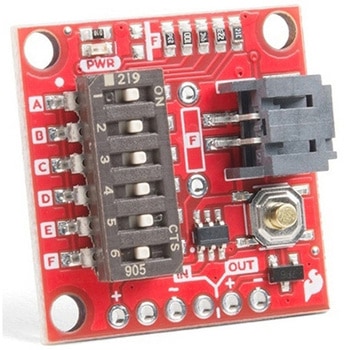
SparkFun Nano Power Timer - TPL5110
SPARKFUN¥2,398税込¥2,6381個30日以内出荷。Description。Sometimes we want our projects on, but sometimes we want to turn them off for a while to save power. The SparkFun Nano Power Timer will run while only consuming minimal power(approximately 35nA)and turn your project on after a set amount of time. When you are done polling your sensors, posting data to the web, writing to your logger, or planning world domination, your microcontroller can tell the Nano Power Timer to turn off the power. No more running your microcontroller all day when you only want to read the ambient temperature once per hour.。The TPL5110 delay is configured with the use of resistors. We've added a six-way DIP switch to select one of the five preinstalled resistors. The sixth switch is attached to a pad to add your own PTH(or SMD)resistor. The delays associated with the preinstalled headers are shown on the bottom of the board for quick setup. Additionally, you can select more than one switch to combine the resistors in parallel(up to 26 options not including the custom resistor), check out the hookup guide for a nice chart as to the total resistance and corresponding delay for each combination.。The Nano Power Timer can handle voltages between 1.8V and 5.5V as well as current up to 1.1A with times from 100ms to two hours(preconfigured settings range from 30s to 2h). You will find a button on the board which will allow you a quick override to the delay so you can turn your project on whenever you like.。Get Started with the SparkFun Nano Power Switch。Features。Supply Voltage:1.8V to 5.5V。Current consumption at 2.5V:35nA Typical(50nA Max)。Selectable Time intervals:100ms to 7200s(2 hours)。Timer Accuracy:1%アズワン品番67-0425-68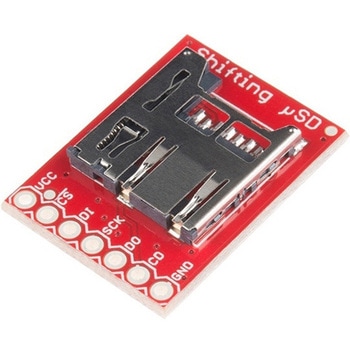
SparkFun Level Shifting microSD Breakout
SPARKFUN¥1,998税込¥2,1981個33日以内出荷。Description。The SparkFun Level Shifting microSD Breakout is quite similar to the SparkFun microSD Transflash Breakout, but with the included level shifting hardware, this board allows you to utilize a microSD card at Arduino's SD library's top speed on a 5V system. With this small breakout board, that is not much bigger than your fingernail, adding mass storage to your project will never be easier.。This breakout is also a bit unique in that it level translates all of its outputs back to the level of the hardware it's connected to.。Get Started with the SparkFun Level Shifting microSD Guideアズワン品番67-0422-22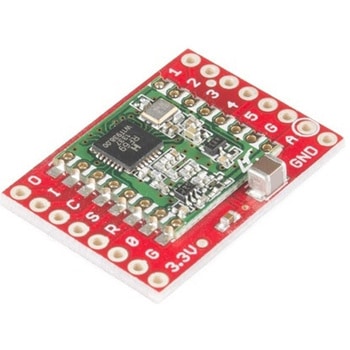
SparkFun RFM69 Breakout 434MHz
SPARKFUN¥4,398税込¥4,8381個33日以内出荷Description。This is the SparkFun RFM69 Breakout, a small piece of tech that breaks out all the pins available on the RFM69HCW module as well as making the transceiver easy to use. The RFM69HCW is an inexpensive and versatile radio module that operates in the unlicensed ISM(Industry, Science and Medicine)radio band. It's perfect for building inexpensive short-range wireless networks of sensors and actuators for home automation, citizen science and more.。This RFM69HCW operates on the 434MHz frequency and is capable of transmitting at up to 100mW and up to 300kbps, but you can change both of those values to fit your application. For example, you can maximize range by increasing the transmit power and reducing the data rate, or you can reduce both for short-range sensor networks that sip battery power. At full power and with simple wire antennas, we can get messages from one side of a large office building to the other through numerous internal walls. In open air you can reach 500 meters or more. With more complex antennas and modulation schemes, similar parts have successfully transmitted from space to the ground(by very smart amateur radio enthusiasts; your mileage may vary)!。The RFM69HCW uses an SPI(Serial Peripheral Interface)to communicate with a host microcontroller, and several good Arduino libraries are available. It supports up to 256 networks of 255 nodes per network, features AES encryption to keep your data private, and transmits data packets up to 66 bytes long.。SparkFun sells two versions of the RFM69HCW:a 915MHz version and this 434MHz version. Although the ISM band is license-free, the band itself is different in different areas. Very roughly, 915MHz is for use in the Americas, and the 434MHz version is for use in Europe, Asia and Africa. Check your local regulations for other areas.。Get Started with the RFM69HCW Hookup Guide。Features。Transmit power:-18dBm(0.016mW)to +20dBm(100mW)in 1dBm steps。Receive sensitivity:down to -120dBm at 1.2kbps。Modulation types:FSK GFSK MSK GMSK OOK。Bit rates(FSK):1.2kbps to 300kbps。Voltage range:1.8V to 3.6V。Current consumption:0.1uA sleep, 1.25mA standby, 16mA receive, 130mA transmit(max)。Encryption:AES 128-bit(optional)。Packet buffer(FIFO):66 bytes。0.8"×1.1"アズワン品番67-0429-33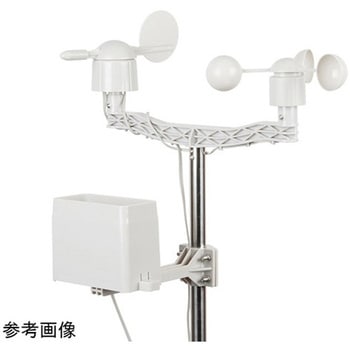
Weather Meter Kit
SPARKFUN¥22,980税込¥25,2781個33日以内出荷Description。Whether you're an agriculturalist, a professional meteorologist or a weather hobbyist, building your own weather station can be a really rewarding project. When you're measuring weather, however, you need some pretty specialized sensors. Tアズワン品番67-0427-13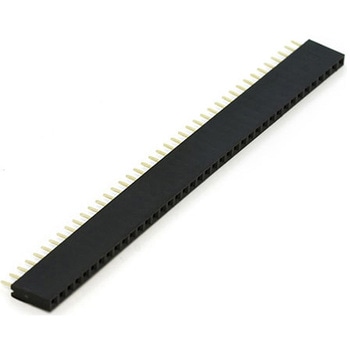
Female Headers
SPARKFUN¥679税込¥7471個33日以内出荷Single row of 40-holes、female header. Can be cut to size with a pair of wire-cutters. Standard .1" spacing. We use them extensively in the Olimex development boards. They mate very well with break away male headers.。Please note。You will probably lose one pin with each cut.仕様●ピッチ:2.54mmピッチ●種類:ピンソケットアズワン品番67-0454-02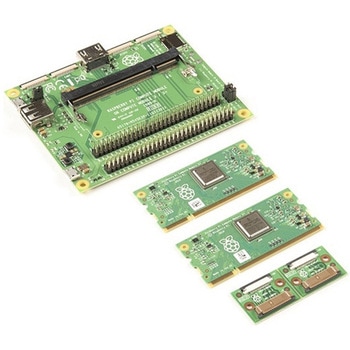
Raspberry Pi Compute Module 3+ Development Kit
SPARKFUN¥44,980税込¥49,4781個33日以内出荷。Description。The Compute Module 3+ Development Kit is made for developing industrial applications with CM3+, CM3+/Lite, CM3, CM3 Lite, and CM1.。The Development Kit contains the critical hardware that allows you to design the Compute Module into a custom system, and gives you the freedom to add extra components and place parts exactly where your product needs them.。The kit includes the Compute Module IO(CMIO)board, which is a simple, open-source breakout board into which you can plug a Compute Module. The board hosts 120 GPIO pins, an HDMI port, a USB port, two camera ports, and two display ports.。Note:A separate power supply, such as this Universal Power Supply, is required to power the product(not included in the kit).アズワン品番67-0423-30
Threaded Inserts Qty 100 - Metric
SPARKFUN¥6,198税込¥6,8181個33日以内出荷Description。These inserts are great for easy and flexible work holding solutions. You could strategically place a few to hold down material in a jig or fixture, or install in a grid pattern to turn your wasteboard into a threaded table by installing tアズワン品番67-0429-09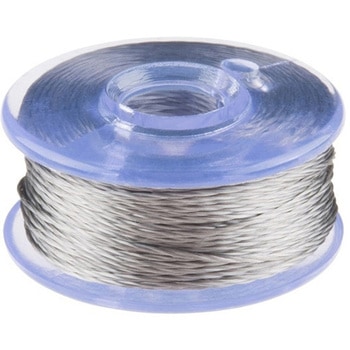
Conductive Thread Bobbin - 12m Smooth, Stainless Steel
SPARKFUN¥2,498税込¥2,7481個33日以内出荷Description。This is 12 meters of smooth conductive thread spun from stainless steel fiber and wound on a plastic bobbin. Use it to sew up all of your e-textile projects. This small bobbin is a great way to get into wearable electronics without the upfアズワン品番67-0422-23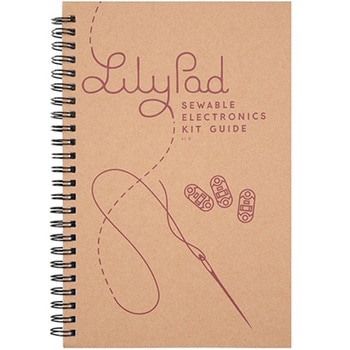
LilyPad Sewable Electronics Kit Guidebook
SPARKFUN¥2,098税込¥2,3081個33日以内出荷Description。The full-color LilyPad Sewable Electronics Kit Guidebook contains step-by-step instructions for creating four interactive projects from the materials contained in the kit. Examples and circuits are provided and explained. The manual also includes a glossary and troubleshooting tips. Once you make your way through all of the projects, you will have a much better grasp on e-textiles!。Note:。This is just the manual for the LilyPad Sewable Electronics Kit. The kit itself or the individual parts used in this book will need to be purchased separately.。Examples。Project 1:Glowing Pin。Project 2:Illuminated Mask。Project 3:Light-Up Plush。Project 4:Night-Light Pennantアズワン品番67-0420-18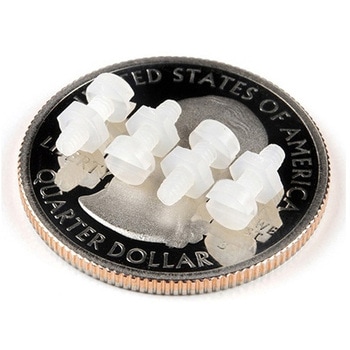
Leopard Imaging Camera Mounting Hardware Kit
SPARKFUN¥379税込¥4171個33日以内出荷Description。This hardware kit consists of 4 each of M2 style nylon hex nuts and screws. It is designed for use with the Leopard Imaging Camera, but can be used for other mountings as well.。This hardware set is identical to what is included in our Jeアズワン品番67-0426-11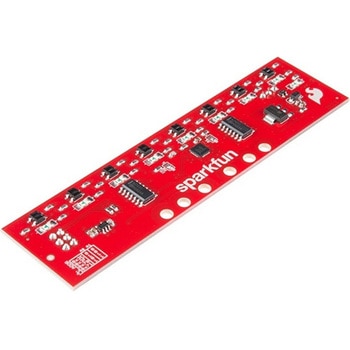
SparkFun Line Follower Array
SPARKFUN¥13,980税込¥15,3781個33日以内出荷Description。The SparkFun Line Follower Array is a long board consisting of eight IR sensors that have been configured to read as digital bits! We have designed the SparkFun Line Follower Arrays to follow a dark line of about 3/4 inch width or smaller(spray paint or electrical tape)on a light background. Each array features visible LEDs that point upward when the board is attached(properly)so you can see what the robot sees, brightness control right on the board, and an I2C interface for reading and power control. Here at SparkFun, the RedBot Shadow Chassis was used as a test platform but really this was designed as an add-on for almost any bot.。The line follower functions by taking an 8-bit reading of reflectance for use with following lines or reading dark/light patterns and can see from about 1/4 to 3/4 inches away. The IR brightness control and indicator can be adjusted with the on-board potentiometer and is capable of showing you the strength of the IR LEDs. Illumination can be turned on and off with software to conserve power, or left on all the time for faster readings. The SparkFun Line Follower Array requires 5V of power with a supply current range of 25-185mA with strobing disabled and 16-160mA with it enabled. Additionally we have added six mounting holes to the line follower with the two inner holes designed to fit our Shadow Chassis while the other four are general purpose.。Note:As you know our Sun emits quite a bit of infrared light, making the SparkFun Line Follower Array much less effective in direct sunlight. Plan your projects accordingly!。Features。8 sensor eyes(QRE1113, like in our line sensor breakout)。I2C interface。Adjust IR brightness on the fly with a knob。Switch IR on and off with software。Switch visual indicators on and off with software。Invert dark/light sight with software。Based on the SX1509 I/O expanderアズワン品番67-0426-55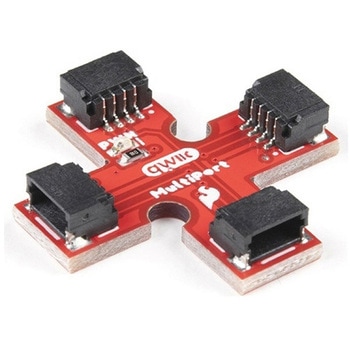
SparkFun Qwiic MultiPort
SPARKFUN¥999税込¥1,0991個33日以内出荷Description。Qwiic is a very efficient way to quickly prototype an idea but not all Qwiic-enabled devices have two ports. The SparkFun Qwiic MultiPort adds additional ports to boards that have only one Qwiic port on the I2C bus. Once added, you can useアズワン品番67-0420-16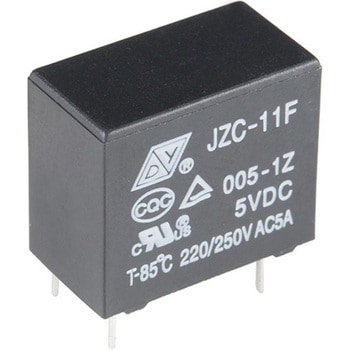
Relay SPDT Sealed
SPARKFUN¥969税込¥1,0661個33日以内出荷。These are high quality Single Pole - Double Throw(SPDT)sealed relays. Use them to switch high voltage、and/or high current devices.。This relay's coil is rated up to 12V、with a minimum switching voltage of 5V. The contacts are rated up to 5A(@250VAC、30VDC).。Note。In the Datasheet below there is a pin layout listed as "Bottom View." Be aware、this pin layout is actually the top-down view NOT bottom-up.アズワン品番67-0452-51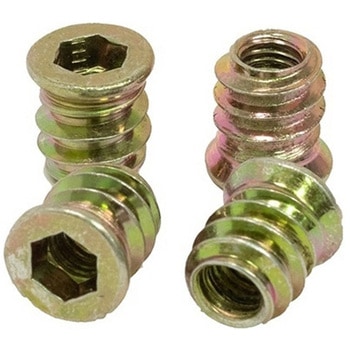
Threaded Inserts Qty 100 - Inch
SPARKFUN¥6,198税込¥6,8181個33日以内出荷Description。These inserts are great for easy and flexible work holding solutions. You could strategically place a few to hold down material in a jig or fixture, or install in a grid pattern to turn your wasteboard into a threaded table by installing these threaded inserts.。Installation is easy, simply create a 9mm pilot hole, then thread the insert into the hole.。Both the inch and metric come in packs of 100 inserts and include a 6mm hex key and 6mm hex driver for installation. The hex driver can be used with a cordless drill for quick installation.。Features。6mm Hex(on both Imperial and Metric versions)。Length:13mm(~1/2")。Maximum Hole Size:9mm(0.354", Letter T Drill)。1/4-20 threadアズワン品番67-0429-10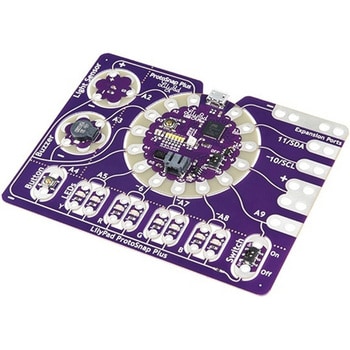
LilyPad ProtoSnap Plus
SPARKFUN¥14,980税込¥16,4781個33日以内出荷Description。The LilyPad ProtoSnap Plus is a sewable electronics prototyping board that you can use to explore circuits and programming, then break apart to make an interactive fabric or wearable project. Programming the ProtoSnap Plus is easy with the free Arduino software you'll need to program the ATmega32U4 on LilyPad USB Plus at the heart of the board. Once you've installed the software, you'll be able to write and upload your own programs to the board, making it do almost anything you want.。At the center of the ProtoSnap Plus is the LilyPad USB Plus microcontroller, pre-wired to a LilyPad board including a LilyPad Light Sensor, LilyPad Buzzer, LilyPad Button Board, four pairs of colored LilyPad LEDs and a LilyPad Slide Switch. Because these components are connected together on the ProtoSnap board, you can test out your project ideas before you sew. The ProtoSnap Plus also includes expansion ports that let you sew your wearables together or use alligator cables to easily connect external sensors and components. After testing out your coding ideas using the attached LilyPad pieces, you can break apart the prototyping board and sew them into your project!。Please be aware that the Lilypad ProtoSnap Plus is。NOT supported on Windows 7/8。due to a lack of support drivers for those specific OS's.。Note:。A portion of this sale is given back to Dr. Leah Buechley for continued development and education in e-textiles.。Get Started with the LilyPad ProtoSnap Plus Guideアズワン品番67-0422-45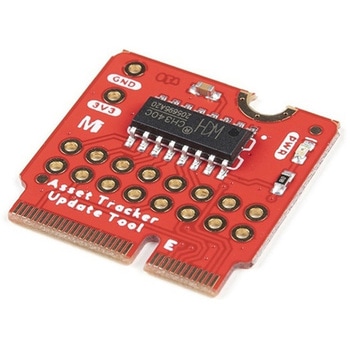
SparkFun MicroMod Update Tool
SPARKFUN¥1,798税込¥1,9781個33日以内出荷。Description。The SparkFun MicroMod Update Tool is built to interface with the MicroMod Asset Tracker Carrier Board and also makes it simple to communicate directly with the u-blox SARA-R510M8S module using u-blox's sophisticated m-center cellular evaluation software. If you're familiar with u-center, u-blox's GNSS evaluation software, you'll know how excellent their software is. m-center is every bit as good. Attach a USB-C cable and away you go!。The Update Tool is not a full MicroMod Processor Board, it is much simpler than that. It has a CH340C USB-Serial converter on it which gives you full access to all eight pins of the SARA-R5's UART interface via the Asset Tracker's USB-C connector. Think of it as a bridge from USB to serial.。The Update Tool features eight pairs of Plated Through Hole connections for the UART signals. You can use these to connect directly to the SARA UART using 3.3V signals if you want to. The split pads on the rear of the Tool can be opened to isolate the CH340C completely; the pins nearest the M.2 will link straight to the SARA UART.。Get Started with the MicroMod Update Tool Hookup Guide。Features。CH340C USB-Serial converter。Eight pairs of Plated Through Hole connections with split pad jumper links for:Serial Transmit(TX)。Serial Receive(RX)。Request To Send(RTS)。Clear To Send(CTS)。Data Terminal Ready(DTR)。Data Set Ready(DSR)。Ring Indicator(RI)。Data Carrier Detect(DCD)。LED indicator for:Power(3.3V)アズワン品番67-0423-52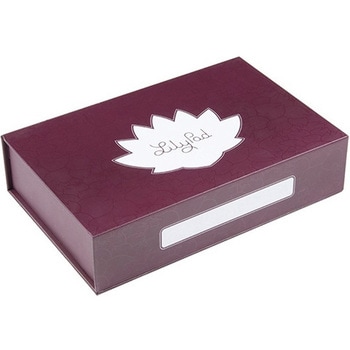
SparkFun Large Parts Box - LilyPad Magnetic
SPARKFUN¥2,598税込¥2,8581個33日以内出荷。Description。When you're working with e-textiles, you have a tendency to collect a lot of small parts:LilyPad boards, bobbins, needles...the tools of the trade. Why not pick up a sturdy box to keep your bits and pieces off the floor? This large LilyPad-branded box is made from rigid cardboard printed with a fancy tone-on-tone pattern, label space and the LilyPad logo. There are even magnetic closures embedded in the lid.。We like this box because it's rigid enough to throw in a sewing bag and also looks good on a workbench or makerspace. With an inside dimension of 2 inches deep, it's big enough for batteries, fabric swatches and whatever small parts you have floating around. It also makes a great gift box if you're thinking about getting someone the gift of LilyPad!。Features。Dimensions:10.0"×6.3"×2.3"アズワン品番67-0428-15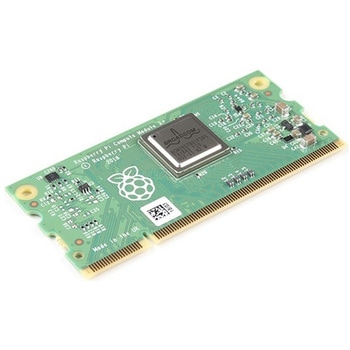
Raspberry Pi Compute Module 3+ Lite
SPARKFUN¥10,980税込¥12,0781個33日以内出荷Description。The Raspberry Pi Compute Module 3+ Lite contains the guts of a Raspberry Pi 3 Model B+(the BCM2837 processor and 1GB LPDDR2 RAM). This module allows a designer to leverage the Raspberry Pi hardware and software stack in their own custom systems and form factors. In addition this module has extra IO interfaces over and above what is available on the Raspberry Pi model A/B boards, opening up more options for the designer.。This is all integrated onto a small(67.6mm×31mm)board that fits into a standard DDR2 SODIMM connector. You get the full flexibility of the BCM2837 SoC(which means that many more GPIOs and interfaces are available than with a standard Raspberry Pi), and designing the Module into a custom system should be relatively straightforward because all the tricky bits have been put onto the Module itself.。The CM3+ Lite product is the same as CM3+ except the eMMC Flash is not fitted, and the SD/eMMC interface pins are available for the user to connect their own SD/eMMC device. Note that the CM3+ is electrically identical and, with the exception of higher CPU z-height, physically identical to the legacy CM3 products.。Note:The CM3+ modules require a software/firmware image dated November 2018 or newer to function correctly.。Features。Broadcom BCM2837B0, Cortex-A53(ARMv8)64-bit SoC @ 1.2GHz。1GB LPDDR2 SDRAM。Operating Supply Voltage:1.8V, 3.3V。Minimum Operating Temperature:-25C。Maximum Operating Temperature:+80C。HDMI, MIPI, USB, and GPIO interfaces on edge connectorアズワン品番67-0423-17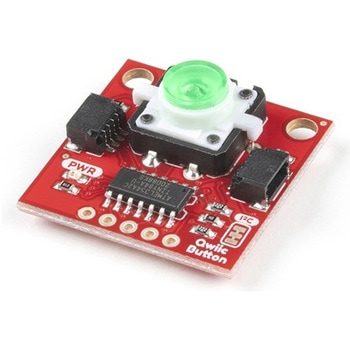
SparkFun Qwiic Button - Green LED
SPARKFUN¥1,698税込¥1,8681個33日以内出荷Description。Buttons are an easy and tactile way to interface with your project, but why would you want to deal with debouncing, polling, and wiring up pull-up resistors? The Qwiic Button with built-in green LED simplifies all of those nasty worries away into an easy to use I2C device! Utilizing our Qwiic Connect System, using the button is as simple as connecting cable and loading up some pre-written code!。If you need multiple buttons for your project, fear not! Each button has configurable I2C address, so you can daisy-chain multiple buttons over Qwiic and still address each one individually. We've got an example in our Arduino library that provides super-easy way to configure your Qwiic Button to whatever I2C address you desire. You can download the library through the Arduino library manager by searching 'SparkFun Qwiic Button' or you can get the GitHub repo as .zip file and install the library from there.。In addition to handling blinking and debouncing, the Qwiic Button has configurable interrupts that can be configured to activate upon button press or click. We've also taken the liberty of implementing FIFO queue onboard the Qwiic Button where it keeps an internal record of when the button was pressed. This means that code on your microcontroller need not waste valuable processing time checking the status of the button but instead can run small function whenever the button is pressed or clicked! For more information on interrupts check out our guide here!。The SparkFun Qwiic Connect System is an ecosystem of I2C sensors, actuators, shields and cables that make prototyping faster and less prone to error. All Qwiic-enabled boards use common 1mm pitch, 4-pin JST connector. This reduces the amount of required PCB space, and polarized connections mean you can't hook it up wrong.。Get Started with the SparkFun Qwiic Button Guide。Features。12mm Green LED Button rated for 50mA。Built in LED can be configured for your desired level of blinkiness!。Each button has configurable I2C address。Configurable interrupts check out our guide here!。FIFO queue。Don't like the color green? Check out the SparkFun Qwiic Button Breakout and add another colored button!。Red LED Tactile Button。Blue LED Tactile Button。Green LED Tactile Button。White LED Tactile Buttonアズワン品番67-0420-14
USB to TTL Serial Cable 5V VCC
SPARKFUN¥5,498税込¥6,0481個33日以内出荷Description。This is a USB to TTL Serial Cable which allows for a simple way to connect TTL interface devices to USB. The I/O pins of this cable are configured to operate at 3.3V specifically with a Raspberry Pi with each serial pin broken apart. Thanks to its separated pins, this cable is a perfect candidate for powering, connecting, and accessing the login and debug console on an older-version Raspberry Pi.。The FTDI cable is designed around an FT232, which is housed in a USB-A connector. The other side of the cable is terminated with a separated 4-pin connector with the following pinout:RX(Yellow), TX(Orange), VCC(5V)(Red), and GND(Black). A link to the FTDI drivers can be found in the。Documents。section above.。Note:。Please be aware that while the I/O pins in this cableoperate at 3.3V, the VCC pin is 5V. The VCC pin is NOT 3.3V like theI/O pins.アズワン品番67-0420-67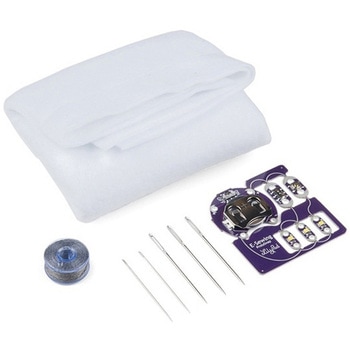
LilyPad E-Sewing ProtoSnap Kit
SPARKFUN¥4,298税込¥4,7281個33日以内出荷Description。The LilyPad E-Sewing ProtoSnap Kit is a great way to incorporate buttons and switches into an e-textile project without any programming required. Like other LilyPad ProtoSnap series boards, the individual pieces of the included E-Sewing ProtoSnap are pre-wired --- allowing you to try out the function of the circuit before sewing. We have also included a CR2032 battery, needle set, conductive thread bobbin and a swatch of white felt. With all of these parts combined and the featured guide(found in the Documents tab), you will be able to plan and create fantastic projects straight out of the box!。The E-Sewing ProtoSnap includes three white LilyPad LEDs:two connected to a LilyPad Slide Switch and one connected to a LilyPad Button Board. A LilyPad Coin Cell Battery Holder with the included CR2032 coin cell battery provides all the power you need for the circuit. All you need to do is design how you want your project to be laid out, and then snap everything apart!。Note:A portion of this sale is given back to Dr. Leah Buechley for continued development and education in e-textiles.。Note:Due to the requirements of shipping the battery in this kit, orders may take longer to process and therefore do not qualify for same-day shipping. Additionally, these batteries cannot be shipped via Ground or Economy methods to Alaska or Hawaii. Sorry for any inconvenience this may cause.。Get Started with the LilyPad E-Sewing ProtoSnap Guideアズワン品番67-0424-14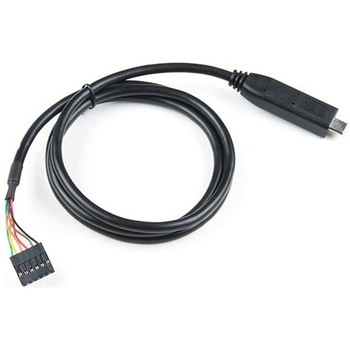
FTDI to USB-C Cable - 5V VCC-3.3V I/O
SPARKFUN¥7,998税込¥8,7981個33日以内出荷。Description。USB C is quickly becoming more and more prominent in the maker community because, let's be honest, who likes trying three times to insert USB into a port? This FTDI cable is a USB C to Serial converter which allows for a simple way to connect TTL interface devices to USB. Each 26AWG cable is one meter in length with the USB C side protected by a 2in enclosure.。The FTDI cable is designed around an RS232, which is housed in a USB C connector. The other side of the cable is terminated with a 0.1" pitch, 6-pin connector with the following pinout:RTS(Green), RX(Yellow), TX(Orange), VCC 5V(Red), CTS(Brown), GND(Black). This FTDI to USB C Cable is also capable of handling high voltages up to 300V max.。There are pros and cons to the FTDI Cable vs the FTDI Basic. The FTDI Basic has great LED indicators, but requires a Mini-B cable. The FTDI Cable is well protected against the elements, but is large and cannot be embedded into a project as easily. The FTDI Basic uses DTR to cause a hardware reset where the FTDI cable uses the RTS signal.アズワン品番67-0420-42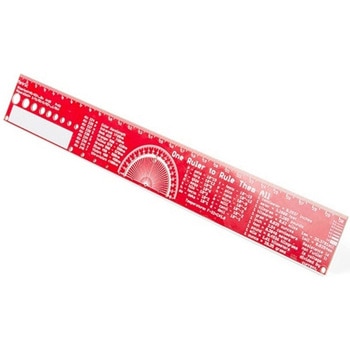
SparkFun PCB Ruler - 12 Inch
SPARKFUN¥3,198税込¥3,5181個33日以内出荷Description。One ruler to rule them all. This is a basic 12 inch ruler, but made from a PCB. We have included a lots of useful information on each side of the ruler that you might use on a daily basis including Wire Gauge holes, transistor diagrams, common fractions, Roman numerals, and metric to imperial conversions. Most importantly, the ruler provides you with a straight line and centimeter markings one side and inch markings on the other side.。You'll also find a small protractor in the middle for all your angle measurement needs. While we figured you have a fairly good idea how to use a ruler we do have a tutorial to explain all the information you'll see!。Get Started with the How to use a Ruler Guide。Features。12 inch PCB ruler with markings down to 0.05" or 1/32"。30.48 cm PCB ruler with markings down to 0.1mm。Electrical Equations such as Ohm's Law and Parallel Resistors。Keyboard Alt Codes。Color Wavelengths。Protractor。Metric Prefix Summary Chart。Metric conversions。Morse Code。Transistor Diagrams。Roman Numerals。Fraction Summary。Wire Guage Chart。Tap and Drill Chart。Size:12"x 1.5"アズワン品番67-0428-67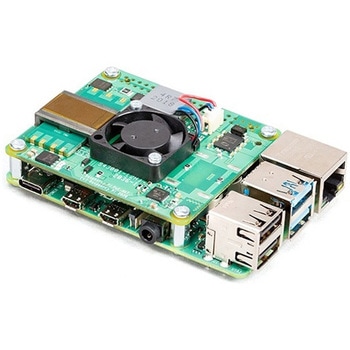
Raspberry Pi PoE+ HAT
SPARKFUN¥12,980税込¥14,2781個33日以内出荷Description。The Raspberry Pi PoE+ HAT is designed to replace the existing Raspberry Pi PoE HAT in all new and existing designs. Like the original, the PoE+ HAT allows you to power your Raspberry Pi using Power over Ethernet networks. The PoE+ HAT meets all the requirements of the IEEE 802.3af(802.3at Type 1, PoE+)specifications. This ups the power the network can supply from 15.4 watts(PoE)to 25.5 Watts(PoE+)over CAT5 cable.。No modification to the main Raspberry Pi board is needed for the PoE+ HAT to work but you will need to ensure that your Pi's software is up to date for all functionality to be available. The Raspberry Pi PoE+ HAT is fitted with a small fan that is controlled by the Raspberry Pi via I2C and will turn on and off automatically depending on the temperature of the main processor on your Pi.。Note:There is no Raspberry Pi included with this product. Your desired Pi will need to be purchased separately.。Features。Input voltage:37-57V DC, Class 2 device。Output power:5V DC/3.0A。Cooling:25mm×25mm brushless fan delivering 2.2CFM forprocessor cooling。Fully isolated switch-mode power supply。Fan control。Mechanically compatible with the existing Raspberry Pi PoE HATアズワン品番67-0423-62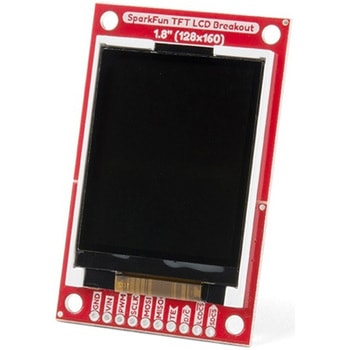
SparkFun TFT LCD Breakout - 1.8" 128x160
SPARKFUN¥9,998税込¥10,9981個33日以内出荷Description。The SparkFun TFT LCD Breakout is a versatile, colorful, and easy way to experiment with graphics or create a user interface for your project. With a 4-wire SPI interface and microSD card holder, you can use this breakout to easily add visual display/interface capabilities to a project as well as providing all the storage you might need for multimedia files.。To get started with this breakout, you will need an Arduino compatible microcontroller of your choice - we recommend something with extra RAM like the SparkFun Thing Plus. The breakout can be powered with either 5V or 3.3V. The microSD card holder is connected to the same SPI bus as the display which keeps the required pin count low and exists to relieve the burden from your microcontroller's poor memory due to having to store hundreds of images of cats, or really whatever you want to keep there. We have also gone ahead and tricked out the SparkFun HyperDisplay library with a driver made especially for this breakout!。Out of the box, the SparkFun TFT LCD Breakout will come with a large backing PCB that makes it easy to securely mount the display in a project. If you need a more flexible solution you can remove the display module, snap off half the backing board, and then re-insert the display module. When this is done you'll be left with the bare minimum frame around the display to more seamLessly integrate with your project.。Get Started With the SparkFun TFT LCD Breakout Guide。Features。128×160 RGB pixels。Up to 18 bit configurable color depth。2x PWM controllabele LED backlight。microSD Card Slot。V-Score for Minimal Footprint Setupアズワン品番67-0424-97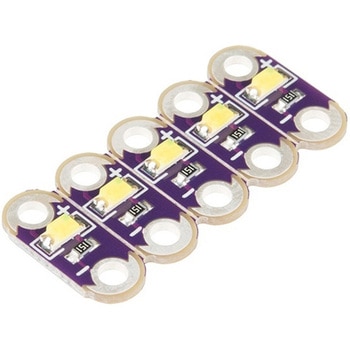
LilyPad LED White 5pcs
SPARKFUN¥999税込¥1,0991個33日以内出荷Description。This is a simple pack of five White LilyPad LEDs that are still attached to one another, letting you snap the LEDs apart at your leisure to sew into clothing or whatever else you can dream up.。LilyPad is a wearable e-textile technology developed by Dr. Leah Buechley and cooperatively designed by Leah and SparkFun. Each LilyPad piece was creatively designed with large sew tabs to allow them to be sewn into fabric. Various input, output, power and sensor boards are available. They're even washable(with special care)!。Note:。A portion of this sale is given back to Dr. Buechley for continued development and education in e-textiles.。Features。5.5mm x 12.5mm。Thin 0.8mm PCBアズワン品番67-0422-26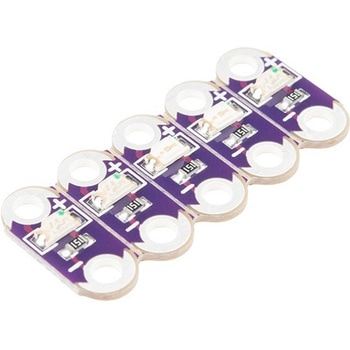
LilyPad LED Green 5pcs
SPARKFUN¥999税込¥1,0991個33日以内出荷Description。This is a simple pack of five Green LilyPad LEDs that are still attached to one another, letting you snap the LEDs apart at your leisure to sew into clothing or whatever else you can dream up.。LilyPad is a wearable e-textile technology developed by Dr. Leah Buechley and cooperatively designed by Leah and SparkFun. Each LilyPad piece was creatively designed with large sew tabs to allow them to be sewn into fabric. Various input, output, power and sensor boards are available. They're even washable(with special care)!。Note:。A portion of this sale is given back to Dr. Buechley for continued development and education in e-textiles.。Features。5.5mm x 12.5mm。Thin 0.8mm PCBアズワン品番67-0422-35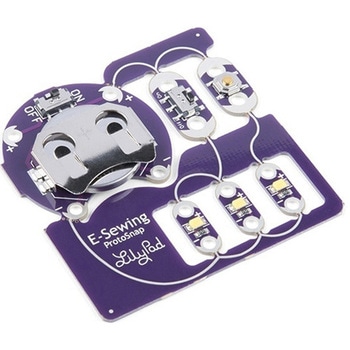
LilyPad E-Sewing ProtoSnap
SPARKFUN¥2,198税込¥2,4181個33日以内出荷。Description。The LilyPad E-Sewing ProtoSnap is a great way to explore how buttons and switches behave in simple e-sewing circuits before crafting your project. Like other LilyPad ProtoSnap series boards, the individual pieces of the board are pre-wired --- allowing you to try out the function of the circuit before sewing. There is no programming required to use this ProtoSnap, and it can be used right away!。The E-Sewing ProtoSnap includes three white LilyPad LEDs:two connected to a LilyPad Slide Switch and one connected to a LilyPad Button Board. A LilyPad Coin Cell Battery Holder with a CR2032 coin cell battery provides all the power you need for the circuit. All you need to do is design how you want your project to be laid out, and then snap everything apart!。Note:。A portion of this sale is given back to Dr. Leah Buechley for continued development and education in e-textiles.。Note:。Due to the requirements of shipping the included battery, orders may take longer to process and therefore do not qualify for same-day shipping. Additionally, these batteries cannot be shipped via Ground or Economy methods to Alaska or Hawaii. Sorry for any inconvenience this may cause.。Get Started with the LilyPad E-Sewing ProtoSnap Guideアズワン品番67-0422-55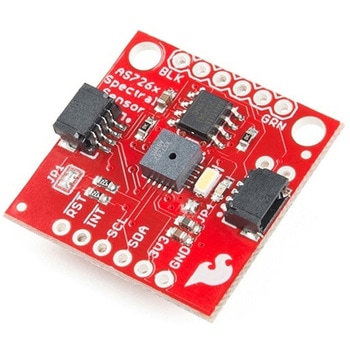
SparkFun Spectral Sensor Breakout - AS7263 NIR Qwiic
SPARKFUN¥9,998税込¥10,9981個33日以内出荷Description。The SparkFun AS7263 Near Infrared(NIR)Spectral Sensor Breakout brings spectroscopy to the palm of your hand, making it easier than ever to measure and characterize how different materials absorb and reflect different wavelengths of light. The AS7263 Breakout is unique in its ability to communicate by both an I2C interface and serial interface using AT commands. Hookup is easy, thanks to the Qwiic connectors attached to the board --- simply plug one end of the Qwiic cable into the breakout and the other into one of the Qwiic shields, then stack the board on a development board. You'll be ready to upload a sketch to start taking spectroscopy measurements in no time.。The AS7263 spectrometer detects wavelengths in the visible range at 610, 680, 730, 760, 810 and 860nm of light, each with 20nm of full-width half-max detection. The board also has multiple ways for you to illuminate objects that you will try to measure for a more accurate spectroscopy reading. There is an onboard LED that has been picked out specifically for this task, as well as two pins to solder your own LED into.。Note:The I2C address of the AS7263 is 0x49 and is hardware defined. A multiplexer/Mux is required to communicate to multiple AS7263 sensors on a single bus. If you need to use more than one AS7263 sensor consider using the Qwiic Mux Breakout.。The SparkFun Qwiic Connect System is an ecosystem of I2C sensors, actuators, shields and cables that make prototyping faster and less prone to error. All Qwiic-enabled boards use a common 1mm pitch, 4-pin JST connector. This reduces the amount of required PCB space, and polarized connections mean you can't hook it up wrong.。Get Started with the SparkFun AS726X Spectral Sensor Breakout Guide。Features。6 near-IR channels:610nm, 680nm, 730nm, 760nm, 810nm and 860nm, each with 20nm FWHM。NIR filter set realized by silicon interference filters。16-bit ADC with digital access。Programmable LED drivers。2.7V to 3.6V with I2C interface。2x Qwiic connectorsアズワン品番67-0426-70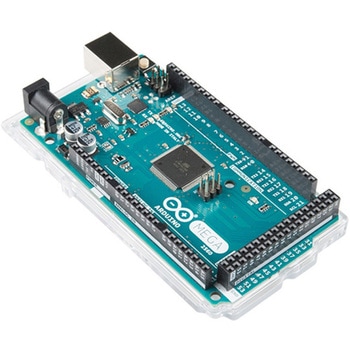
ArduinoMega 2560 R3
SPARKFUN¥18,980税込¥20,8781個33日以内出荷。Description。Arduino is an open-source physical computing platform based on a simple i/o board and a development environment that implements the Processing/Wiring language. Arduino can be used to develop stand-alone interactive objects or can be connected to software on your computer(e.g. Flash, Processing, MaxMSP). The open-source IDE can be downloaded for free(currently for Mac OS X, Windows, and Linux).。The Arduino Mega is a microcontroller board based on the ATmega2560. It has 54 digital input/output pins(of which 14 can be used as PWM outputs), 16 analog inputs, 4 UARTs(hardware serial ports), a 16 MHz crystal oscillator, a USB connection, a power jack, an ICSP header, and a reset button. It contains everything needed to support the microcontroller; simply connect it to a computer with a USB cable or power it with a AC-to-DC adapter or battery to get started.。Never fear for accidental electrical discharge, either since since the Mega also includes a plastic base plate to protect it!。The Mega 2560 R3 also adds SDA and SCL pins next to the AREF.。In addition, there are two new pins placed near the RESET pin. One is the IOREF that allow the shields to adapt to the voltage provided from the board.。The other is a not connected and is reserved for future purposes.。The Mega 2560 R3 works with all existing shields but can adapt to new shields which use these additional pins.。Not sure which Arduino or Arduino-compatible board is right for you? Check out our Arduino Buying Guide!。Features。ATmega2560 microcontroller。Input voltage - 7-12V。54 Digital I/O Pins(14 PWM outputs)。16 Analog Inputs。256k Flash Memory。16Mhz Clock Speedアズワン品番67-0349-13
SparkFun gator:log - micro:bit Accessory Board
SPARKFUN¥4,398税込¥4,8381個33日以内出荷Description。The gator:log is the perfect data logging tool for your next experiment. With the automation of the data collection process, gone are the days of rushing around with a pen and composition notebook to simultaneously record data and your observations. Now, you only need to sit back and observe your experiment.。The gator:log allows a student(s)to focus more on what is happening in the experiment than watching a thermometer or sensor readout. Additionally, a micro:bit can still be used to provide a graphical display for observing changes in data, when a sensor readout is required. If tied in conjunction with the gator:RTC, stop watches on time based experiments can become a thing of the past too(with the added benefit of more accurate timing results)!。The micro:bit is a pocket-sized computer that lets you get creative with digital technology. Between the micro:bit and our shield-like bit boards you can do almost anything while coding, customizing and controlling your micro:bit from almost anywhere! You can use your micro:bit for all sorts of unique creations, from robots to musical instruments and more. At half the size of a credit card, this versatile board has vast potential!。Get Started with the SparkFun gator:log Hookup Guide。Features。ATmega328P microcontroller。μSD(micro SD)card slot for μSD card for data storage。Two status indicator LEDs。Serial connection via RX and TX pads。GND and 3V3 pads for 3.3V power connectionアズワン品番67-0422-76


関連キーワード
使用用途などの自然な言葉で検索できるようになりました(例:工場の床に白い線を引く)詳細はこちら