カテゴリ
- 学童・教育用品(11)
- 制御機器(6)
- 配管・水廻り設備部材(4)
- パソコン/周辺機器(3)
- 梱包用品(1)
- 塗料(1)
- メカニカル部品(1)
- 印刷用紙/インク/印刷機(1)
絞り込み
ブランド
エコロジープロダクト

「by-i」の検索結果

PROST's ワールドカーカラー
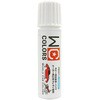
PROST's(1件のレビュー)¥409~税込¥450~1箱(20g)ほか5日以内出荷【世界の名車を本物のカラーで!】実車と同じ最高級ウレタン塗料で圧倒的な本物のクオリティーに!【最新車両からビンテージモデルまで再現!】世界中の輸入車・バイク・国産車、6,2191色以上に対応!メーカーのカラーコードを元に調色をするため最新モデルからビンテージモデルのカラーまで忠実に調色!※一部対応できないカラーもございます。用途ホビー用塗料危険等級Ⅲ危険物の類別第四類危険物の品名第二石油類危険物の性状非水溶性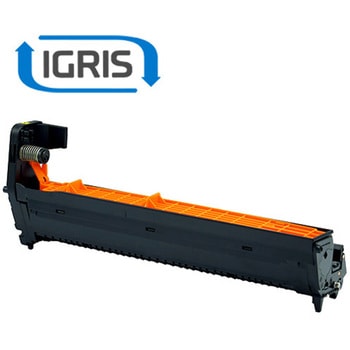
IGRIS リサイクルストック ドラム DR-C3BY イエロー (OKI)
IGRIS¥15,980税込¥17,5781個7日以内出荷商品名:IGRIS リサイクルストック ドラム DR-C3BY イエロー メーカー:沖電気 印字枚数:約30,000枚 環境負荷低減商品:グリーン購入法適合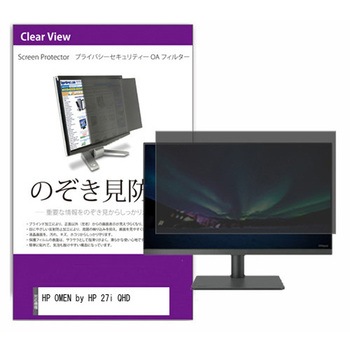
覗き見防止 プライバシー フィルター HP OMEN by HP 27i QHD 27インチ 対応 保護 フィルム のぞき見防止 互換品
メディアカバーマーケット¥9,998税込¥10,9981枚4日以内出荷パソコン画面の左右からの覗き見を防止。プライバシーを守ります。周囲の明かり(蛍光灯や太陽光)の映り込みを抑え、画面を見やすくします。紫外線99%、ブルーライトを約45%カット。干渉縞モアレを防ぐフィルター構造。キズが入りにくく、傷や汚れから液晶画面を保護するハードコート仕様です。取付用の両面テープと、スライドして取り外し可能にするためのマウンティングタブが付属します。用途両面テープ方式:貼り付けシールを四隅に貼るだけで簡単装着。スライド式(マウンティングタブ):フィルターをタブに差し込み、必要に応じて着脱可能。付属品貼り付けシール×8枚マウンティングタブ×2組クリーニングクロス×1枚適合機種HP OMEN by HP 27i QHD取付方式両面テープ/スライド式入数(枚)1対応インチサイズ27インチ 解像度(2560×1440)特性のぞき見防止180度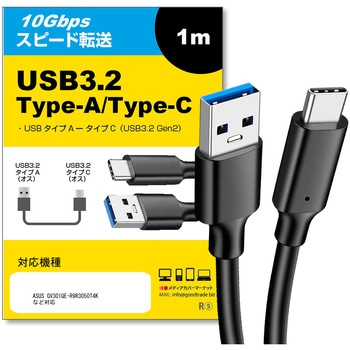
【互換品】 USB Type C ケーブル 1m USB 3.2 Gen 2 ( USB 3.1 ) ASUS GV301QE-R9R3050T4K 他 対応 スマホ タブレット PC デジカメ 充電 通信 転送 ケーブル
メディアカバーマーケット¥1,198税込¥1,3181本4日以内出荷。USB 3.2 Gen 2 (USB 3.1) USB(A)-Type-Cケーブルの特徴。。ACアダプターやパソコンからスマートフォン、カメラ、イヤホンなどの充電やデータ通信に使用でき、モバイルバッテリーからも充電が可能です。さらに、コネクタはリバーシブルデザインになっており、どちらの向きでも差し込める便利な仕様です。【商品詳細】。規格:USB Type-C 3.2 Gen2 (USB 3.1)。ケーブル長さ:1m。転送速度:最大10Gbps(3m以内)、5Gbps(5m以上)。充電能力:最大5V 3.0A。【Quick Charge 3.0対応】。Qualcomm社のQuick Charge 3.0規格に対応しており、対応するAndroid端末と急速充電器を組み合わせることで、短時間での充電が可能です。Quick Charge 2.0にも対応しており、充電がより効率的に行えます。【56KΩレジスタ実装で安全性を確保】。USB Type-C端子は、従来のUSB Type-A端子に比べて大きな電力を供給できます。しかし、片方がUSB Type-Aの場合は、性能に制限がかかることがあります。そのため、このケーブルには56KΩレジスタが実装されており、安全に適切な電流が流れるようになっています。これにより、デバイスの破損を防ぐことができます。ご安心してお使いください。※ただし、ご使用のデバイスの性能によって供給される電流値は異なります。※USB Power Delivery(USB PD)には対応していません。【対応機種】。ASUS。・パソコン/タブレット/ディスプレイ/モニター。ASUS Chromebook/ASUS TUF。ASUS Vivobook/ExpertBook。ROG Strix/ROG Zephyrus/Vivobook。ZenScreen/ExpertBook。GV301QE-R9R3050T4K。GV301QH-R9G1650H120。GV301QH-R9G1650S32G。GV301RA-R76UMA。GV301RC-R96E3050E。GV301RC-R96R30504K。GV301RE-R96R3050TE。GX650RW-R76R3070TBY。GX650RW-R96R3070TIE。GX650RX-R96R3080TI。GX703HS-I9R3080U120。GZ301ZC-I7R3050。GZ301ZC-I7R3050BY。GZ301ZE-I9R3050TE。Ink MB14AHD。L410MA / M15。M16 GU604。M3400WU。MB14AC / MB16AC。MB16AC / MB16ACE。MB16ACR / MB16ACV。MB16AH / MB16AH-J。MB16AHP / MB16AMT。MB16AMT / MB16AMT-J。MB16AP。OLED MQ13AH。OLED MQ16AH。P2451FA。Plus CM34 Flip (CM3401)。Plus CX34 (CX3402)。Pro 14 OLED (M3401)。Pro 14X OLED (M7400)。すべての対応機種は記載できておりません。色ブラック長さ(m)1コネクタ形状USB(A)(オス)-USBType-C(オス)インターフェースUSB 3.2 Gen 2 (USB 3.1)転送速度(Gbps)最大10変換タイプオス-オス
【互換品】 HDMI A-HDMI A 2.0規格 1m ケーブル プリンストン ORION オリオン 対応 通信ケーブル 4Kフルハイビジョンテレビ
メディアカバーマーケット¥979税込¥1,0771本4日以内出荷。 HDMI A-HDMI A 2.0規格 ケーブル特徴。。対応デバイスは、Apple TV 4K, ブルーレイプレーヤー, Fire TV, Roku Ultra, PS5,PS4,PS4 Pro, PS3, Xbox One/360, Wii U, Nintendo Switch,テレビやモニターとパソコン、レコーダー・プレイヤー、AVアンプ、ゲーム機など。あらゆるデバイス間を接続する時におすすめするHDMI-HDMIケーブルです。このHDMI ケーブルはHDMIVer2.0基準に適合。サビなどに強く信号劣化を抑える金メッキプラグを採用して伝導のロスを減らします。PVCカバー多重加工とシールドが外部との干渉を防ぎ、デジタル信号の密度と純度を保持します。HDMI ケーブルは共有されたインターネット接続にも対応しています。別のイーサネットケーブルを用意する必要はありません。複数のデバイス間でインターネット接続が可能です。4K@50/60(3840×2160p)に対応しています。(「フルスペックハイビジョン」画質である1080p/60の4倍の解像度)。音声は最大1536KHzのサンプリング周波数(CDは44.1KHz)最高で32chまでのオーディオ転送にも対応。【対応機種】。【プリンストン】。★液晶ディスプレイ。PTFBFE-24W。PTFBLD-24S。PTFBLD-24W。PTFBLD-27S。PTFBLD-27W。PTFBLS-24W。PTFGFA-24C。PTFGFA-27C。PTFGLB-25W。PTFGLB-27W。PTFGSA-24W。PTFWFE-24W。PTFWLD-24W。PTFWLD-27W。UP-HC32C。★デジ像実物投影機 4K対応ドキュメントカメラ。PDP-4K13。【ORION/オリオン】。OL40RD100。OL40XD100。OL43XD100。OL50RD100。OL50XD100。OL55RD100。OL55XD100。OL65XD100。OL65XD300。【HP/ヒューレッドパッカード】。★パソコン/モニター/ディスプレイ。HP 14。HP 14s。HP 15。HP 15s。HP 17s。HP 27f 4K。HP All-in-One 22-df。HP All-in-One 24-df。HP All-in-One 27-dp。HP M22f FHD。HP M24fwa。HP M27fq QHD。HP M27fwa。HP M34d WQHD。HP Pavilion 15。HP Pavilion Aero 13。HP Pavilion All-in-One 24-ca。HP Pavilion All-in-One 27-ca。HP Pavilion All-in-One 32。HP Pavilion Desktop TP01。HP Slim Desktop S01。HP U28 4K HDR。HP U32 4K HDR。HP V28 4K。HP X24ih。HP X27q QHD。HP X32 QHD。HP X34 WQHD。OMEN 24 165Hz FHD。OMEN 25i 。OMEN 27c QHD。OMEN 27q 165Hz QHD。OMEN 27qs 240Hz QHD。OMEN 27u 4K。OMEN 32q 165Hz QHD。OMEN 34c 165Hz WQHD。OMEN by HP 27i QHD。【ELECOM/エレコム】。液晶ディスプレイ。NB-N221-Eシリーズ。NB-N221B-E。NB-N221W-E。NB-N241-Eシリーズ。NB-N241B-E。NB-N241W-E。★HDMI切替器。DH-SW4KA31BK。DH-SW4KC41BK。DH-SW4KP1BKシリーズ。DH-SW4KP21BK。DH-SW4KP31BK。DH-SW4KP41BK。DH-SW4KP51BK。VSP-HDP1BKシリーズ。VSP-HDP12BK。VSP-HDP14BK。VSP-HDP18BK。GM-DHSW4KP31BK。★ディスプレイ切替器。VSP-VWCHD14BK。【MAXZEN(マクスゼン)】。★デジタル4K液晶テレビ。JU50TS01。JU75CH02。JU75CH01。JU65SK04。JU65CH01。JU55SK04。JU55SK03。JU50SK04。JU49SK03。JU43TS01。JU43SK03。★ERIZA エリザシリーズ。JE50TH01-4K。【Logitec/ロジテック】。★パソコン。LC-6DS58。LC-6DS63。LC-6DS64。LC-72S58。LC-72S63。LC-72S64。LC-76S58。LC-76S63。LC-76S64。LC-9AS60。LC-9AS63。LR-41S60。LR-41S63。★小型端末。LB-JB18。LX-VC01N。【MARSHAL/マーシャル】。★モニター。FFF-LD25G2。FFF-LD27G1。FFF-LD27P2。FFF-LD28P1。FFF-LD28P4。FFF-LD32P5。★テレビ。FFF-TV4K50WBK2。FFF-TV4K55WBK2。【IRIS/アイリスオーヤマ】。4Kテレビ LUCA。43UB20K。43UB28VC。43XDA20。43XUB30。43XUC38VC。49UB20K。49UB28VC。50XDA20。50XUB30。50XUC38VC。55UB20K。55UB28VC。55XDA20。55XQDA20。55XQUC35。55XUB30。55XUC38VC。65XDA20S。65XUB30。65XUC38VC。75UB20。75XUC35。LT-43B620。LT-43D6210B。LT-49B620。LT-50D6210B。LT-55B620。LT-55D6210B。LT-65B620。LT-65D6210B。LT-75D6210S。★液晶ディスプレイ。ILD-A50UHDS-B。ILD-A58UHDS-B。ILD-A65UHDS-B。ILD-A75UHDS-B。ILD-B50UHDS-B。ILD-B58UHDS-B。★サウンドスピーカー。HT-SB115。IHT-S101。IHT-S201。IHT-S301。HDMIタイプA規格が搭載された機器に対応しております。すべての対応機種を記載できていない場合がございます。色ブラックケーブル長(m)1コネクタ形状HDMI(A)オス - HDMI(A)オスプラグ金メッキケーブル種類スタンダードケーブルタイプHDMI2.0対応 HDMI A-HDMI A ケーブル変換タイプオス-オス
ラインターミネータ エンコーダラインドライバ NX-AUX用
omron(オムロン)¥149,800税込¥164,7801個7日以内出荷The Omron incremental encoder input units are more precise timing control by synchronizing the position data with the EtherCAT Distributed Clock。They have Synchronous Serial Interface (SSI) to connect external axes to the Sysmac system.I/O system are NX I/O Bus based Type of module is Encoder input Free running, Synchronous, Task period prioritized仕様●アクセサリタイプ:エンコーダラインドライバ●併用可能製品:NX-AUX●範囲:NX●コード番号:215-3324アズワン品番65-7275-93
アダプタスリーブ
SKF(日本エスケイエフ)¥209,800税込¥230,7801個7日以内出荷SKF Bearing Withdrawal Sleeves - AH 3138 G Need to mount a bearing with a tapered bore onto the cylindrical seat of a stepped shaft This withdrawal sleeve from SKF can be pushed into the bore of the bearing to reduce the clearance and achieve a tight fit。This makes the job of mounting the bearing quick and easy。It has a bore diameter of 180 mm, with a small taper to an outside diameter of 190 mm, and a 20 mm thread, so its a versatile choice. Allows the bearing to be mounted at any point on the shaft Phosphate coating reduces friction and resists corrosion Standard metric thread for versatile use Application Information Used with stepped shafts in the automotive industry Lathes and other rotating machinery Wind turbine equipmentSKF 回収スリーブは、シャフト径に合わせて調整するために使用し、円筒穴のベアリングシートと比較して、より広い直径の許容差を実現します。ベアリングを補完するためにスリーブが必要で、SKF では、アダプタスリーブ、引き抜きスリーブ、ロックナットなど、幅広いベアリングアクセサリを用意しています。 How do I mount a tapered bearing using a withdrawal sleeve シャフトにすばやく簡単に取り付け可能You can mount it by simply pressing the bearing into the bore of the inner bearing ring, which is located between the bearing and the shaft shoulder。How do I locate the sleeve on the shaft You can use a nut or an end plate such as SKFs KM-series or HM-series lock nuts with locking devices.仕様●タイプ:ベアリング回収スリーブ●寸法:200 x 190 x 125mm●内径:180mm●併用可能製品:HMV 40 E 、KM 40●コード番号:209-3592アズワン品番65-7957-28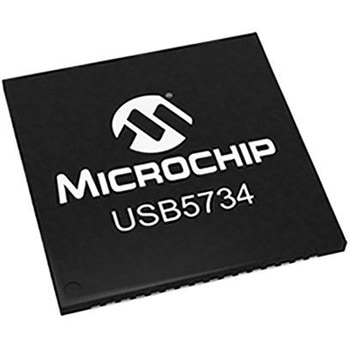
Microchip コントローラ USB 3.0 USB5734-I/MR
MICROCHIP¥1,398税込¥1,5381個7日以内出荷USB5734 USB 3.0 Hub Controllers. From Microchip the USB5734 is a 3.0 compliant (also known as USB 3.1 Gen 1) and supports all the defined USB speeds up to the 5 Gbps SuperSpeed (SS) data rate on all enabled downstream ports. The device integrates a USB 2.0 controller to decouple SuperSpeed data from slower USB 2.0 traffic to avoid bottlenecks slower USB 2.0 traffic can create. The USB5734 integrates functions that would typically be associated with a separate MCU or processor; as such Microchip classifies this device as a ’Smart Hub ’. For example the device can communicate to peripherals via I2C, SPI, GPIOs or UART in addition to USB. Also a downstream device can take control of the host system by swapping roles to become the host port, with the Smart Hub switching between two different hosts if required. 特長. Four downstream USB 3.0 (USB 3.1 Gen1)/2.0 ports Integrated Hub Feature Controller (HFC) enabling I/O bridging and FlexConnect I/O Bridging: Host communication to external peripherals - USB to I2C/UART/SPI/GPIO FlexConnect: Host port swapping and switching to downstream devices Battery Charging: USB-IF revision 1.2 support on downstream ports (DCP, CDP, SDP) Simultaneous data transfer for 2500 mA of high speed charging Port Configuration Straps: Predefined configuration of port settings Battery Charging, Non-Removable, Disable Application Straps: Predefined configuration of GPIOs for specific Use Cases including Mixed Mode, FlexConnect Mode, Port Speed mode, Port BC Mode and UART Mode. ProTouch2: Configuration tool to enable enhanced OEM configuration options through either One-Time Programmable (OTP) (8Kbit) or external SPI ROM Manufacturing line programming tool and field update capabilities USB Link Power Management (LPM) support IETF RFC 4122 compliant 128-bit UUID Compatible with MicrosoftR WindowsR 8/8.1 and other major OS ’s仕様トランシーバ数 = 1データレート = 5Gbit/sプロトコルサポート = USB 3.0電源タイプ = 単一電源ESD保護 = あり標準シングル供給電圧 = 1.2 V、3.3 V実装タイプ = 表面実装パッケージタイプ = SQFNピン数 = 64寸法 = 9 x 9 x 1mm高さ = 1mm長さ = 9mm動作温度 Max = +85 ℃動作温度 Min = -40 ℃mmRoHS指令(10物質対応)対応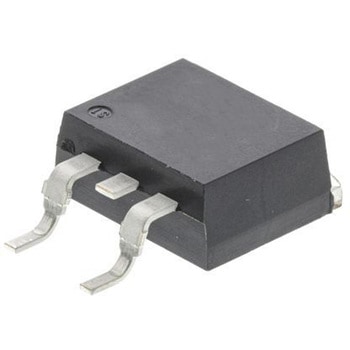
STマイクロ, トライアック, 16A, 3-Pin D2PAK
STMicro¥1,798税込¥1,9781袋(5個)7日以内出荷仕様●定格平均オン電流 : 16A●実装タイプ : 表面実装●パッケージタイプ : D2PAK●サージ電流レーティング : 168A●ピン数 : 3●繰返しピーク順方向抑止電圧 : 600V●最大保持電流 : 35mA●寸法 : 10.28×9.35×4.37mm●長さ : 10.28mm●幅 : 9.35mm●高さ : 4.37mm●動作温度 Min : -40 ℃●Available in through-hole or surface mount packages, the T1635H and T1650H Triac series are suitable for general purpose mains power ac switching. By using an internal ceramic pad, the T16xxH-6I provides voltage insulation (rated at 2500 V rms).Medium current Triac 150 ℃ max. Tjturn-off commutation Low thermal resistance with clip bonding Very high 3 quadrants commutation capability Applications Especially designed to operate in high power density or universal motor applications such as vacuum cleaner and washing machine drum motor, these 16 A Triacs provide a very high switching capability up to junction temperatures of 150 ℃ The heatsink can be reduced, compared to traditional Triacs, according to the high performance at given junction temperaturesRoHS指令(10物質対応)対応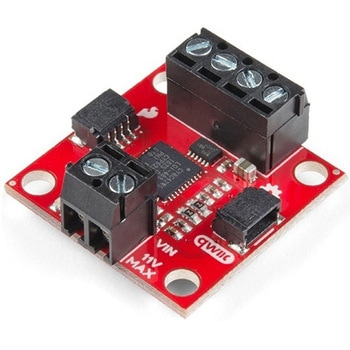
SparkFun Qwiic Motor Driver
SPARKFUN¥6,698税込¥7,3681個33日以内出荷。Description。The SparkFun Qwiic Motor Driver takes all the great features of the Serial Controlled Motor Driver(SCMD)and miniaturizes them, adding Qwiic ports for plug and play functionality. Boasting the same 4245 PSOC and 2-channel motor ports as the SCMD, the SparkFun Qwiic Motor Driver is designed to communicate over I2C to make setting up your next robotic project as fast and easy as possible! Utilizing our handy Qwiic system and screw terminals for motor and power hook-up, no soldering is required to connect it to the rest of your system.。With 1.2A steady state drive per channel(1.5A peak)and 127 levels of DC drive strength, this little Qwiic board is perfect for your small DC motor driver needs. Since the Qwiic Motor Driver is a 3.3V logic device, you'll need to use a logic level converter to interface to 5V.。The I2C address of the Qwiic Motor Driver is 0x5D and is jumper selectable to 0x58, 0x59, 0x5A, 0x5B, ... 0x63.。The SparkFun Qwiic Connect System is an ecosystem of I2C sensors, actuators, shields and cables that make prototyping faster and less prone to error. All Qwiic-enabled boards use a common 1mm pitch, 4-pin JST connector. This reduces the amount of required PCB space, and polarized connections mean you can't hook it up wrong.。Need a custom board? This component can be found in SparkFun's A La Carte board builder. You can have a custom design fabricated with this component - and your choice of hundreds of other sensors, actuators and wireless devices - delivered to you in just a few weeks.。Get Started With the Qwiic Motor Driver Hookup Guide。Features。1.5 A peak drive per channel, 1.2 A steady state。Operates from 3 to 11 Volts with 12V absolute max。3.3V default VCC and logic。127 levels of DC drive strength.。Controllable by I2C or TTL UART signals。Direction inversion on a per motor basis。Global Drive enable。Exposed small heat sink shape。Several I2C addresses, default UART bauds available。Adjustable I2C Address:0x5D Default。2x Qwiic Connectors。。Documents。Schematic。Eagle Files。Board Dimensions。Hookup Guide。Arduino Library。Python Module。Github Hardware Repoアズワン品番67-0426-33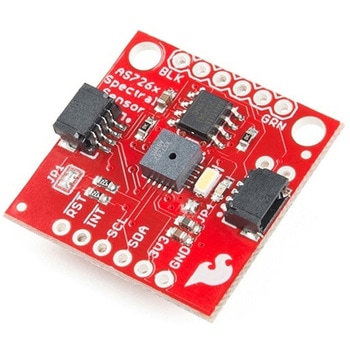
SparkFun Spectral Sensor Breakout - AS7263 NIR Qwiic
SPARKFUN¥9,998税込¥10,9981個33日以内出荷Description。The SparkFun AS7263 Near Infrared(NIR)Spectral Sensor Breakout brings spectroscopy to the palm of your hand, making it easier than ever to measure and characterize how different materials absorb and reflect different wavelengths of light. The AS7263 Breakout is unique in its ability to communicate by both an I2C interface and serial interface using AT commands. Hookup is easy, thanks to the Qwiic connectors attached to the board --- simply plug one end of the Qwiic cable into the breakout and the other into one of the Qwiic shields, then stack the board on a development board. You'll be ready to upload a sketch to start taking spectroscopy measurements in no time.。The AS7263 spectrometer detects wavelengths in the visible range at 610, 680, 730, 760, 810 and 860nm of light, each with 20nm of full-width half-max detection. The board also has multiple ways for you to illuminate objects that you will try to measure for a more accurate spectroscopy reading. There is an onboard LED that has been picked out specifically for this task, as well as two pins to solder your own LED into.。Note:The I2C address of the AS7263 is 0x49 and is hardware defined. A multiplexer/Mux is required to communicate to multiple AS7263 sensors on a single bus. If you need to use more than one AS7263 sensor consider using the Qwiic Mux Breakout.。The SparkFun Qwiic Connect System is an ecosystem of I2C sensors, actuators, shields and cables that make prototyping faster and less prone to error. All Qwiic-enabled boards use a common 1mm pitch, 4-pin JST connector. This reduces the amount of required PCB space, and polarized connections mean you can't hook it up wrong.。Get Started with the SparkFun AS726X Spectral Sensor Breakout Guide。Features。6 near-IR channels:610nm, 680nm, 730nm, 760nm, 810nm and 860nm, each with 20nm FWHM。NIR filter set realized by silicon interference filters。16-bit ADC with digital access。Programmable LED drivers。2.7V to 3.6V with I2C interface。2x Qwiic connectorsアズワン品番67-0426-70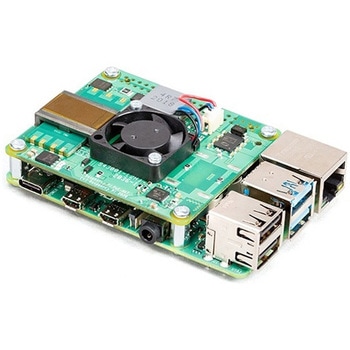
Raspberry Pi PoE+ HAT
SPARKFUN¥12,980税込¥14,2781個33日以内出荷Description。The Raspberry Pi PoE+ HAT is designed to replace the existing Raspberry Pi PoE HAT in all new and existing designs. Like the original, the PoE+ HAT allows you to power your Raspberry Pi using Power over Ethernet networks. The PoE+ HAT meets all the requirements of the IEEE 802.3af(802.3at Type 1, PoE+)specifications. This ups the power the network can supply from 15.4 watts(PoE)to 25.5 Watts(PoE+)over CAT5 cable.。No modification to the main Raspberry Pi board is needed for the PoE+ HAT to work but you will need to ensure that your Pi's software is up to date for all functionality to be available. The Raspberry Pi PoE+ HAT is fitted with a small fan that is controlled by the Raspberry Pi via I2C and will turn on and off automatically depending on the temperature of the main processor on your Pi.。Note:There is no Raspberry Pi included with this product. Your desired Pi will need to be purchased separately.。Features。Input voltage:37-57V DC, Class 2 device。Output power:5V DC/3.0A。Cooling:25mm×25mm brushless fan delivering 2.2CFM forprocessor cooling。Fully isolated switch-mode power supply。Fan control。Mechanically compatible with the existing Raspberry Pi PoE HATアズワン品番67-0423-62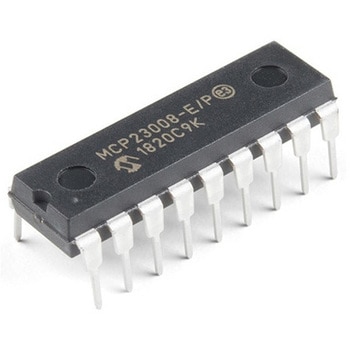
I/O Expander - MCP23008
SPARKFUN¥639税込¥7031個33日以内出荷。Description。Add another eight pins to your microcontroller using a MCP23008 port expander. The MCP23008 uses two I2C pins which can be shared with other I2C devices, and in exchange gives you eight general purpose pins. You can set each of eight pins to be input, output, or input with a pullup. There's even the ability to get an interrupt via an external pin when any of the inputs change so you don't have to keep polling the chip.。Use this chip from 2.7-5.5V(good for any 3.3V or 5V setup), and you can sink/source up to 20mA from any of the I/O pins so this will work for LEDs and such. Team it up with a high-power MOSFET if you need more juice. DIP package means it will plug into any breadboard or perfboard.。You can set the I2C address by tying the ADDR0-2 pins to power or ground, for up to eight unique addresses. That means eight chips can share a single I2C bus - that's 64 I/O pins!。Features。8-bit remote bidirectional I/O port。High-speed I2C interface(MCP23008)。Hardware address pins。Configurable interrupt output pin。Configurable interrupt source。Polarity Inversion register for input port data polarity config.。External reset input。Low standby current:1 μA(max.)・ Operating voltage:。1.8V to 5.5V @ -40℃ to +85℃ I2C @ 100 kHz SPI @ 5 MHz。2.7V to 5.5V @ -40℃ to +85℃ I2C @ 400 kHz SPI @ 10 MHz。4.5V to 5.5V @ -40℃ to +125℃ I2C @ 1.7 kHz SPI @ 10 MHzアズワン品番67-0421-32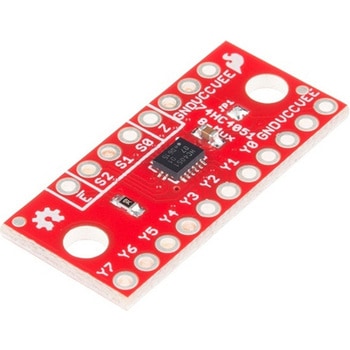
SparkFun Multiplexer Breakout - 8 Channel 74HC4051
SPARKFUN¥999税込¥1,0991個33日以内出荷Description。The SparkFun Multiplexer Breakout provides access to all pins and features of the 74HC4051, an 8-channel analog multiplexer/demultiplexer. The 74HC4051 allows you to turn four I/O pins into eight multifunctional, individually selectable signals, which can be used to do everything from driving eight LEDs to monitoring eight potentiometers.。The 74HC4051 can function as either a multiplexer or a demultiplexer, and it features eight channels of selectable inputs/outputs. The routing of common signal to independent I/O is set by digitally controlling three select lines, which can be set either high or low into one of eight binary combinations.。One half of the board breaks out the control signals(E, S0-S2)and common input/output(Z). The other side provides access to all eight independent I/O's(Y0-Y7). Both sides include supply and ground connections(VCC, VEE, GND).。Get Started with the 74HC4051 Breakout Guide。Features。Switches analog or digital signals。8 channels controlled by 3 select inputs。Wide voltage supply range:2 -- 10V。Bipolar supply support(e.g., ±5V)。Optional enable input。Breadboard compatible breakoutアズワン品番67-0419-95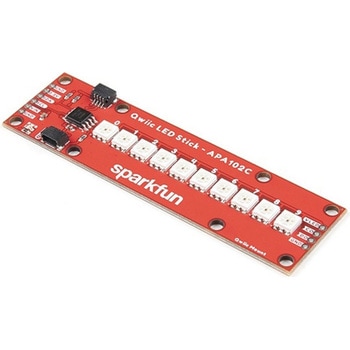
SparkFun Qwiic LED Stick - APA102C
SPARKFUN¥3,500税込¥3,8501個33日以内出荷Description。The SparkFun Qwiic LED Stick features ten addressable APA102 LEDs, making it easy to add full color LED control using I2C. Write to individual LEDs to display a count in binary, or write to the whole strip for cool lighting effects. You can even add more LEDs to the end if you need to. We've written an Arduino library and Python package that take care of the I2C and communication to the LEDs so all you have to do is decide what color each LED should be.。The LED Stick has a default I2C address of 0x23 but can be changed with a simple command, allowing you to control up to 100 LEDs(10 Qwiic LED Sticks)on a single bus! The address can also be changed to 0x22 by closing the solder jumper on the back of the board.。This board is one of our many Qwiic compatible boards! Simply plug and go. No soldering, no figuring out which is SDA or SCL, and no voltage regulation or translation required!。Warning:Using a lot of LEDs can draw a lot of current. Make sure to consider the power limits of your setup. If you expect your LED chain to draw more than 600mA of current, connect your external supply directly to VLED. Closing the jumper from VLED to VCC will add a 4.7uF decoupling capacitor.。The SparkFun Qwiic Connect System is an ecosystem of I2C sensors, actuators, shields and cables that make prototyping faster and less prone to error. All Qwiic-enabled boards use a common 1mm pitch, 4-pin JST connector. This reduces the amount of required PCB space, and polarized connections mean you can't hook it up wrong.。Get Started with the Qwiic LED Stick Guide。Features。10x APA102C addressable LEDs driven by an ATTiny85。Default I2C Address:0x23(Adjustable to 0x22 via Jumper)。2x Qwiic Connectorsアズワン品番67-0421-83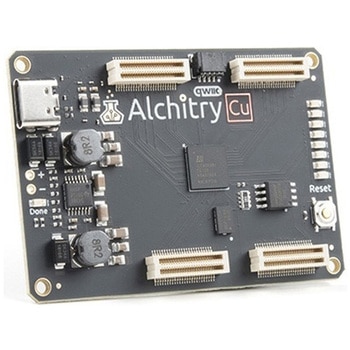
Alchitry Cu FPGA Development Board Lattice iCE40 HX
SPARKFUN¥15,980税込¥17,5781個33日以内出荷Description。If you are not needing a lot of power to start your FPGA adventure, or are looking for a more economical option, the Alchitry Cu FPGA Development Board might be the perfect option for you! The Alchitry Cu is a "lighter" FPGA version than the Alchitry Au but still offers something completely unique. FPGAs, or Field-Programmable Gate Arrays, are an advanced development board type for engineers and hobbyists alike to experience the next step in programming with electronics. The Cu truly exemplifies the trend of more affordable and increasingly powerful FPGA boards arriving each year. This board is a fantastic starting point into the world of FPGAs and the heart of your next project. Finally, now that this board is built by SparkFun, we added a Qwiic connector for easy I2C integration!。The Alchitry Cu uses the Lattice iCE40 HX FPGA with 7680 logic cells and is supported by the open source tool chain Project IceStorm. The Cu possesses 79 IO pins with eight general purpose LEDs; a 100MHz on-board clock that can be manipulated internally by the FPGA; a USB-C connector to configure and power the board; and a USB to serial interface for data transfer.。By adding stackable expansion boards similar to shields or HATs called "Elements," the Alchitry Cu is able to expand its own hardware capabilities by adding prototyping spaces, buttons, LEDs, and more!。The SparkFun Qwiic Connect System is an ecosystem of I2C sensors, actuators, shields and cables that make prototyping faster and less prone to error. All Qwiic-enabled boards use a common 1mm pitch, 4-pin JST connector. This reduces the amount of required PCB space, and polarized connections mean you can't hook it up wrong.。Get Started with our Learning FPGA Tutorials。Features。Lattice iCE40-HX8K FPGA - 7680 logic elements。79 IO pins(3.3V logic level)。USB-C to configure and power the board。Eight general purpose LEDs。One button(typically used as a reset)。100MHz on-board clock(can be multiplied internally by the FPGA)。Powered with 5V through USB-C port, 0.1" holes, or headers。USB to serial interface for data transfer(up to 12Mbaud)。Qwiic Connector。Dimensions of 65mm×45mm。。Examples。First FPGA Project - Getting Fancy with PWM。External IO and Metastabilityアズワン品番67-0423-08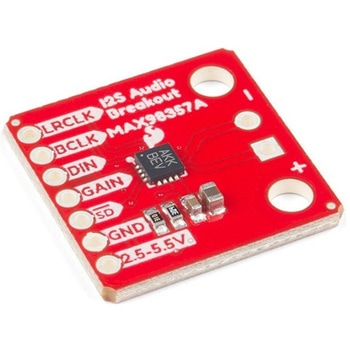
SparkFun I2S Audio Breakout - MAX98357A
SPARKFUN¥1,998税込¥2,1981個33日以内出荷Description。The SparkFun I2S Audio Breakout board uses the MAX98357A digital to analog converter(DAC), which converts I2S(not be confused with I2C)audio to an analog signal to drive speakers. The I2S Audio Breakout converts the digital audio signals using the I2S standard to an analog signal and amplifies the signal using a class D amplifier which can deliver up to 3.2W of power into a 4Ω load. The board can be configured to output only the left channel audio, right channel, or both.。The SparkFun I2S Audio Breakout board is fairly simple, requiring only a few pin connections to get it up and working. By default the board is configured in "mono" operation, meaning the left and right signals are combined together to drive a single speaker. If you want a separate speaker for the left and right audio channels you'll need to cut the mono jumper. In addition to being able to select the audio channel output, the gain can also be configured in a few ways. The gain of the amplifier can be configured from as low as +3dB to as high as +15dB. While the channel selection can be configured on board, the gain however is controlled externally using the gain pin. By default, the board is configured for +9dB, but can be easily changed!。Get Started with the SparkFun I2S Audio Breakout Guide。Features。Supply Voltage Range:2.5V - 5.5V.。Output Power:3.2W into 4Ω at 5V.。Output Channel Selection:Left, Right, or Left/2 + Right/2(Default).。Sample Rate:8kHz - 96kHz.。Sample Resolution:16/32 bit.。Quiescent Current:2.4mA.。Filterless Class D Outputs。No MCLK Required。Click and Pop Reduction。Short-Circuit and Thermal Protection.アズワン品番67-0422-64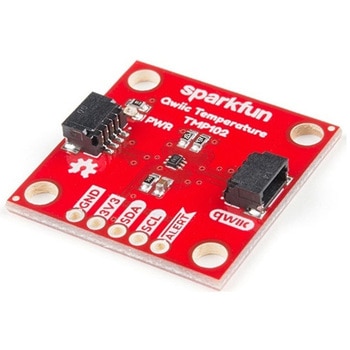
SparkFun Digital Temperature Sensor - TMP102 Qwiic
SPARKFUN¥2,398税込¥2,6381個33日以内出荷Description。We all like to know the temperature, right? Well, with the SparkFun TMP102 Digital Temperature Sensor, we've made it just about as easy as it gets. Based on the original Digital Temperature Sensor Breakout TMP102, we've added Qwiic connectors to bring this board into our plug-and-play Qwiic Ecosystem and added an address jumper instead of breaking out the address pin. However, we still have broken out 0.1"-spaced pins in case you prefer to use breadboard.。The TMP102 itself is an easy-to-use digital temperature sensor from Texas Instruments. While some temperature sensors use an analog voltage to represent the temperature, the TMP102 uses the I2C bus of the Arduino to communicate the temperature.。The TMP102 is capable of reading temperatures to resolution of 0.0625℃, and is accurate up to 0.5℃. The breakout has built-in 4.7kΩ pull-up resistors for I2C communications and runs from 1.4V to 3.6V. I2C communication uses an open drain signaling, so there is no need to use level shifting.。The SparkFun Qwiic Connect System is an ecosystem of I2C sensors, actuators, shields and cables that make prototyping faster and less prone to error. All Qwiic-enabled boards use common 1mm pitch, 4-pin JST connector. This reduces the amount of required PCB space, and polarized connections mean you can't hook it up wrong.。Get Started with the Qwiic TMP102 Digital Temperature Sensor Guide。Features。Uses the I2C interface。I2C Address:0x48 by default。(Three additional addresses available, as well)。12-bit, 0.0625℃ resolution。Typical temperature accuracy of ±0.5℃。3.3V sensor。Supports up to four TMP102 sensors on the I2C bus at time。2x Qwiic Connectorsアズワン品番67-0427-17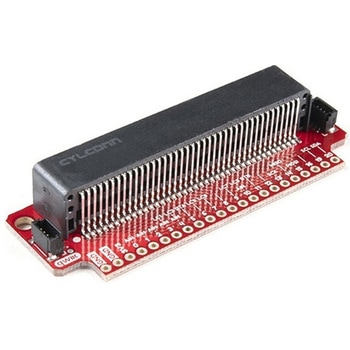
SparkFun Qwiic micro:bit Breakout
SPARKFUN¥1,898税込¥2,0881個33日以内出荷Description。The SparkFun Qwiic micro:bit Breakout is a board that connects to the BBC micro:bit and expands the capabilities of the development platform by providing access to more pins and allowing for connections to the I2C and SPI buses. This breakout board for the micro:bit's edge connector allows intermediate and advanced users to connect the micro:bit to breadboards and other Qwiic sensors, motors, LEDs and more.。The micro:bit on its own has three digital/analog input/output rings available for you to use initially with alligator clips. With the micro:bit Breakout we have broken out all 21 GPIO, power and ground-to-pin outs in a 0.1" formation and with two individual Qwiic Connectors. With this breakout you will be able to unlock the full potential of your micro:bit!。Note:。No micro:bit or headers are included with this breakout; they will need to be purchased separately. If you would like a micro:bit breakout with headers already soldered on, be sure to check out this board's sibling.。The SparkFun Qwiic Connect System is an ecosystem of I2C sensors, actuators, shields and cables that make prototyping faster and less prone to error. All Qwiic-enabled boards use a common 1mm pitch, 4-pin JST connector. This reduces the amount of required PCB space, and polarized connections mean you can't hook it up wrong.。Get Started with the Qwiic micro:bit Breakout Guideアズワン品番67-0420-12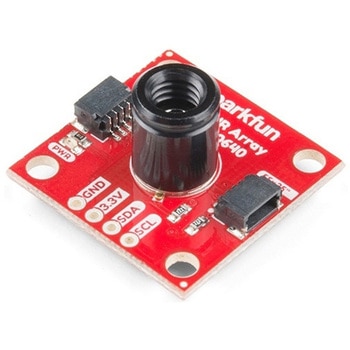
SparkFun IR Array Breakout - 55 Degree FOV, MLX90640 Qwiic
SPARKFUN¥22,980税込¥25,2781個33日以内出荷Description。It's time to say hip hip array for this IR Breakout! The MLX90640 SparkFun IR Array Breakout is equipped with a 32x24 array of thermopile sensors creating, in essence, a low resolution thermal imaging camera. With this breakout you can detect surface temperatures from many feet away with an accuracy of ±1.5℃(best case). To make it even easier to get your infrared image, all communication is enacted exclusively via I2C, utilizing our handy Qwiic system. However, we still have broken out 0.1"-spaced pins in case you prefer to use a breadboard.。This specific IR Array Breakout features a。55°x35°。field of view with a temperature measurement range of -40℃-300℃. The MLX90640 IR Array has pull up resistors attached to the I2C bus; both can be removed by cutting the traces on the corresponding jumpers on the back of the board. Please be aware that the MLX90640 requires complex calculations by the host platform so a regular Arduino Uno(or equivalent)doesn't have enough RAM or flash to complete the complex computations required to turn the raw pixel data into temperature data. You will need a microcontroller with 20,000 bytes or more of RAM. To achieve this, we recommend a Teensy 3.1 or above.。The SparkFun Qwiic connect system is an ecosystem of I2C sensors, actuators, shields and cables that make prototyping faster and less prone to error. All Qwiic-enabled boards use a common 1mm pitch, 4-pin JST connector. This reduces the amount of required PCB space, and polarized connections mean you can't hook it up wrong.。Get Started with the SparkFun IR Array Breakout Guide。Features。Operating Voltage:3V-3.6V。Current Consumption:~18mA。Field of View:55°x35°。Measurement Range:-40℃-300℃。Resolution:±1.5℃。Refresh Rate:0.5Hz-64Hz。I2C Address:0x33。2x Qwiic Connection Portsアズワン品番67-0426-88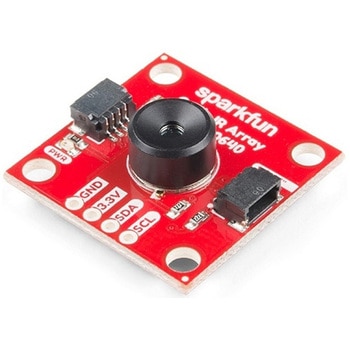
SparkFun IR Array Breakout - 110 Degree FOV, MLX90640 Qwiic
SPARKFUN¥22,980税込¥25,2781個33日以内出荷Description。It's time to say hip hip array for this IR Breakout! The MLX90640 SparkFun IR Array Breakout is equipped with a 32x24 array of thermopile sensors creating, in essence, a low resolution thermal imaging camera. With this breakout you can detect surface temperatures from many feet away with an accuracy of ±1.5℃(best case). To make it even easier to get your low-resolution infrared image, all communication is enacted exclusively via I2C, utilizing our handy Qwiic system. However, we still have broken out 0.1"-spaced pins in case you prefer to use a breadboard.。This specific IR Array Breakout features a 110°x75° field of view with a temperature measurement range of -40℃-300℃. The MLX90640 IR Array has pull up resistors attached to the I2C bus; both can be removed by cutting the traces on the corresponding jumpers on the back of the board. Please be aware that the MLX90640 requires complex calculations by the host platform so a regular Arduino Uno(or equivalent)doesn't have enough RAM or flash to complete the complex computations required to turn the raw pixel data into temperature data. You will need a microcontroller with 20,000 bytes or more of RAM. To achieve this, we recommend a Teensy 3.1 or above.。Note:The I2C address of the MLX90640 is 0x33 and is hardware defined. A multiplexer/Mux is required to communicate to multiple MLX90640 sensors on a single bus. If you need to use more than one MLX90640 sensor consider using the Qwiic Mux Breakout.。The SparkFun Qwiic connect system is an ecosystem of I2C sensors, actuators, shields and cables that make prototyping faster and less prone to error. All Qwiic-enabled boards use a common 1mm pitch, 4-pin JST connector. This reduces the amount of required PCB space, and polarized connections mean you can't hook it up wrong.。Get Started with the SparkFun IR Array Breakout Guide。Features。Operating Voltage:3V-3.6V。Current Consumption:~18mA。Field of View:110°x75°。Measurement Range:-40℃-300℃。Resolution:±1.5℃。Refresh Rate:0.5Hz-64Hz。I2C Address:0x33。2x Qwiic Connection Portsアズワン品番67-0426-87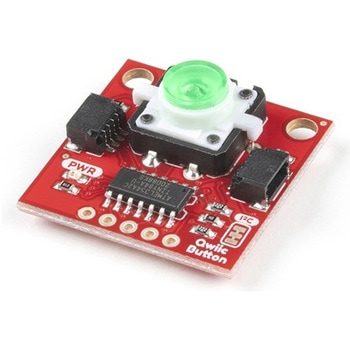
SparkFun Qwiic Button - Green LED
SPARKFUN¥1,698税込¥1,8681個33日以内出荷Description。Buttons are an easy and tactile way to interface with your project, but why would you want to deal with debouncing, polling, and wiring up pull-up resistors? The Qwiic Button with built-in green LED simplifies all of those nasty worries away into an easy to use I2C device! Utilizing our Qwiic Connect System, using the button is as simple as connecting cable and loading up some pre-written code!。If you need multiple buttons for your project, fear not! Each button has configurable I2C address, so you can daisy-chain multiple buttons over Qwiic and still address each one individually. We've got an example in our Arduino library that provides super-easy way to configure your Qwiic Button to whatever I2C address you desire. You can download the library through the Arduino library manager by searching 'SparkFun Qwiic Button' or you can get the GitHub repo as .zip file and install the library from there.。In addition to handling blinking and debouncing, the Qwiic Button has configurable interrupts that can be configured to activate upon button press or click. We've also taken the liberty of implementing FIFO queue onboard the Qwiic Button where it keeps an internal record of when the button was pressed. This means that code on your microcontroller need not waste valuable processing time checking the status of the button but instead can run small function whenever the button is pressed or clicked! For more information on interrupts check out our guide here!。The SparkFun Qwiic Connect System is an ecosystem of I2C sensors, actuators, shields and cables that make prototyping faster and less prone to error. All Qwiic-enabled boards use common 1mm pitch, 4-pin JST connector. This reduces the amount of required PCB space, and polarized connections mean you can't hook it up wrong.。Get Started with the SparkFun Qwiic Button Guide。Features。12mm Green LED Button rated for 50mA。Built in LED can be configured for your desired level of blinkiness!。Each button has configurable I2C address。Configurable interrupts check out our guide here!。FIFO queue。Don't like the color green? Check out the SparkFun Qwiic Button Breakout and add another colored button!。Red LED Tactile Button。Blue LED Tactile Button。Green LED Tactile Button。White LED Tactile Buttonアズワン品番67-0420-14