カテゴリ
- 学童・教育用品(9)
- 空調・電設資材(2)
絞り込み
ブランド
- SPARKFUN
- 伊東電機(64)
- omron(オムロン)(26)
- Panasonic(パナソニック)(21)
- 三菱電機(19)
- ハイテクインター(17)
- ノーブランド(13)
- Whatman(ワットマン)(13)
- MOXA(12)
- Yamato(大和製衡)(8)
- RS PRO(8)
- ホンダ(7)
- PATLITE(パトライト/旧:春日電機)(7)
- Wieland(7)
- オムロンヘルスケア(6)
- 三菱電機エンジニアリング(6)
- エレコム(5)
- WURTH ELEKTRONIK(5)
- MICROCHIP(4)
- ブランドをもっと見る
「PLC LAN」の検索結果
特価
 の全商品がキャンペーンコード入力で通常価格より
 High Bonding Gasket for 1.2 Watt Solar PanelsSPARKFUN
¥1,498税込¥1,648
1個
欠品中
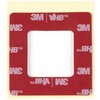
DescriptionWith this high-strength, acrylic gasket, you will be able to attach the 1.2W panels(P124)to an enclosure or almost any other flat surface. The gasket creates a waterproof and secure connection between the panel and a wide variety of materials including plastic and aluminum.For best results, clean both surfaces with isopropyl alcohol and apply with approximately 14PSI.Features3M VHBCreates Waterproof and Secure Seal(when properly applied)Dimensions:66×113×1.1mmCompatible with 1.2W Panel(P124)
アズワン品番67-0426-26
 High Bonding Gasket for 0.3 Watt Solar PanelsSPARKFUN
¥599税込¥659
1個
欠品中
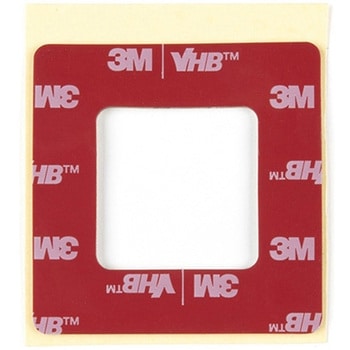
DescriptionWith this high-strength, acrylic gasket, you will be able to attach the 0.3W panels(0.3 Watt, 2 Volt and 0.3 Watt, 6 Volt)to an enclosure or almost any other flat surface. The gasket creates a waterproof and secure connection between the panel and a wide variety of materials including plastic and aluminum.For best results, clean both surfaces with isopropyl alcohol and apply with approximately 14PSI.Features3M VHBCreates Waterproof and Secure Seal(when properly applied)Dimensions:47×47×1.1mmCompatible with 0.3W Panels(P121, P122)
アズワン品番67-0426-27
 40 Pin 0.5mm FPC, SMD, Both SidesSPARKFUN
¥219税込¥241
1個
欠品中
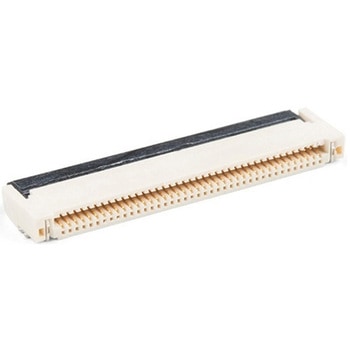
DescriptionThis is a 40-pin surface mount FPC(Flat Printed Circuit)connector. Nothing too fancy here, except that it can be plugged in either way - contacts up or down. This is useful for manufacturers because they only have to keep one item in stock. It is useful for consumers because they can use one connector to fit in multiple orientations.This product fits the 1.77 TFT LCD Display 160x128 RGB - 3 Wire and thanks to its dual-sided nature you can use it upside down or all-around.TFT Display Not IncludedThis product mates and is pictured with the 1.8in. TFT LCD 160x128 RGBFeatures40 pins0.5mm pitchTop/bottom side contacts(both)Locking
アズワン品番67-0425-59
 SparkFun Inventor's Kit for Arduino Uno - v4.1SPARKFUN
¥34,980税込¥38,478
1個
33日以内出荷
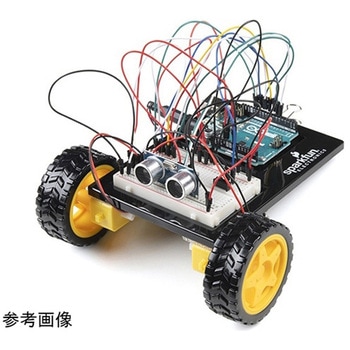
DescriptionThe SparkFun Inventor's Kit(SIK)for Arduino Uno is a great way to get started with programming and hardware interaction with the Arduino programming language. The SIK includes everything you need to complete five overarching projects consisting of 16 interconnected circuits that teach everything from blinking an LED to reading sensors. The culminating project is your very own autonomous robot! No previous programming or electronics experience is required to use this kit.The online guide contains step-by-step instructions with circuit diagrams and hookup tables for building each project and circuit with the included parts. Full example code is provided, new concepts and components are explained at point of use, and troubleshooting tips offer assistance if something goes wrong.The kit does not require any soldering and is recommended for beginners ages 10 and up who are looking for an Arduino starter kit. For SIK version 4.1 we took an entirely different approach to teaching embedded electronics. In previous versions of the SIK, each circuit focused on introducing a new piece of technology. With SIK v4.1, components are introduced in the context of the circuit you are building, and each circuit builds upon the last, leading up to a project that incorporates all of the components and concepts introduced throughout the guide. With new parts and a completely new strategy, even if you've used the SIK before, you're in for a brand-new experience!This version of the SIK replaces the SparkFun RedBoard Qwiic with the Arduino Uno(SMD version)and comes without the SIK guidebook and carrying case. With these components being swapped and removed, we were able to reduce the overall size and weight of the kit, making shipping cheaper and easier for anyone ordering internationally.Note:As stated above, this SIK does NOT include a carrying case or print guidebook.Get Started With the SparkFun Inventor's Kit v4.1 Experiment GuideExamplesProject 1:LightCircuit 1A:Blinking an LEDCircuit 1B:PotentiometerCircuit 1C:PhotoresistorCircuit 1D:RGB Night-LightProject 2:SoundCircuit 2A:BuzzerCircuit 2B:Digital TrumpetCircuit 2C:"Simon Says" GameProject 3:MotionCircuit 3A:Servo MotorsCircuit 3B:Distance SensorCircuit 3C:Motion AlarmProject 4:DisplayCircuit 4A:LCD "Hello, World!"Circuit 4B:Temperature SensorCircuit 4C:"DIY Who Am I?" GameProject 5:RobotCircuit 5A:Motor BasicsCircuit 5B:Remote-Controlled RobotCircuit 5C:Autonomous Robot
アズワン品番67-0424-34
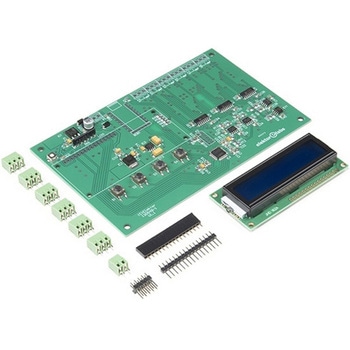 Elektor 6-Channel Temperature Monitor & Logger - Partly Assembled ModuleSPARKFUN
¥29,980税込¥32,978
1個
33日以内出荷
DescriptionThe 6-Channel Temperature Monitor can measure temperatures from as low as -240℃ up to +850℃(real-world limits greatly depend on the sensors being used). Up to six 3-wire PT100 sensors(not included)can be connected for measuring up to six temperatures. Measured temperature values are sent on a serial port for data logging and/or further processing. The kit includes an optional serial LCD for displaying readouts right on the board.Note:The kit requires soldering, a Serial to USB converter, and 9V power supply. See related products for these and PT100 temperature sensors.
アズワン品番67-0429-30
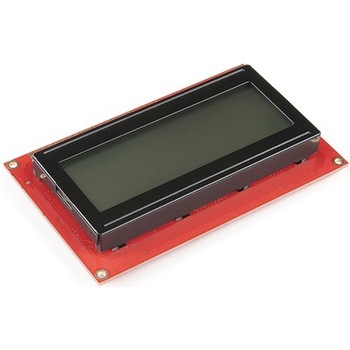 SparkFun 20x4 SerLCD - RGB Backlight QwiicSPARKFUN
¥13,980税込¥15,378
1個
欠品中
DescriptionThe SparkFun SerLCD is an AVR-based, serial enabled LCD that provides a simple and cost effective solution for adding a 20x4 Black on RGB Liquid Crystal Display into your project. We've seriously overhauled the PCB design on the back of th
アズワン品番67-0425-02
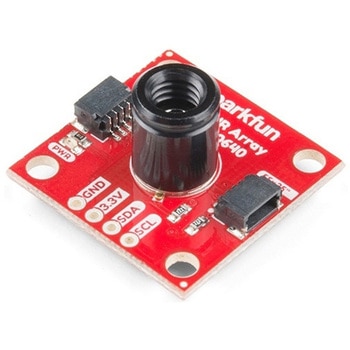 SparkFun IR Array Breakout - 55 Degree FOV, MLX90640 QwiicSPARKFUN
¥22,980税込¥25,278
1個
33日以内出荷
DescriptionIt's time to say hip hip array for this IR Breakout! The MLX90640 SparkFun IR Array Breakout is equipped with a 32x24 array of thermopile sensors creating, in essence, a low resolution thermal imaging camera. With this breakout you can detect surface temperatures from many feet away with an accuracy of ±1.5℃(best case). To make it even easier to get your infrared image, all communication is enacted exclusively via I2C, utilizing our handy Qwiic system. However, we still have broken out 0.1"-spaced pins in case you prefer to use a breadboard.This specific IR Array Breakout features a55°x35°field of view with a temperature measurement range of -40℃-300℃. The MLX90640 IR Array has pull up resistors attached to the I2C bus; both can be removed by cutting the traces on the corresponding jumpers on the back of the board. Please be aware that the MLX90640 requires complex calculations by the host platform so a regular Arduino Uno(or equivalent)doesn't have enough RAM or flash to complete the complex computations required to turn the raw pixel data into temperature data. You will need a microcontroller with 20,000 bytes or more of RAM. To achieve this, we recommend a Teensy 3.1 or above.The SparkFun Qwiic connect system is an ecosystem of I2C sensors, actuators, shields and cables that make prototyping faster and less prone to error. All Qwiic-enabled boards use a common 1mm pitch, 4-pin JST connector. This reduces the amount of required PCB space, and polarized connections mean you can't hook it up wrong.Get Started with the SparkFun IR Array Breakout GuideFeaturesOperating Voltage:3V-3.6VCurrent Consumption:~18mAField of View:55°x35°Measurement Range:-40℃-300℃Resolution:±1.5℃Refresh Rate:0.5Hz-64HzI2C Address:0x332x Qwiic Connection Ports
アズワン品番67-0426-88
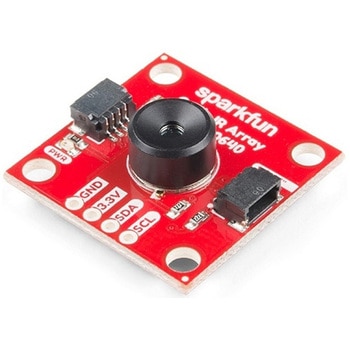 SparkFun IR Array Breakout - 110 Degree FOV, MLX90640 QwiicSPARKFUN
¥22,980税込¥25,278
1個
33日以内出荷
DescriptionIt's time to say hip hip array for this IR Breakout! The MLX90640 SparkFun IR Array Breakout is equipped with a 32x24 array of thermopile sensors creating, in essence, a low resolution thermal imaging camera. With this breakout you can detect surface temperatures from many feet away with an accuracy of ±1.5℃(best case). To make it even easier to get your low-resolution infrared image, all communication is enacted exclusively via I2C, utilizing our handy Qwiic system. However, we still have broken out 0.1"-spaced pins in case you prefer to use a breadboard.This specific IR Array Breakout features a 110°x75° field of view with a temperature measurement range of -40℃-300℃. The MLX90640 IR Array has pull up resistors attached to the I2C bus; both can be removed by cutting the traces on the corresponding jumpers on the back of the board. Please be aware that the MLX90640 requires complex calculations by the host platform so a regular Arduino Uno(or equivalent)doesn't have enough RAM or flash to complete the complex computations required to turn the raw pixel data into temperature data. You will need a microcontroller with 20,000 bytes or more of RAM. To achieve this, we recommend a Teensy 3.1 or above.Note:The I2C address of the MLX90640 is 0x33 and is hardware defined. A multiplexer/Mux is required to communicate to multiple MLX90640 sensors on a single bus. If you need to use more than one MLX90640 sensor consider using the Qwiic Mux Breakout.The SparkFun Qwiic connect system is an ecosystem of I2C sensors, actuators, shields and cables that make prototyping faster and less prone to error. All Qwiic-enabled boards use a common 1mm pitch, 4-pin JST connector. This reduces the amount of required PCB space, and polarized connections mean you can't hook it up wrong.Get Started with the SparkFun IR Array Breakout GuideFeaturesOperating Voltage:3V-3.6VCurrent Consumption:~18mAField of View:110°x75°Measurement Range:-40℃-300℃Resolution:±1.5℃Refresh Rate:0.5Hz-64HzI2C Address:0x332x Qwiic Connection Ports
アズワン品番67-0426-87
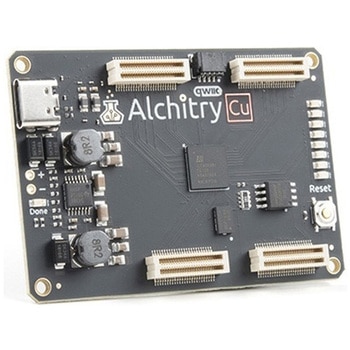 Alchitry Cu FPGA Development Board Lattice iCE40 HXSPARKFUN
¥15,980税込¥17,578
1個
33日以内出荷
DescriptionIf you are not needing a lot of power to start your FPGA adventure, or are looking for a more economical option, the Alchitry Cu FPGA Development Board might be the perfect option for you! The Alchitry Cu is a "lighter" FPGA version than the Alchitry Au but still offers something completely unique. FPGAs, or Field-Programmable Gate Arrays, are an advanced development board type for engineers and hobbyists alike to experience the next step in programming with electronics. The Cu truly exemplifies the trend of more affordable and increasingly powerful FPGA boards arriving each year. This board is a fantastic starting point into the world of FPGAs and the heart of your next project. Finally, now that this board is built by SparkFun, we added a Qwiic connector for easy I2C integration!The Alchitry Cu uses the Lattice iCE40 HX FPGA with 7680 logic cells and is supported by the open source tool chain Project IceStorm. The Cu possesses 79 IO pins with eight general purpose LEDs; a 100MHz on-board clock that can be manipulated internally by the FPGA; a USB-C connector to configure and power the board; and a USB to serial interface for data transfer.By adding stackable expansion boards similar to shields or HATs called "Elements," the Alchitry Cu is able to expand its own hardware capabilities by adding prototyping spaces, buttons, LEDs, and more!The SparkFun Qwiic Connect System is an ecosystem of I2C sensors, actuators, shields and cables that make prototyping faster and less prone to error. All Qwiic-enabled boards use a common 1mm pitch, 4-pin JST connector. This reduces the amount of required PCB space, and polarized connections mean you can't hook it up wrong.Get Started with our Learning FPGA TutorialsFeaturesLattice iCE40-HX8K FPGA - 7680 logic elements79 IO pins(3.3V logic level)USB-C to configure and power the boardEight general purpose LEDsOne button(typically used as a reset)100MHz on-board clock(can be multiplied internally by the FPGA)Powered with 5V through USB-C port, 0.1" holes, or headersUSB to serial interface for data transfer(up to 12Mbaud)Qwiic ConnectorDimensions of 65mm×45mmExamplesFirst FPGA Project - Getting Fancy with PWMExternal IO and Metastability
アズワン品番67-0423-08
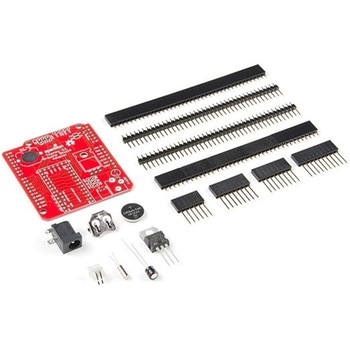 Teensy Arduino Shield AdapterSPARKFUN
¥4,798税込¥5,278
1個
33日以内出荷
DescriptionThe Teensy is an amazing and compact development platform in breadboard friendly form factor, but what if you could incorporate it into the Arduino architecture? The Teensy Arduino Shield Adapter allows you to attach your Teensy and utilize your favorite Arduino shields without the requirement of breadboard or any complicated wiring. Needless to say, the Teensy Arduino Shield Adapter is useful tool for upgrading all of your existing Arduino projects to more powerful controller!As we stated before, the Teensy Arduino Shield Adapter provides basic Arduino compatibility with your run-of-the-mill shield but there are few other fun features that we've added on, as well. These features include Real Time Clock(RTC)battery, JST battery connector, 4-12V barrel jack connector, an ICSP header, and more. Because this board is simply an adapter, there is no special programming required to start working with the adapter. You will, however, need to program the Teensy for any Arduino shield you'd like to work with.While the adapter design can fit the Teensy LC footprint, it has been designed to fully utilize the features of the Teensy 3.1. Not all of the features available on the adapter are compatible with the LC so please be sure to check the Hookup Guide in theDocumentssection below to ensure functionality for your project. Please keep in mind that this adapter may be incompatible with some 5V Arduino shields. Please check our hookup guide for more information.Note:The Teensy Arduino Shield Adapter comes as kit and will need to be soldered together.Note:Due to the requirements of shipping the batteries in this kit, orders may take longer to process and therefore do not qualify for same-day shipping. Additionally, these batteries can not be shipped via Ground or Economy methods to Alaska or Hawaii. Sorry for any inconvenience this may cause.FeaturesArduino R3 InterfaceReal Time Clock BatteryJST Battery ConnectorBarrel JackI2C JumpersICSP HeaderDAC Pin Header
アズワン品番67-0424-36
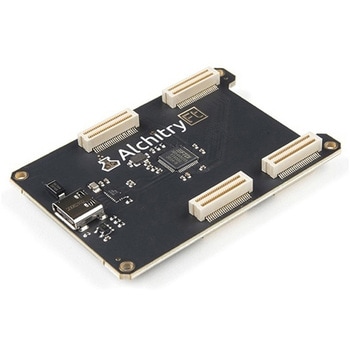 Alchitry Ft Element BoardSPARKFUN
¥10,980税込¥12,078
1個
33日以内出荷
DescriptionMeet the Alchitry Ft Element Board! Alchitry Elements are expansion boards similar to Arduino shields or Raspberry Pi HATs that work with your Au and Au+ FPGA Development Boards. The Ft Element is equipped with four 50-pin board to board connectors on the underside and top of the board that snap to the Alchitry Au and Au(+)boards. It also adds a USB 3.0 200MB/s high speed interface to your Alchitry board stack via the USB-C connector.Please note that this board is only functional with the higher end Au Au+ FPGA Dev boards that feature the Xilinx Artix 7.Get Started with our Learning FPGA TutorialsFeaturesUSB-C connector w/ 200MB/s data rate to board to board connectorsFor use with projects that require data transfer rates greater than standard on board USB to serial 12Mbaud
アズワン品番67-0423-43